


Bubble AI App Builder 2026: Complete Guide to Building AI SaaS Without Code


The rise of AI is transforming SaaS, opening new doors for non-technical founders. The demand for smarter, automated tools is surging. By 2026, 75% of new SaaS products are expected to include AI-powered features, creating a massive opportunity for those ready to innovate.
Building a bubble ai saas app makes it possible to launch advanced solutions without writing code. Bubble.io gives founders the tools to create, test, and scale robust AI SaaS products quickly.
In this guide, you will find a clear roadmap, essential features, real-world examples, and actionable tips to help you succeed with your own AI SaaS app in 2026.
What an AI SaaS app is
Understanding the bubble ai saas app landscape starts with clear definitions. SaaS, or Software as a Service, delivers software over the internet, allowing users to access applications through a browser rather than installing them locally. AI SaaS apps build on this by integrating artificial intelligence, which enables automation, prediction, and data-driven decisions. Traditional SaaS solutions follow fixed rules, while AI-powered SaaS adapts, learns, and improves over time. For example, a standard CRM stores and manages contacts, but an AI-powered CRM can suggest the best time to reach out to leads, automatically score prospects, and even generate follow-up emails. This fundamental shift is what sets a bubble ai saas app apart in today’s market.

Defining AI SaaS apps
AI SaaS apps are transforming business operations across industries. The most common use cases involve automation, such as intelligent chatbots that handle customer queries without human intervention. Analytics is another area, where AI tools process large datasets and surface actionable insights. Content generation, like automated report writing or personalised marketing messages, is becoming standard. Personalisation engines use AI to tailor user experiences in real time. Examples include AI chatbots for support, document processing tools that extract key data from contracts, and predictive analytics platforms that forecast sales trends. With a bubble ai saas app, these use cases become accessible to founders without a technical background, enabling tangible value for end users and businesses.
Typical use cases and value
The market for bubble ai saas app solutions is growing rapidly. By 2034, the global AI SaaS market is projected to reach $367.6 billion, reflecting strong demand and widespread adoption among startups and SMEs. No-code platforms like Bubble are at the centre of this growth, lowering barriers for non-technical founders to enter the space. Adoption rates are rising as businesses seek smarter, more adaptive software that can scale with their needs. The demand for no-code AI SaaS platforms is particularly high, as organisations look for ways to innovate quickly without the cost or delays of traditional development. For more on these trends, see the AI SaaS market projected to reach $367.6 billion by 2034.
Market trends and growth
Building a bubble ai saas app presents both challenges and significant opportunities. Founders must consider technical hurdles, such as integrating third-party AI services and ensuring reliable performance. Regulatory issues, especially GDPR and data privacy, require careful planning from the start. Scaling AI features can be complex, particularly as user numbers grow. However, the opportunity is substantial. Non-technical founders can now compete with larger players by leveraging no-code tools to build, launch, and iterate quickly. The key is to remain agile, focus on core value, and choose scalable, compliant solutions as you grow your bubble ai saas app.
Core features every AI SaaS app needs
To launch a successful bubble ai saas app, you need to focus on essential components that ensure security, scalability, and value for your users. These features form the backbone of any robust AI SaaS platform, no matter the industry or use case.

Essential SaaS features
Every bubble ai saas app must start with the basics. User authentication and management are fundamental, providing secure sign-up, login, and password reset options. Subscription billing is critical for monetisation, allowing you to manage recurring payments and different pricing tiers. Usage tracking and analytics help you understand how users interact with your app and identify opportunities for improvement.
Here’s a quick summary table:
| Feature | Purpose |
|---|---|
| User authentication | Secure access control |
| Billing and payments | Monetisation and subscriptions |
| Usage analytics | Insight into user behaviour |
When building your MVP, prioritise these features to ensure your bubble ai saas app delivers immediate value. For a deeper dive on rapid MVP delivery, see the Building an MVP with no-code guide.
AI-specific features
The real power of a bubble ai saas app comes from its AI capabilities. Integrate machine learning models, like GPT-4 or custom solutions, using Bubble’s API Connector or plugins. Decide if your AI processes need to run in real time (such as chatbots) or in batch mode (like document analysis).
Enable workflows to handle AI model retraining and updates. Plan for ongoing improvement, so your app stays accurate and relevant. For example, you might schedule regular data uploads to retrain your AI models, ensuring your bubble ai saas app continues to learn and adapt.
Data handling and privacy
Data security and privacy are non-negotiable for any bubble ai saas app. Store user data securely within Bubble’s database, and always comply with GDPR and other regulations. Make it easy for users to give consent and understand how their data is used.
Transparency builds trust. For instance, implement a data deletion workflow so users can request removal of their information:
When User clicks 'Delete Account' > Trigger workflow: Delete all user data > Send confirmation email
This approach helps your bubble ai saas app earn user confidence and meet regulatory demands.
Scalability and integrations
As your bubble ai saas app grows, you must plan for increased user load and demand. Bubble supports scaling through database optimisation and workflow management. Use plugins to connect with external APIs, payment gateways, or AI services.
A good example is integrating a third-party AI API for advanced processing, or using Bubble’s plugin marketplace to add features quickly. This flexibility means your bubble ai saas app can evolve as your user base expands and new opportunities arise.
Why use Bubble.io to build your AI SaaS app, including its limits
Bubble.io is a powerful platform for building your bubble ai saas app quickly, even if you have no technical background. Its visual development environment allows you to design interfaces, manage users, and control your database with simple drag-and-drop tools. This reduces complexity and helps non-technical founders focus on their product’s value, not the code. Fast prototyping and built-in user management make it ideal for SaaS solutions.

Advantages of Bubble.io for AI SaaS
The main advantage of building a bubble ai saas app with Bubble.io is its no-code approach. You can visually develop your SaaS platform, handle user authentication, and manage your database all in one place. This speeds up the process from idea to MVP, allowing you to iterate based on user feedback. Bubble’s built-in features cut down on the need for third-party tools, streamlining your workflow and reducing maintenance overhead.
AI integration capabilities
Bubble.io enables you to connect your bubble ai saas app to leading AI APIs like OpenAI and Hugging Face. Using the API Connector or dedicated plugins, you can add features such as text generation, image analysis, or chatbots without complex coding. For example, you can follow guides like Bubble launches AI Agent for visual development to set up advanced AI-powered workflows directly inside Bubble. This flexibility allows rapid experimentation and integration of the latest AI tools.
Cost and speed benefits for founders
Launching a bubble ai saas app on Bubble.io is significantly more affordable than hiring a full-stack development team. You can build and release an MVP in weeks, not months, with lower upfront costs. Bubble’s pricing model is transparent and predictable, so you avoid unexpected expenses. Many founders find that the savings in time and money let them test their ideas faster and reinvest in growth or marketing instead of infrastructure.
Platform limitations and tradeoffs
There are some important limitations to consider when building your bubble ai saas app. Bubble.io is not optimised for heavy backend processing or real-time, large-scale AI workloads. If your app relies on intensive data crunching or highly custom backend logic, you may reach performance limits. In these cases, offloading AI processing to external services or transitioning to custom code as you scale is recommended. Bubble is best for rapid prototyping and early-stage SaaS, not for every enterprise use case.
How Minimum Code supports AI SaaS founders
Minimum Code offers end-to-end support for founders building on Bubble.io. Services include discovery workshops, UI/UX design, Bubble development, and secure launch. The team has deep expertise in AI integrations, platform security, and GDPR compliance. By working with Minimum Code, non-technical founders can deliver a robust AI SaaS product quickly and cost-effectively, with ongoing support for scaling and future enhancements.
Step by step build process in Bubble.io
Building a bubble ai saas app is achievable for non-technical founders with a clear, structured approach. Below is a practical, step-by-step guide, breaking down each phase so you can move from concept to scalable product with confidence.
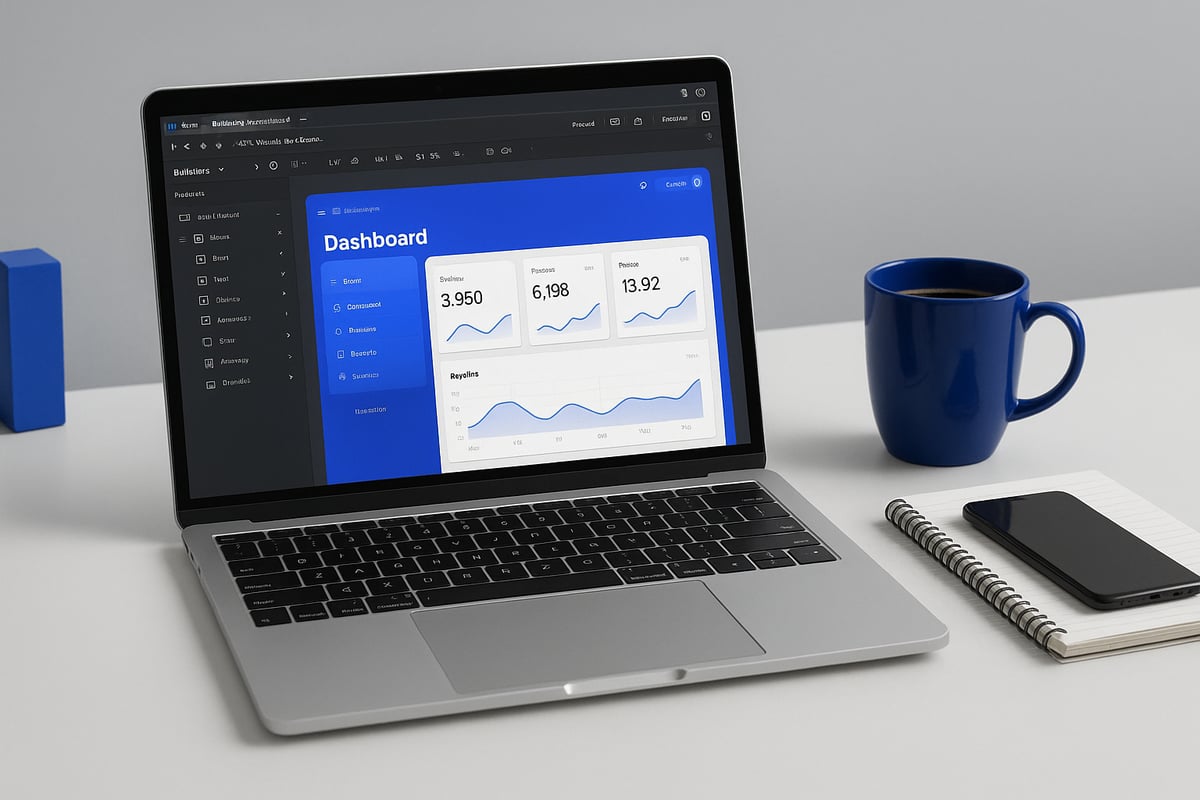
Step 1: Define your AI SaaS concept and requirements
Start your bubble ai saas app journey by clearly identifying the problem you want to solve. Pinpoint your target user, their pain points, and the specific value your AI solution will deliver.
List your must-have features, such as core AI functionality, user registration, and billing. Separate these from nice-to-have features like advanced analytics or integrations. This clarity helps you avoid scope creep and focus on a lean MVP.
Draft a one-sentence value proposition for your bubble ai saas app. Use this as a guiding reference throughout development.
Step 2: Plan your data structure and user flows
Effective planning is critical for a successful bubble ai saas app. In Bubble, design your database to include tables for Users, Subscriptions, and AI Tasks.
Map user journeys from registration, onboarding, and main dashboard navigation to AI task execution and results review. Visualise these workflows using flowcharts or Bubble's workflow editor.
Outline how data moves between users, your app, and any AI APIs. This ensures your bubble ai saas app remains organised and scalable as you add features.
Step 3: Design UI/UX in Bubble
A clean, intuitive interface is essential for your bubble ai saas app. Use Figma or Bubble’s built-in editor to design wireframes for key screens like the dashboard, onboarding, and user settings.
Prioritise clarity and simplicity. Group related actions, use consistent colours, and avoid clutter. For onboarding, create a welcome screen guiding new users through setup.
Test early designs with potential users to gather feedback. Iterating on UI/UX at this stage saves time and reduces rework for your bubble ai saas app.
Step 4: Set up authentication and user management
Configuring authentication is straightforward in a bubble ai saas app. Use Bubble’s built-in user system to enable sign-up, login, password reset, and account management.
Define user roles if your app requires admin or manager access levels. Ensure secure password practices and consider adding two-factor authentication for added security.
Plan how users can update their details, manage subscriptions, or delete their accounts. Keeping user management simple and robust is vital for your bubble ai saas app’s trustworthiness.
Step 5: Integrate AI APIs and workflows
To deliver AI functionality in your bubble ai saas app, connect to AI APIs such as OpenAI or Hugging Face using Bubble’s API Connector. Set up workflows that send user input to the AI service and display the returned output in your app.
For example, use the API Connector to create an endpoint for text generation. You can follow this Bubble.io Tutorial - How to connect Open AI and Bubble (No-Code) for a step-by-step video guide.
Handle API errors gracefully and communicate clearly with users when issues occur. This ensures your bubble ai saas app delivers a smooth, reliable experience.
Step 6: Build core SaaS features (billing, subscriptions, analytics)
Every bubble ai saas app needs reliable billing and analytics. Use Bubble’s Stripe plugin to set up secure payment processing and manage subscription tiers.
Create dashboards to track user activity, usage limits, and AI task consumption. Set up automated emails or notifications for billing events, such as renewals or failed payments.
By integrating these features early, your bubble ai saas app will be ready for real users and revenue from day one.
Step 7: Test, iterate, and launch
Testing is essential for any bubble ai saas app. Conduct user testing for every flow, including registration, AI tasks, and billing. Collect feedback and fix any usability issues or AI output errors.
Iterate quickly, focusing on improvements that add the most value. Prepare a launch plan with onboarding emails and support channels.
Launching your bubble ai saas app as an MVP allows you to gather real-world feedback and validate your business before scaling further.
Step 8: Monitor, support, and scale
Once live, monitor your bubble ai saas app for errors and performance bottlenecks. Use Bubble’s analytics and error logs to catch issues early.
Plan for scaling by optimising your database, increasing capacity, or offloading heavy AI processing to external services if needed. Provide responsive support and regular updates to keep users engaged.
Continually improve your bubble ai saas app based on user feedback and usage data, ensuring long-term growth.
Ready to bring your bubble ai saas app idea to life? Book a free discovery call with Tom for expert guidance tailored to your project.
Common mistakes to avoid when building AI SaaS in Bubble.io
Building a bubble ai saas app is exciting, but non-technical founders often face common pitfalls. Understanding these mistakes early can save you time, money, and frustration as you turn your idea into a successful product.
Underestimating AI integration complexity
Many founders assume connecting to AI services is plug-and-play. In reality, integrating AI APIs with your bubble ai saas app requires careful handling of several factors:
- API rate limits can throttle your requests if not managed.
- Latency can impact user experience, especially for real-time features.
- Error handling is essential; failed API calls must not break your flows.
For example, always use conditional logic to manage API errors. Here’s a simple Bubble workflow snippet:
When API call fails > Show alert "AI service unavailable, please try again."
Test your AI integrations under different scenarios. This ensures your bubble ai saas app remains robust, even when external services are slow or unresponsive.
Ignoring data privacy and compliance
A bubble ai saas app often processes sensitive customer data. Failing to address privacy, especially for users in Europe, can result in legal risks.
- Always request user consent before collecting or processing data.
- Store personal data securely using Bubble’s privacy rules.
- Provide a clear option for users to delete their data on request.
GDPR compliance is not optional. Review your workflows to ensure transparency and audit trails. For example, log every significant data change. This builds trust and protects your business.
Overcomplicating MVP scope
Trying to build every feature at once can stall your bubble ai saas app before it launches. Focus on the core value proposition for your MVP.
- Start with one AI feature that solves a real user problem.
- Collect feedback, then iterate with new features.
- Use pre-built tools to accelerate development, as outlined in MVP tools for startups.
A simple, focused MVP gets you to market faster. It also lets you validate demand before investing heavily in additional features.
Neglecting scalability and performance planning
Your bubble ai saas app may work well with a few users, but performance can degrade as usage grows.
- Monitor app speed and database loads from day one.
- Plan for offloading heavy AI processing to external services if needed.
- Consider Bubble’s performance limitations and optimise workflows.
If your AI usage grows beyond what Bubble can handle, prepare to migrate complex logic off-platform. Early planning prevents costly rebuilds and ensures your app can scale with your business.
Timeline and cost ranges for building an AI SaaS app in Bubble.io
Bringing a bubble ai saas app to life requires careful planning, a clear roadmap, and realistic expectations around time and budget. Understanding each project phase and its associated costs will help you make informed decisions, avoid surprises, and keep your project on track.
Typical project phases and durations
A successful bubble ai saas app build usually follows a structured process. Most projects move through these phases:
- Discovery and planning: Define your vision, requirements, and target users. This takes 1 to 2 weeks.
- Design and prototyping: Create wireframes and UI concepts, either in Figma or Bubble. Allocate 1 to 2 weeks.
- Development and integration: Set up databases, implement features, and connect AI APIs. Expect 2 to 4 weeks here.
- Testing and launch: Validate user flows, fix issues, and prepare for deployment. Reserve 1 week.
In total, a straightforward bubble ai saas app MVP can be delivered in 5 to 9 weeks. More complex requirements or iterations may extend the timeline.
Cost breakdowns for different scopes
Budgeting for a bubble ai saas app depends on your feature set and scale. Here is a summary of typical cost ranges:
| Scope | Estimated Cost | Inclusions |
|---|---|---|
| MVP | £5,000 – £15,000 | Core features, 1 AI integration |
| Full-featured launch | £15,000 – £40,000 | Multiple AI features, integrations |
| Ongoing costs | Variable | Bubble subscription, AI API fees |
The MVP tier covers essentials and a single AI feature. Full-featured launches include advanced workflows, analytics, and more integrations. Ongoing costs for a bubble ai saas app depend on user volume and AI usage.
Factors impacting timeline and budget
Several elements can affect the speed and cost of your bubble ai saas app project:
- AI feature complexity: Advanced models or custom workflows increase both development time and expenses.
- Number of integrations: Each external service, payment gateway, or data source adds setup and testing time.
- Design and UI/UX requirements: Custom designs or responsive layouts often require additional effort.
Be realistic about what you need for launch. The more complex your bubble ai saas app, the higher the cost and longer the timeline.
Cost-saving strategies for founders
To control costs and accelerate delivery for your bubble ai saas app, consider these approaches:
- Prioritise MVP features: Focus on your app’s core value and launch with essential AI capabilities.
- Use pre-built templates and plugins: Leverage Bubble’s ecosystem to avoid reinventing the wheel.
- Work with experienced agencies: Partnering with professionals, such as those outlined in the Bubble agency services overview, can streamline development and prevent costly mistakes.
These steps help you get your bubble ai saas app to market faster and more efficiently, while keeping quality high.
Examples of successful AI SaaS apps built with Bubble.io
Real-world success stories offer the best proof of what a bubble ai saas app can achieve. Below are four practical examples that illustrate the flexibility, speed, and unique advantages of using Bubble.io to build AI SaaS solutions. Each demonstrates how non-technical founders can turn ideas into robust, market-ready products with the right approach.
Example 1: AI-powered document analysis tool
One standout bubble ai saas app is a document analysis platform designed for legal and financial professionals. Users upload contracts or reports, and the app uses an integrated AI API for natural language processing. The system extracts key entities, flags risky clauses, and generates concise summaries.
Key features include:
- Secure file upload and encrypted storage
- Real-time AI analysis workflow
- User-specific dashboards for result tracking
By leveraging Bubble.io’s visual workflows and OpenAI integration, the founder launched a working MVP in just four weeks. This rapid turnaround allowed early customer feedback and iterative improvements.
Example 2: AI chatbot SaaS for customer support
Another successful bubble ai saas app is a SaaS platform that lets businesses deploy AI chatbots on their websites. The onboarding flow allows users to set up their chatbot, connect knowledge bases, and customise responses.
Key elements:
- Step-by-step onboarding for non-technical users
- Integration with OpenAI for natural conversation
- Real-time chat interface and usage analytics
Bubble.io’s API Connector made it simple to link to AI services and manage user data securely. This approach enabled the product owner to focus on user experience, while Bubble handled authentication and billing.
Example 3: Predictive analytics dashboard for SMEs
A third bubble ai saas app example addresses the need for predictive business insights. SMEs can import sales data and receive AI-driven forecasts and actionable reports.
Highlights:
- Data import via CSV or API
- Machine learning models for sales prediction
- GDPR-compliant data handling and user controls
The app’s architecture uses Bubble.io’s database and plugin marketplace for seamless integrations. With built-in privacy features, founders can meet compliance requirements while delivering advanced analytics to clients.
Example 4: Niche AI SaaS MVPs launched in weeks
Many founders use Bubble.io to rapidly prototype and launch niche bubble ai saas app MVPs. For instance, a marketing analytics tool for influencers was built and tested in under a month.
Lessons learned:
- Focus on core AI value, not every feature
- Use Bubble’s templates and plugins for speed
- Iterate based on real user feedback
Choosing the right platform is crucial for fast, cost-effective launches. For a detailed comparison of no-code options, see Webflow vs. Bubble for startups.
Book a free discovery call with Tom
Ready to turn your bubble ai saas app idea into reality? Book a free discovery call with Tom, our founder, to discuss your project, challenges, and goals.
Tom brings hands-on experience guiding non-technical founders through every stage, from concept to launch. You will get tailored advice on strategy, technical decisions, and roadblocks specific to your bubble ai saas app.
Expert guidance saves you time, reduces costly mistakes, and helps you launch with confidence. Take the next step and book your free call now to unlock your app’s full potential.
You’ve now got a clear roadmap for turning your AI SaaS idea into a reality using Bubble io—from understanding essential features and data privacy, to scaling and integrating powerful AI tools Without the need for coding, you’re positioned to move faster and focus on what really matters for your users If you’re ready to take the next step, let’s talk about your vision and how we can help bring it to life with the expertise and support you need To get started, book a free discovery call—I’d love to hear about your project and help you plan a path to success
.avif)


Explore related articles


Ready to build your product?
