


Bubble Customer Portal App Guide: Your 2026 Success Blueprint

Seamless digital customer experiences are no longer optional for startups and SMEs in 2026. Customers expect instant access, personalised service, and self-service options at their fingertips.
A bubble customer portal app has become essential for businesses aiming to retain clients and boost engagement. For non-technical founders, building such a solution used to be complex and costly. With Bubble.io, you can now create a custom portal quickly, without writing a single line of code.
This article offers a practical, step-by-step blueprint for building your own portal in Bubble.io. We cover what a customer portal app is, must-have features, why Bubble.io stands out, how to build your app, common mistakes, timelines, costs, and real-world examples.
What a customer portal app is
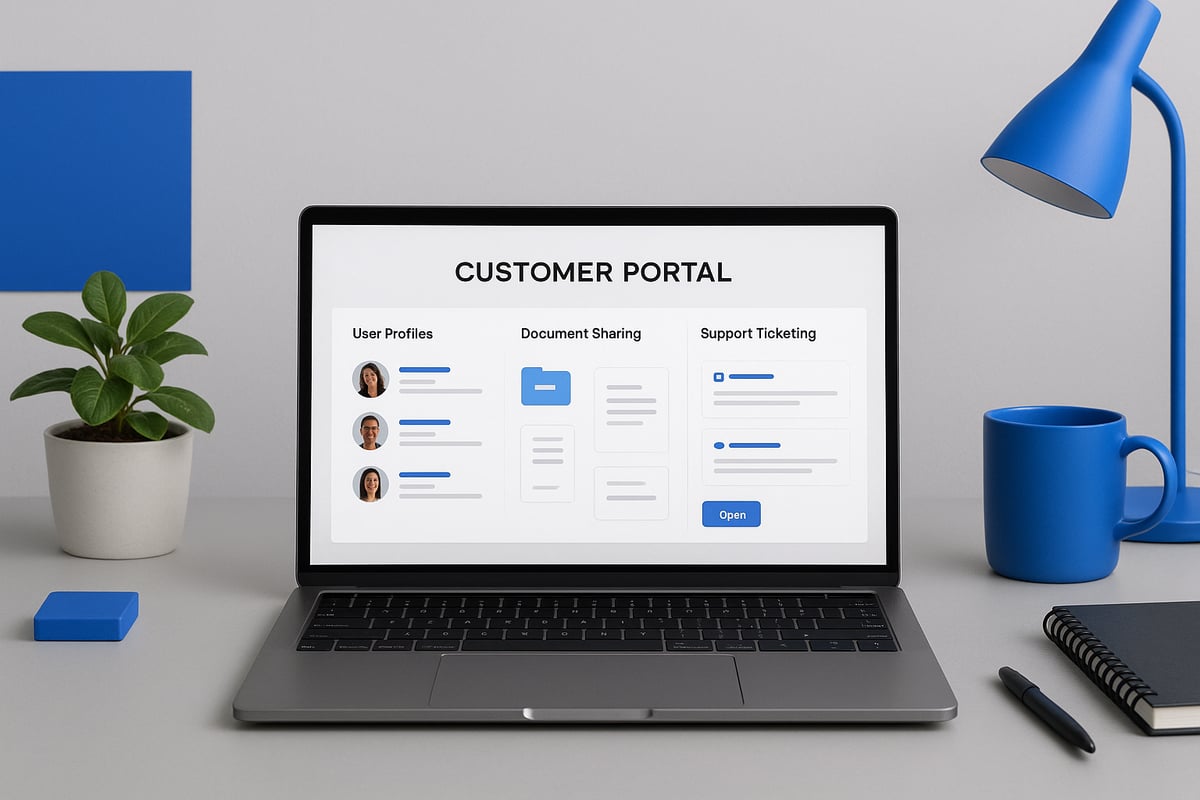
A bubble customer portal app is a secure digital platform that lets customers access personalised services, documents, and support in one place. Its core purpose is to simplify communication, enable self-service, and centralise important information, boosting efficiency for both your business and your clients. When you build a bubble customer portal app, you can improve customer satisfaction and retention by providing a seamless experience that is available 24/7. For a deeper dive into essential features and best practices, see these customer portal features and implementation tips.
Definition and core purpose
The main aim of a bubble customer portal app is to give customers direct access to the tools and information they need, without relying on email chains or phone calls. These apps let users update their details, download documents, or raise support tickets autonomously. Centralising these actions means customers get faster responses and more control, while your team reduces manual admin.
Key benefits include:
- Centralised communication between clients and your team
- Secure self-service options for common requests
- Easy document sharing and management
- Improved transparency and trust
A well-built bubble customer portal app strengthens long-term relationships by making every interaction simple and secure.
Typical use cases
You will find a bubble customer portal app in many industries and use cases. Common examples include:
- SaaS platforms for account management and subscription updates
- E-commerce sites for order tracking and returns
- Agencies or consultancies for client onboarding and document exchange
- Support ticketing systems for technical help and queries
Specialist sectors, such as finance, healthcare, or education, use bubble customer portal app solutions for secure communication, appointment scheduling, and compliance documentation. The flexibility of Bubble.io makes it easy to tailor portals to your industry’s exact needs.
User roles and access control
A successful bubble customer portal app must ensure each user only sees what they are allowed to access. Secure authentication is crucial, with different roles such as clients, admins, or support agents. For example, a client can view invoices and submit tickets, while an admin manages user accounts and reviews analytics.
| Role | Access Level | Example Actions |
|---|---|---|
| Client | Limited to own data | View orders, upload docs |
| Admin | Full access | Manage users, update content |
| Support Agent | Assigned tickets only | Respond to tickets, add notes |
Clear access control keeps sensitive data protected and creates a smooth user experience.
Data security and compliance
Every bubble customer portal app must prioritise data security and privacy. GDPR compliance is non-negotiable for any business handling customer data in the UK or EU. Use strong password policies, encrypted storage, and clear privacy rules in your app. Limit data access by user role and always audit workflows for potential leaks.
Best practices include:
- Enforcing strong authentication (e.g., two-factor)
- Regularly reviewing privacy settings
- Encrypting sensitive files in transit and at rest
This approach helps build trust and keeps your business protected.
Integration needs
A robust bubble customer portal app often needs to connect with other business tools. Common integrations include CRMs for syncing contacts, payment gateways for invoicing, and email platforms for automated notifications. For example, linking Stripe allows customers to pay invoices directly from the portal, while a CRM integration keeps your sales team updated without duplicate data entry.
Real-world integration means your bubble customer portal app becomes a true hub for your business, streamlining workflows and reducing manual effort.
Core features of a customer portal app
A successful bubble customer portal app delivers practical value by streamlining client interaction and automating routine processes. Careful feature selection ensures users remain engaged, supported, and confident in your business.
Essential features for customer value
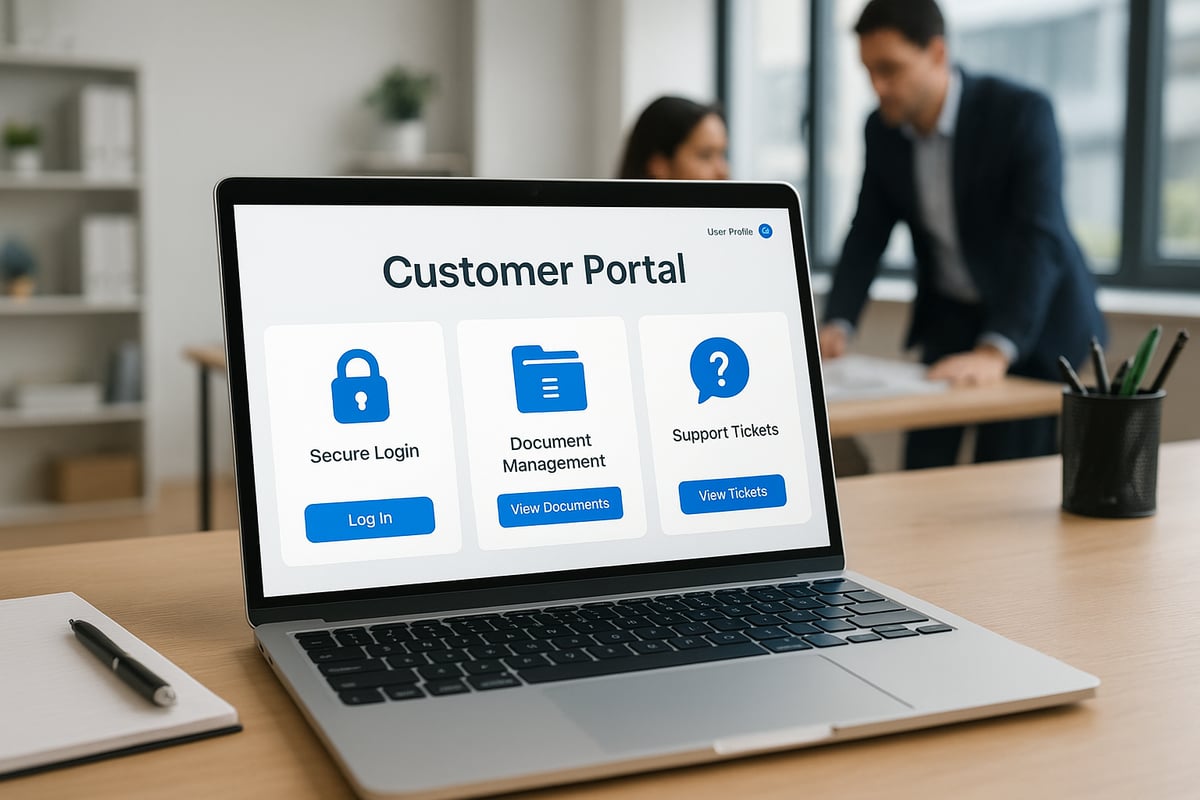
Every bubble customer portal app should offer a secure login and registration process, protecting both user data and business assets. Personalised dashboards help users quickly access their information, such as order status or recent activity.
Document upload and download capabilities are vital for sharing contracts, invoices, or reports. Integrated messaging and notifications keep communication centralised, so clients never miss important updates. Support ticket systems enable users to request help and track resolutions efficiently.
For a deeper dive into strategies that improve portal usability and client satisfaction, see these client portal best practices.
A knowledge base or FAQ section further empowers users to solve issues independently, reducing your support burden and boosting retention.
Advanced features for growth
As your bubble customer portal app evolves, advanced features become crucial for scaling operations. Payment processing and invoicing modules allow clients to manage transactions directly within the portal.
API integrations with tools like Zapier or Stripe extend functionality, connecting your portal to CRMs, marketing platforms, or analytics services. Built-in user analytics and activity logs provide valuable insights into client behaviour, helping you refine your offering and identify upsell opportunities.
Choosing the right integrations early ensures your portal adapts seamlessly as your business grows.
UX/UI considerations
For a bubble customer portal app to succeed, the interface must be simple and intuitive. Clear navigation helps non-technical users complete tasks without confusion. Responsive design guarantees a consistent experience across mobile and desktop, so clients can access your portal wherever they are.
Attention to branding, colour schemes, and typography builds trust and reinforces your company’s identity. Thoughtful UI choices minimise learning curves and maximise user satisfaction.
Scalability and customisation
A well-designed bubble customer portal app is built to grow with your business. Modular architecture enables you to add new features or user roles as needs evolve. Customisation options allow you to tailor workflows and dashboards to different client segments.
Planning for scalability from the start prevents costly rebuilds later. Efficient data structures and workflow management keep your portal fast and reliable, even as your user base expands.
Why use Bubble.io for customer portal apps (and its limits)
Choosing the right platform for your bubble customer portal app is a strategic decision. Bubble.io stands out for non-technical founders, but it is important to weigh both its strengths and its limits.

Benefits for non-technical founders
Bubble.io empowers founders without coding skills to build a bubble customer portal app efficiently. Its visual editor lets you drag and drop elements, making design straightforward.
You can quickly prototype ideas and see results in real time. This means you spend less time waiting on developers and more time engaging with your customers.
Cost is another advantage. Compared to hiring a full development team, Bubble.io offers a far lower upfront investment for your bubble customer portal app.
Platform strengths
The bubble customer portal app you build on Bubble.io benefits from a suite of built-in features. User authentication, database management, and workflow automation are all included.
Bubble.io connects easily to third-party APIs, so you can integrate payments, CRM systems, or analytics tools as your business grows. As of 2026, improvements in scalability and performance mean your bubble customer portal app can handle more users and data than ever.
This built-in flexibility supports both simple MVPs and evolving, feature-rich portals.
Security and compliance
Security is vital for any bubble customer portal app. Bubble.io offers GDPR-compliant hosting and robust data privacy controls.
You can set privacy rules for each data type, control access by user role, and encrypt sensitive information. For founders handling customer data in regulated industries, these features are crucial.
If you need additional security or compliance support, Secure Bubble app solutions can help ensure your portal meets high standards.
Platform limitations and tradeoffs
Despite its strengths, Bubble.io has limits that may affect your bubble customer portal app. Performance can be constrained with very high traffic or complex logic, especially if your portal processes large volumes of data.
Mobile app deployment is limited. While the platform supports responsive design, true native mobile functionality and offline access require extra work or third-party tools.
Advanced features may demand custom plugins or code, which could add complexity and cost to your bubble customer portal app.
When Bubble.io may not be the right fit
Some scenarios call for more than what Bubble.io can offer. If your bubble customer portal app requires highly specialised integrations, custom code, or needs to scale to enterprise levels, a bespoke solution might be preferable.
Consider future migration needs as well. Large-scale apps may eventually outgrow no-code platforms, so plan your architecture with flexibility in mind.
Understanding these limits helps you make an informed decision for your portal’s long-term success.
How to build a customer portal app in Bubble.io: step by step guide
Building a bubble customer portal app can feel overwhelming for non-technical founders. With the right approach, you can break the process into manageable steps and create a secure, scalable solution on Bubble.io.
This guide offers a detailed, step by step blueprint for bringing your bubble customer portal app to life, from initial planning through launch and ongoing growth.

Step 1: Define your portal’s goals and user flows
Start by clarifying what your bubble customer portal app must achieve for your business and your customers. What pain points will it solve? Outline the main problems, such as slow support, scattered communication, or lack of self-service.
Map out user journeys for each role. For example, how does a client log in, access documents, submit tickets, or update their account? How will admins view requests or update content? Use flowcharts or simple lists to visualise these interactions.
Prioritise core features for your MVP (minimum viable product). Consider which elements are essential for launch and which can wait for future phases. For example:
- User registration and login
- Dashboard with personalised data
- Document upload/download
- Support ticket submission
By focusing on a clear set of goals, you’ll ensure your bubble customer portal app delivers real value from day one.
Step 2: Plan your data structure
A solid data structure is the backbone of every successful bubble customer portal app. List all the data types you need, such as:
- Users (clients, admins, support agents)
- Documents (contracts, invoices)
- Tickets (support requests)
- Payments (if applicable)
Define relationships between these types. For instance, each user may have multiple tickets, and each ticket might be linked to a document. Within Bubble, use the Data tab to model these relationships.
Set privacy rules early. Restrict access so clients see only their own data, while admins have broader visibility. Consider compliance needs, especially if you handle sensitive or personal information.
Plan for growth. If you expect to add new features, design your data structure to accommodate future needs without major rework. This upfront planning will help your bubble customer portal app stay efficient and secure as it scales.
Step 3: Set up user authentication and roles
Security is critical for any bubble customer portal app. Bubble.io provides built-in user authentication, so start by configuring secure sign-up, login, and password reset workflows. Use email verification to reduce fraud.
Implement user roles, such as:
- Customer (access to their own data)
- Admin (full access and management)
- Support agent (access to assigned tickets)
Set permissions carefully. In Bubble, use privacy rules and conditional logic to control who can view or edit each piece of data. For example, customers should never see other users’ tickets, and support agents should only access tickets assigned to them.
Test your authentication flows with real users to ensure a smooth experience. A robust role system protects your bubble customer portal app from unauthorised access and builds trust with your clients.
Step 4: Design your UI in Bubble
A clean, intuitive interface is essential for user adoption. Use Bubble’s drag-and-drop editor to create dashboards, forms, navigation menus, and content areas that match your brand’s look and feel.
Apply responsive design principles so your bubble customer portal app works seamlessly on mobile and desktop. Test layouts on different devices and browsers. Keep navigation simple with clear labelling and logical grouping of features.
Customise colours, logos, and fonts to reinforce your brand identity. Use visual cues, like icons and progress bars, to guide users and reduce confusion.
Gather feedback from a small group of users early. Refining the UI before launch will help your bubble customer portal app stand out for its professionalism and ease of use.
Step 5: Build workflows for core features
Workflows in Bubble automate the logic behind your bubble customer portal app. Start by mapping out the main actions users need to take, such as:
- Submitting support tickets
- Uploading or downloading documents
- Receiving notifications (email or in-app)
- Updating profile information
Use Bubble’s visual workflow builder to define these processes. For example, when a user submits a ticket, trigger an email notification to the support team and log the event in the database.
Create privacy-aware file storage for sensitive documents. Use Bubble’s built-in file uploader and configure access settings so only authorised users can download files.
Test each workflow to catch errors before launch. Well-designed workflows keep your bubble customer portal app reliable and efficient for every user.
Step 6: Integrate with third-party services
To add more value, connect your bubble customer portal app with external tools your business relies on. Common integrations include:
- Payment gateways like Stripe or PayPal for invoicing
- CRM systems for syncing client data
- Email platforms (Mailchimp, SendGrid) for notifications
Bubble offers a range of plugins and API connectors for these tasks. Use the API Connector to connect with custom endpoints, or install plugins for popular services.
When integrating, ensure you follow security best practices. Store API keys securely and test each integration thoroughly. If you need more advanced help, consider working with a Bubble development agency services provider to streamline complex integrations.
Plan for future integrations by keeping your workflows modular and well-documented. This ensures your bubble customer portal app can adapt as your business evolves.
Step 7: Test, iterate, and launch
Before launching your bubble customer portal app, conduct thorough testing. Create test accounts for each user role and walk through every feature, looking for usability issues or bugs.
Gather feedback from a small group of real users. Ask them to complete common tasks like uploading documents, submitting tickets, or making payments. Use their feedback to refine features and fix pain points.
Prepare for launch with:
- A security audit (review privacy rules and workflows)
- Regular database backups
- Onboarding materials (guides, videos, FAQs) for new users
Launch your bubble customer portal app to a wider audience only when you’re confident in its reliability and security. Early iteration and rapid feedback cycles are key to a successful rollout.
Step 8: Maintain and scale your portal
After launch, monitor your bubble customer portal app’s performance regularly. Use analytics tools to track user activity, identify bottlenecks, and measure engagement.
Roll out new features and improvements based on user feedback. Plan for scaling by optimising your database, streamlining workflows, and investing in infrastructure upgrades as needed.
Schedule regular maintenance, including updates for plugins, security checks, and bug fixes. This proactive approach keeps your bubble customer portal app stable and secure for the long term.
If your app grows in complexity or user volume, consider expert support to manage technical challenges and avoid common pitfalls.
Ready to take the next step? Book a free discovery call with our founder Tom for personalised advice and a tailored project plan: https://www.minimum-code.com/contact
Common mistakes when building customer portals in Bubble.io
Building a bubble customer portal app can transform your client experience, but certain pitfalls often slow down projects or affect quality. Understanding these common mistakes will help you avoid wasted time, budget overruns, and security risks as you build your portal.
Overcomplicating the MVP
Many non-technical founders try to launch a bubble customer portal app with every feature imaginable. This approach leads to missed deadlines and overwhelming complexity. Instead, focus on delivering a minimum viable product that solves your users’ core problems first. Add advanced features only after validating user needs and feedback.
Poor data structure planning
A common cause of slow performance in customer portals is a poorly thought-out data model. Without a clear plan for how users, documents, and tickets relate, your app may become inefficient or hard to scale. Take time to map out all data types and their connections before you start building.
Ignoring security and compliance
Overlooking security in your bubble customer portal app can put sensitive data at risk. Failing to set strong privacy rules or GDPR-compliant workflows exposes your business to legal and reputational issues. Always review Bubble’s privacy features and set up proper authentication and data permissions from the start.
Neglecting mobile responsiveness
If your portal does not work seamlessly on mobile devices, users will quickly lose interest. Many first-time builders overlook responsive design, leading to a frustrating experience for customers on smartphones or tablets. Always test your layouts and navigation on multiple screen sizes before launch.
Inadequate user testing
Launching a bubble customer portal app without thorough user testing is risky. Skipping feedback cycles often means missing usability problems that only real users can spot. Involve a small group of customers in testing, gather their input, and refine your portal before going live to ensure adoption and satisfaction.
Underestimating ongoing maintenance needs
A bubble customer portal app requires regular updates, bug fixes, and feature improvements to remain secure and reliable. Many founders underestimate this commitment. For those seeking structured support, consider end-to-end Bubble project management to streamline post-launch maintenance and avoid technical debt.
Timeline and cost ranges for Bubble customer portal apps
Understanding the timeline and cost for a bubble customer portal app is essential for effective planning. Whether you are bootstrapping or seeking investment, knowing what to expect helps you avoid surprises and make informed decisions.
Typical project timelines
Building a bubble customer portal app can be surprisingly fast compared to traditional development. A standard project is structured into clear phases:
| Phase | Duration |
|---|---|
| Discovery & Planning | 1 week |
| Design & Build | 2–4 weeks |
| Testing & Launch | 1 week |
| Total | 1–1.5 months |
These estimates apply to a basic version with standard features. More complex integrations or advanced customisation can extend the timeline.
Each phase is important. Skipping thorough planning or testing may lead to costly revisions later. Allow time for stakeholder feedback and user testing to ensure a smooth launch.
Cost considerations
The cost of a bubble customer portal app depends on your approach. You might try a DIY build, hire a freelancer, or engage a specialist agency.
- DIY: Lower upfront cost, but requires significant time investment.
- Freelancer: Moderate cost, variable expertise.
- Agency: Higher cost, but faster delivery and professional polish.
Typical cost range: £4,000–£15,000+ for an MVP, depending on:
- Number and complexity of features
- Third-party integrations (payments, CRM, etc)
- Custom UI/UX design
- Data migration or legacy system connections
Budgeting for the right scope ensures you get a portal that delivers value without unnecessary expense.
Ongoing costs
Running a bubble customer portal app involves ongoing expenses beyond the initial build. These include:
- Bubble.io subscription fees (as of 2026, expect tiered pricing based on usage and features)
- Ongoing maintenance, security updates, and support
- Optional add-ons or plugin fees for extra functionality
Maintenance is not just about fixing bugs. Regular updates keep your app secure and compliant as regulations and user needs evolve.
Value of professional help
Partnering with experienced Bubble developers can significantly reduce risk and accelerate your project. An expert team brings:
- Proven processes for rapid, reliable delivery
- Deep knowledge of security and GDPR compliance
- Guidance to avoid technical debt and scalability issues
For more on the pitfalls of poor maintenance and planning, see this blog on managing technical debt.
Investing in professional support for your bubble customer portal app often leads to lower total cost of ownership, better user experience, and faster results.
Examples of customer portal apps built with Bubble.io
Customer-facing portals are now standard for startups and SMEs. The bubble customer portal app approach allows you to deliver a tailored solution without relying on traditional software development. Many founders have achieved impressive results by leveraging Bubble’s visual tools to build client and customer portals that fit their exact needs.
Real-world use cases
Founders use bubble customer portal app solutions for a wide variety of scenarios. Common examples include SaaS onboarding and account management, client portals for agencies, e-commerce order tracking, and secure document sharing. In the finance sector, portals often provide clients with real-time access to statements. Healthcare startups use them for patient communication and document delivery.
If you want to see a build process in action, this Building a client portal app on Bubble video shows a hands-on example of creating a custom portal for client communication and file management.
Feature highlights
A bubble customer portal app typically includes secure document sharing, integrated payments, and automated notifications. Other features often seen in successful portals are:
- Support ticketing and status tracking
- Personalised dashboards for every user
- In-app messaging and email alerts
These features help businesses create a unified, self-service experience for their clients.
Lessons learned from successful portals
Teams that focus on user needs and iterate based on feedback see the best results. Simplicity in design, clear navigation, and strong data security are essential. Founders often learn that launching a lean MVP first then enhancing features over time ensures better adoption and less risk.
Continuous improvement, regular user testing, and ongoing support are also critical to long-term portal success.
Inspiration for your own project
Reviewing bubble customer portal app examples can spark ideas for your own build. Consider which features will deliver the most value to your customers and start with those in your MVP. Adapt proven solutions, like secure document management or automated reminders, to your industry.
Ready to discover how a custom portal could transform your business? Book a free discovery call with Tom to discuss your project, get expert advice, and see what’s possible.
Book your free discovery call with Tom
Ready to take your bubble customer portal app from idea to reality? Book a free discovery call with Tom, our founder, and get expert insight tailored to your business needs.
On this call, you can discuss your project goals, ask specific questions, and receive professional advice. Tom will guide you through practical next steps, help you avoid common mistakes, and ensure your plan is aligned with your business objectives.
There is no obligation—just a genuine opportunity to clarify your vision and start building a secure, scalable portal.
Book your free discovery call here and take the next step towards success.
You’ve now got a clear blueprint for building a secure, scalable customer portal app in Bubble io, and maybe you’re already imagining how this could transform your business in 2026. If you’re ready to take the next step—whether you want expert input on your ideas, need help mapping out your project, or want clarity on timelines and costs—I’d love to connect. Let’s talk about your goals, challenges, and the best way to bring your portal to life, tailored to your unique needs.
Book a free discovery call
.avif)


Explore related articles
.webp)

Ready to build your product?
