


Bubble Event Management App Guide: Master Planning in 2026

Planning events in 2026 is more complex than ever, especially for non-technical founders trying to juggle logistics, attendee engagement, and real-time updates. If you have ever wished for a way to launch your own bubble event management app without writing a single line of code, this guide is for you.
Here, you will learn exactly how to build a powerful event management solution in Bubble.io, tailored for founders and organisers without technical backgrounds. We will break down what an event management app is, explore essential features, explain why Bubble.io is the right choice, and walk you through a clear step-by-step build process.
You will also discover common pitfalls, realistic costs, and real-world examples to inspire your journey. Get ready to take control of your next event with a no-code approach that makes launching your own app achievable.
What an event management app is
Event management apps are specialised platforms designed to simplify the planning, organisation, and execution of events, whether they are conferences, meetups, workshops, or hybrid experiences. These apps serve four main user groups: organisers, attendees, speakers, and sponsors. Organisers create events, manage schedules, handle registrations, and track analytics. Attendees register, receive updates, access event details, and network. Speakers and sponsors engage with audiences and promote their offerings.
Typical workflows for a bubble event management app include event creation, registration, attendee communication, and data analytics. Event types supported range from in-person gatherings to fully virtual and hybrid setups. For instance, conference apps, ticketing tools, and networking platforms are all forms of event management apps. For inspiration, you can explore Successful startups built with Bubble to see how real businesses have leveraged these platforms.
Benefits for founders and organisers
For non-technical founders, a bubble event management app offers significant advantages. It streamlines logistics, making attendee management and event coordination much more efficient. These apps improve the attendee experience by providing real-time notifications, easy access to schedules, and built-in networking features.
Centralised data storage and communication help reduce manual errors and save time on administrative tasks. By automating repetitive processes, founders can focus on delivering value and scaling their events. The flexibility of modern event management apps ensures that as your event grows, the platform can grow with you, adapting to new requirements and larger audiences. Competitor research consistently highlights time savings and adaptability as two of the main benefits.
Real-world scenario
Imagine a founder launching a recurring tech meetup series. Initially, they might rely on manual spreadsheets, email chains, and messaging apps to manage registrations and updates. This often leads to scattered communication, missed updates, and unnecessary stress.
By switching to a bubble event management app, the founder can offer a branded, interactive experience. Attendees sign up easily, receive up-to-date information, and can network within the app. Organisers track registrations and engagement in real time, eliminating guesswork and manual work. This approach transforms the event planning process, making it scalable and far more professional.
Core features of a modern event management app
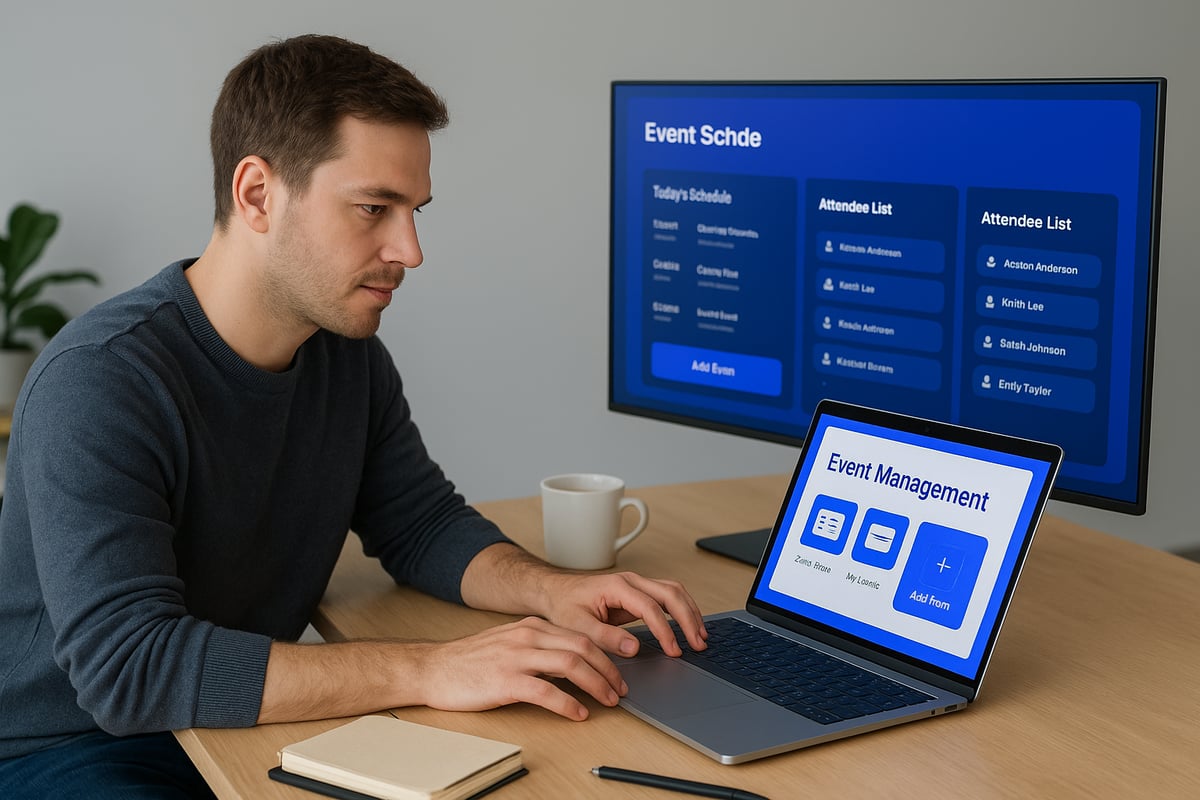
Building a successful bubble event management app means focusing on the features that matter most to organisers and attendees. Modern event apps are defined by their ability to streamline every step of the event journey. Below, we break down the essential features you need for a competitive, user-friendly solution.

Essential attendee features
A bubble event management app should deliver a seamless, engaging experience for every attendee. The following features are now standard:
- Event schedules with filtering and personalisation, letting users build their own agenda.
- Registration and ticket purchasing options, including digital tickets and QR code access for quick check-in.
- Interactive maps and venue details, helping attendees navigate both in-person and virtual spaces.
- Push notifications for real-time updates, reminders, and last-minute changes.
- Attendee profiles and networking tools, such as in-app chat and messaging to encourage connections.
- Session feedback and surveys, giving organisers immediate insights into attendee satisfaction.
According to Top Features for Event Apps in 2025, these features are essential for driving engagement and satisfaction in any bubble event management app.
Organiser tools
Organisers need robust tools to manage every aspect of their bubble event management app efficiently. Key features include:
- Event creation and management dashboard for scheduling, editing, and monitoring events.
- Attendee analytics and reporting to track registrations, check-ins, and engagement metrics in real time.
- Speaker and session management to organise session details, assign speakers, and update content dynamically.
- Content management for sharing resources, documents, or media directly with attendees.
- Sponsor and exhibitor management to handle partner profiles, placements, and promotional opportunities.
These organiser tools ensure that your bubble event management app can scale, adapt, and provide a professional experience for every event stakeholder.
Advanced options for 2026
As the event industry evolves, your bubble event management app should be ready for the next wave of innovation. Advanced features now include:
- AI-powered recommendations for sessions and networking, tailored to individual interests and behaviours.
- Integration with video streaming platforms, supporting hybrid and fully virtual events.
- Gamification elements such as leaderboards and prize systems to boost participation.
- GDPR-compliant data handling and advanced privacy controls, ensuring attendee trust and regulatory compliance.
These advanced options position your bubble event management app at the forefront of event technology, ready to meet attendee and organiser expectations in 2026 and beyond.
Why use Bubble.io for event management apps (and its limitations)
Building a bubble event management app empowers non-technical founders to launch robust digital solutions without writing a single line of code. Bubble.io’s intuitive visual interface, rapid development cycle, and strong community make it a top choice for event app projects in 2026.

Advantages of Bubble.io
The main advantage of building a bubble event management app lies in its no-code, drag-and-drop design. You can launch your app in weeks, not months, thanks to templates and reusable elements.
Other key benefits include:
- Built-in database and workflow automation tools
- Responsive design for seamless mobile and desktop experiences
- Integration with popular third-party services such as payment gateways and email platforms
- Lower development costs compared to traditional agencies or freelancers
A bubble event management app also benefits from an active support community and a growing partner ecosystem. This means you can access expert help and resources as your project evolves.
Security, scalability, and compliance
Security is critical for any bubble event management app, especially when handling attendee data or payments.
Bubble.io offers:
- GDPR-compliant hosting options, including EU data storage for privacy
- Secure user authentication and robust permission settings
- Scalable database infrastructure to support events from small meetups to large conferences
This gives founders the peace of mind that their bubble event management app can grow and adapt to changing compliance requirements.
Limitations and considerations
While a bubble event management app is highly flexible, there are important limitations to consider.
Performance can require optimisation for very large, real-time events with thousands of users. Advanced custom features, such as complex automations or integrations, may need plugins or limited code snippets.
Deploying your app as a native mobile app for app stores involves using wrappers or additional tools. Regular maintenance is required to keep up with platform updates and plugin compatibility.
For an in-depth breakdown of these pros and cons, see the Bubble pros and cons for founders guide.
Who Bubble.io is best for
A bubble event management app is ideal for:
- Startups and small businesses seeking quick market entry
- Non-technical founders building an MVP or testing new concepts
- Teams valuing speed, cost efficiency, and adaptability
If your focus is on rapid launch, iterative updates, and flexibility, a bubble event management app offers a modern and accessible path to success. For large-scale, highly bespoke requirements, be mindful of the platform’s boundaries.
Step by step build process in Bubble.io
Building a bubble event management app is entirely achievable for non-technical founders in 2026. By following a clear, structured process, you can move from initial idea to a fully functioning event platform. This guide gives you each step, highlights key decisions, and ensures you avoid common pitfalls. Let us walk you through the journey from planning to launch.

1. Discovery and planning
Every successful bubble event management app starts with a strong foundation. Begin by clearly defining the type of event you are targeting. Is it a conference, a meetup, or a hybrid gathering? Outline your core features. For instance, do you need ticketing, attendee chat, or live updates?
Map out the user journeys for both organisers and attendees. Use flowcharts or simple sketches. List must-have features in one column and nice-to-have features in another. This helps prioritise what to build first.
Validate your assumptions by reaching out to your target audience. Send short surveys or conduct interviews with potential users. Their feedback will ensure your bubble event management app solves real pain points, not imagined ones.
2. Setting up your Bubble.io project
Sign up for a Bubble.io account and create a new app project. Choose a template that aligns with your vision, such as an event template, or start from a blank canvas for full control.
Configure your app settings early. Set your app name, upload a favicon, and review privacy settings. This early setup ensures your bubble event management app is branded and secure from the start.
Within Bubble.io, familiarise yourself with the workspace. Explore the editor, data tab, and plugin marketplace. This familiarity will make the following build steps much smoother.
3. Designing the UI in Bubble
Use Bubble’s drag-and-drop editor to lay out your main pages: Home, Event Details, Schedule, Registration, and Profile. Place reusable elements like headers, footers, or modals to keep design consistent across your bubble event management app.
Apply your brand colours, logos, and fonts. This creates a professional, trustworthy feel. Make use of Bubble’s responsive engine to ensure your app looks great on mobiles and tablets.
Preview your layouts regularly on different device sizes. Test for accessibility and ease of navigation. A user-friendly interface directly improves attendee experience in your bubble event management app.
4. Building the database structure
A robust database underpins any effective bubble event management app. Set up core data types such as Event, User, Ticket, Session, Speaker, and Sponsor. For each type, define fields like event name, date, location, and description.
Design privacy rules to protect sensitive data. For example, only organisers should access registration lists, while attendees see public information. In Bubble, privacy rules can be set visually, making security straightforward.
Plan for future growth. Use indexing and clear relationships between data types to keep your bubble event management app fast and scalable, even as your events grow.
5. Setting up workflows and logic
Workflows bring your bubble event management app to life. Start with attendee registration: when a user signs up, trigger an email confirmation, assign a ticket, and update the event’s capacity.
For ticketing, generate digital tickets with QR codes. At the event, organisers can scan these for seamless check-in and real-time attendance updates.
Set up notifications for reminders and last-minute changes. Bubble’s workflow editor makes it easy to send emails or push notifications automatically.
Build networking features by enabling in-app messaging or matching attendees based on shared interests. For organisers, develop an admin dashboard with live stats, session management, and speaker controls.
If you want a deeper dive into building out your MVP workflows, see our Building an MVP with no-code guide for practical tips.
6. Integrations and automation
Extend your bubble event management app by connecting it to external services. Integrate payment gateways like Stripe or PayPal for ticket sales. Set up email providers such as SendGrid or Mailchimp for attendee communications.
Enable calendar sync with Google Calendar or Outlook so users never miss a session. Connect to CRM or marketing tools to nurture leads and sponsors. For virtual events, integrate video platforms like Zoom or Vimeo.
You can summarise your essential integrations in a table for clarity:
| Integration Type | Example Tools | Purpose |
|---|---|---|
| Payments | Stripe, PayPal | Ticket sales, donations |
| SendGrid, Mailchimp | Event updates, reminders | |
| Calendar | Google, Outlook | Session scheduling |
| Video Streaming | Zoom, Vimeo | Hybrid or virtual events |
| CRM/Marketing | HubSpot, Mailchimp | Lead management, promotion |
These integrations add value and automation, making your bubble event management app more powerful and efficient.
7. Testing and iteration
Testing is essential to a smooth launch. Start with internal tests by simulating organiser and attendee workflows. Check every feature of your bubble event management app, from registration to notifications.
Next, invite a small group of real users for beta testing. Gather their feedback and watch for pain points or confusion. Iterate on your design and workflows, fixing bugs and refining the interface.
Ensure your app is GDPR compliant and accessible. Use Bubble’s built-in tools to check privacy and test screen reader compatibility. Regular testing keeps your bubble event management app reliable and user-friendly.
8. Launch and post-launch management
Once testing is complete, publish your bubble event management app on your chosen domain. Set up analytics to monitor user activity, ticket sales, and engagement.
Prepare support resources such as FAQs and a helpdesk. Plan for regular updates, scaling, and ongoing maintenance to keep your app secure and competitive.
After launch, track feedback and usage data to inform future improvements. This proactive approach helps your bubble event management app evolve with your users’ needs.
Common mistakes and how to avoid them
Building your bubble event management app can be transformative, but common pitfalls can stall your progress and increase costs. By recognising these mistakes early, non-technical founders can save significant time and avoid unnecessary frustration.
1. Overcomplicating your first build
Many founders try to include every possible feature from the start. This can lead to delays, increased costs, and a confusing user experience. Focus on launching with a minimum viable product (MVP) that covers only the essentials.
- Prioritise core features such as event registration, scheduling, and basic attendee management.
- Add advanced options only after the initial launch and user feedback.
2. Ignoring real user feedback
It is tempting to make assumptions about what users want. However, failing to gather input from actual organisers and attendees can result in a bubble event management app that misses the mark.
- Conduct regular user testing and interviews.
- Iterate quickly based on feedback to improve usability and engagement.
3. Poor database structure
A poorly designed database can cause slow performance and future scaling issues. Ensure your bubble event management app has clear data types and privacy rules from the start.
- Map out data relationships before building.
- Use Bubble’s privacy settings to protect sensitive information.
4. Inadequate security
Neglecting security best practices exposes user data and event details. Always set strict privacy rules and use secure authentication methods.
- Limit access based on user roles.
- Regularly review your app’s security settings.
5. Lack of mobile optimisation
Attendees increasingly access events on mobile devices. Failing to optimise your app for smartphones and tablets can alienate users.
- Use Bubble’s responsive design engine.
- Test layouts across multiple device sizes.
6. Not planning for integrations
Forgetting to plan third-party integrations can force costly rebuilds later. Identify which tools you will need early, such as payment gateways or email services.
- Review integration needs during the planning stage.
- Leverage plugins and APIs to expand functionality.
7. Overlooking compliance and accessibility
Missing out on GDPR or accessibility requirements can result in legal and reputational risks. Make compliance a priority from day one.
- Enable GDPR features and privacy policies in your app.
- Ensure your interface is accessible to all users.
For more guidance on choosing the right platform and avoiding these mistakes, explore this comparison of the best no-code tools for web apps, which highlights why Bubble is a strong choice for event management solutions.
By proactively addressing these common mistakes, you will set your bubble event management app up for long-term success.
Timeline and cost ranges for Bubble event app projects
Building a bubble event management app is a streamlined process, making it an attractive option for non-technical founders. Understanding the typical timelines and costs involved is crucial for effective planning and budgeting. With the event management software market projected to reach $34.7 billion by 2029, demand for agile, cost-effective solutions is only increasing. See the latest Event Management Software Market Growth report for more industry context.
Typical build timelines
A bubble event management app can progress from concept to launch remarkably quickly. For a basic MVP with essential features like event registration and attendee management, most founders can expect a timeline of 3 to 5 weeks. This includes initial planning, setup, design, and basic integrations.
For a full-featured bubble event management app, timelines typically extend to 6 to 10 weeks. This allows for more advanced capabilities such as custom workflows, integrations, analytics, and unique branding elements. Factors influencing speed include the number of features, feedback cycles, and your team's experience with Bubble.io.
Typical timelines:
- MVP (core features): 3–5 weeks
- Full-featured app: 6–10 weeks
- Influencing factors: feature complexity, user testing, integration needs
Planning ahead and prioritising features will help you stay on schedule.
Cost breakdowns
The cost of a bubble event management app varies based on approach and scope. If you choose a DIY route, your main expense is the Bubble.io subscription, which ranges from £25 to £100 per month. This covers hosting, database, and core platform access. Additional costs may include premium plugins or third-party integrations, usually minimal for a simple MVP.
Working with an agency or Bubble partner, such as Minimum Code, starts around £5,000 for a basic solution. More complex or custom bubble event management app builds can reach £20,000 or more, especially if you require advanced integrations, design, or ongoing support. For maintenance, budget £100 to £500 per month for updates and technical support.
| Approach | Upfront Cost | Ongoing Cost |
|---|---|---|
| DIY (solo) | £25–£100/month | Minimal |
| Agency/Partner | £5,000–£20,000+ | £100–£500/month |
Cost-saving tips
To maximise value and keep your bubble event management app budget in check, focus on core features for your initial launch. Resist the urge to add every feature at once. Leverage Bubble's pre-built templates and plugins to accelerate development and reduce custom work.
Tap into the Bubble.io community for support, resources, and troubleshooting—this can save time and prevent costly mistakes. Plan your required integrations early, so you avoid expensive changes later in the process.
Cost-saving strategies:
- Prioritise MVP features, add extras post-launch
- Use templates and plugins
- Engage with the Bubble community
- Map integrations before building
By following these steps, you can deliver a robust bubble event management app efficiently and cost-effectively.
Examples of event management apps built with Bubble.io
Bubble event management app solutions are powering a new generation of event experiences across industries. Founders and organisers are leveraging Bubble to launch highly customised platforms for everything from conferences to workshops and hybrid events.
One popular use case is conference registration platforms. These apps allow organisers to customise branding, build interactive schedules, and manage attendees with ease. Community meetup organisers have built apps that support attendee networking, live chat, and feedback forms, making local events more engaging for participants.
Hybrid event apps are also thriving. Using Bubble event management app templates, founders have integrated live streaming, ticket sales, and session management for both in person and virtual audiences. This flexibility is ideal for events that need to scale quickly or shift formats as required.
A standout example is TicketRev, a startup that built and scaled its event marketplace using Bubble. Their journey is detailed in TicketRev's Success with Bubble.io, which highlights how a non technical team launched a robust solution, handled rapid growth, and managed thousands of registrations with features like real time updates and digital ticketing.
Notable features across these Bubble event management app builds include push notifications, attendee check in via QR code, and in app feedback forms. Organisers benefit from dashboards and analytics, while attendees enjoy seamless registration and personalised schedules.
These examples demonstrate how a Bubble event management app can adapt to different event types and sizes. Whether launching a local workshop or a large hybrid conference, Bubble gives founders the tools to deliver a modern, branded event experience.
Book your free discovery call
Ready to take the next step and launch your own bubble event management app? Our experienced team is here to support you from idea to launch, ensuring your solution is fast, secure, and tailored to your needs.
Book a free discovery call with our founder Tom for personal guidance and a custom project plan. You will get clear answers, practical next steps, and expert advice—no technical background required.
Start here and see how quickly you can turn your bubble event management app vision into reality.
After exploring what it takes to plan an event app in 2026—from mapping features to navigating Bubble io’s no code tools—you might be wondering how this all applies to your unique idea. We know every founder’s needs are different, and turning your vision into a secure, scalable app can feel daunting without the right support. If you want tailored advice, a clear project plan, or just a sounding board for your event management ambitions, I invite you to Book a free discovery call. Let’s talk through your goals and set you on the path to a successful launch.
.avif)


Explore related articles
.png)
Ready to build your product?
