


Bubble Inventory Management App: The 2026 Success Guide

Keeping up with inventory management in 2026 is a real challenge, especially for non-technical founders. Fast-changing markets and growing customer expectations mean manual tracking no longer cuts it. There is a clear need for accessible, scalable, and affordable tools.
This is where a bubble inventory management app can make a difference. Bubble.io lets anyone build powerful inventory apps without writing code. In this guide, you will get a step-by-step process, practical examples, and advice you can use right away.
We will cover what inventory apps are, must-have features, why Bubble.io works, how to build, common pitfalls, costs, and real-world success stories.
What an inventory management app is
Managing inventory has always been a challenge, especially for growing businesses. In 2026, relying on manual spreadsheets or outdated systems can quickly lead to errors, wasted time, and missed opportunities. A bubble inventory management app offers a modern, digital approach to tracking stock, processing orders, and keeping your business running smoothly.

Definition and purpose
An inventory management app is a digital tool designed to help businesses monitor, organise, and control their stock levels in real time. The main purpose is to replace error-prone manual methods with automated processes, reducing mistakes and improving efficiency.
A bubble inventory management app enables businesses to track products, manage purchase and sales orders, and generate reports with ease. Unlike traditional pen-and-paper or spreadsheet systems, an app-based solution offers instant updates, centralised data, and accessible dashboards for better decision-making.
Typical users include small businesses, startups, ecommerce brands, and retailers who need to streamline their operations. As companies scale, accuracy becomes critical, and a bubble inventory management app ensures that stock counts remain reliable and up to date.
By transitioning to a bubble inventory management app, founders can gain oversight, save time, and prepare their business for growth.
Business scenarios and benefits
Inventory management is vital across many sectors. Consider these common scenarios and how a bubble inventory management app can help:
ScenarioBenefitEcommerce storeReal-time stock updates, fewer stockoutsRestaurantIngredient tracking, supplier managementWarehouseFast order fulfilment, reduced errorsRetail boutiqueImproved forecasting, easy reporting
Digital inventory solutions deliver measurable advantages. Businesses adopting these tools often see up to 30% fewer stockouts and significant time savings, according to recent Inventory Management Software Market Growth statistics.
With a bubble inventory management app, companies improve cash flow, avoid lost sales, and boost customer satisfaction by keeping products available when needed.
Key workflows
A bubble inventory management app supports several core workflows:
Integration with point of sale, ecommerce, and accounting systems is often essential for smooth data flow. Depending on the industry, regulatory and compliance requirements—such as traceability or audit trails—must also be considered when designing your bubble inventory management app.
Automating these workflows reduces manual effort, minimises errors, and helps your team focus on delivering great service.
Core features of an inventory management app
Building a successful bubble inventory management app means focusing on the right features from day one. The right mix of essentials, advanced options, user experience, and security will ensure your solution is robust and scalable.
Essential features
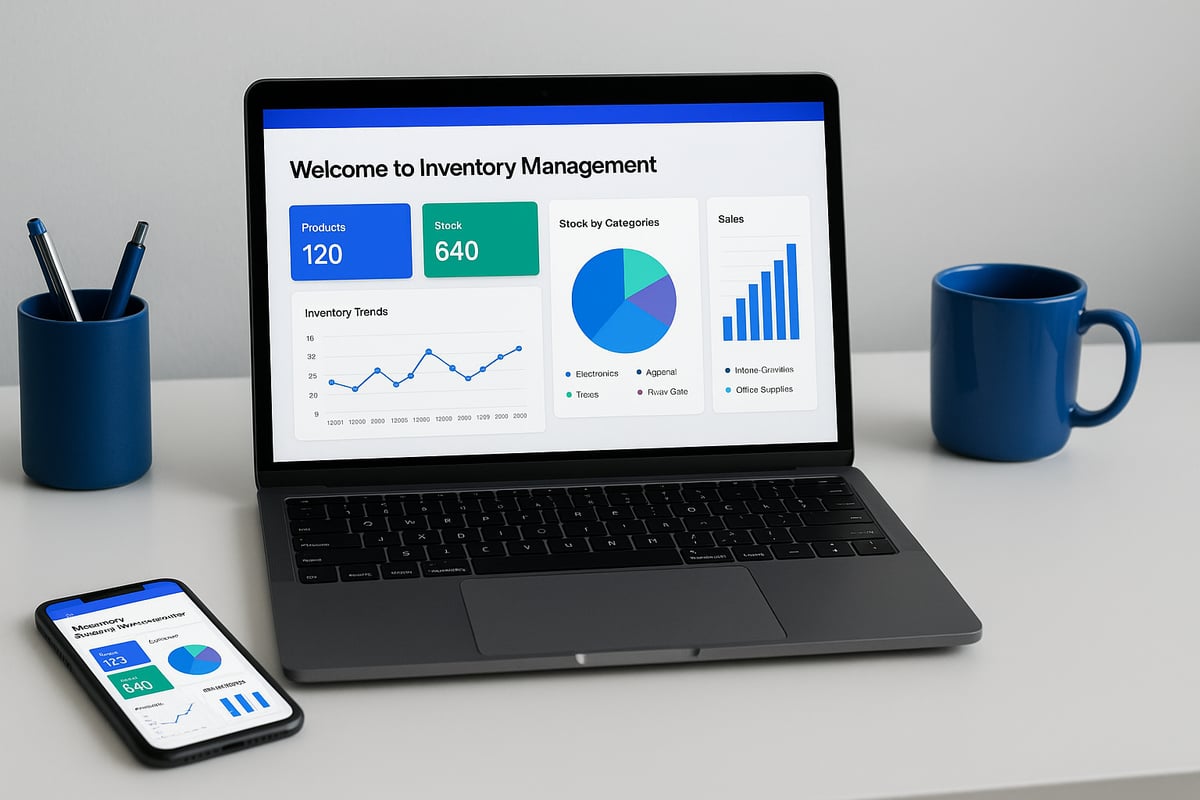
Every bubble inventory management app should start with a strong foundation. Your product catalogue is the heart of the system, storing item details, categories, and SKUs. Real-time stock tracking helps you avoid costly errors, offering minimum stock alerts when levels dip.
Order management is equally critical, covering sales, purchase orders, and handling returns efficiently. Reporting and analytics offer insights into usage trends and stock valuation, supporting informed decisions. Make sure to define user roles and permissions clearly, so the right people have access to the right data.
Advanced options
To make your bubble inventory management app stand out, consider advanced features like barcode scanning for quick stock updates on mobile devices. Multi-location support is vital for businesses managing several warehouses or shops. Supplier and vendor management streamlines purchasing and reduces manual errors.
Integrating with external services, such as ecommerce or accounting platforms, can save hours of manual work. If you need help with any of these features, professional Bubble agency development services can speed up your implementation and ensure best practices.
User experience considerations
User experience is key for adoption and efficiency. Your bubble inventory management app should be mobile responsive, so staff can access stock data anywhere. Simple onboarding and intuitive navigation reduce training time and errors.
Adding audit trails and change logs supports compliance needs, letting you trace who made changes and when. These details build trust and reliability for your team.
Security and compliance
Protecting your data is non-negotiable. A bubble inventory management app should follow robust data security practices, including GDPR compliance and regular backups. Use strict access controls to limit sensitive information to authorised staff.
Auditability is important, especially in regulated sectors. Make sure your app maintains clear logs of all transactions and changes, so you can demonstrate compliance if needed.
Why use Bubble.io for inventory management apps (including limits)
Choosing the right platform for your bubble inventory management app is a critical decision for non-technical founders. Bubble.io stands out by making custom app development accessible, even for those with no coding experience. Let us explore its advantages, limitations, and real-world suitability.

Advantages of Bubble.io
Bubble.io offers several compelling benefits for building a bubble inventory management app:
These advantages allow non-technical founders to launch a tailored bubble inventory management app in weeks, not months.
Practical limitations
However, building a bubble inventory management app with Bubble.io does come with some practical constraints you should consider:
Understanding these limitations helps you set realistic expectations for your bubble inventory management app and plan for possible tradeoffs.
Real-world suitability
A bubble inventory management app is ideal for small to medium-sized businesses, startups, or ecommerce shops that want to digitise their processes without heavy investment. Bubble.io is well-suited for apps with moderate data volumes, straightforward integrations, and standard inventory workflows.
For highly complex or enterprise-scale needs, a custom-coded solution might be preferable. However, Bubble.io offers strong GDPR compliance tools, privacy settings, and user access controls, making it suitable for regulated industries.
To see how founders are already using Bubble.io for inventory management, review the Transpere Case Study, which demonstrates the platform’s capabilities in a real-world environment.
By weighing these factors, you can determine if Bubble.io is the right foundation for your bubble inventory management app and plan your next steps with confidence.
How to build an inventory management app in Bubble.io: step by step guide
Building a bubble inventory management app is a practical way for non-technical founders to take control of their stock, orders, and business data. The process can feel daunting, but with the right approach, you can create a robust tool that fits your workflow and grows with your business.
Below you'll find a detailed, actionable guide to building your own bubble inventory management app. Each step is designed for clarity and practical results, so you can move from idea to launch with confidence.

Step 1: Define requirements and user stories
Start by clarifying exactly what your bubble inventory management app needs to achieve. Identify your core business goals. Is your priority stock accuracy, faster order processing, or better reporting? List the main processes you want to digitise, such as receiving stock, tracking inventory levels, and managing orders.
Think about who will use the app. Will it be just you, or a team with different access levels? Write simple user stories, such as "As a store manager, I want to see low stock alerts so I can reorder in time." Distinguish between must-have and nice-to-have features. Typical essentials include product records, order management, and basic reporting.
Sketch basic wireframes, even if just on paper. Visualising your ideal dashboard, product list, and order entry screens helps clarify requirements. If you're unsure about market fit or feature set, consider reviewing how to conduct market research before you proceed. This will help ensure your bubble inventory management app is built around real business needs.
Step 2: Set up your Bubble.io project
Once your requirements are clear, create a new project in Bubble.io. Log in, start a new app, and choose a blank template or one of Bubble’s starter layouts. Set your app name and description for easy reference.
Configure privacy settings early. Bubble.io allows you to set data privacy rules, ensuring sensitive inventory and order data is only accessible by authorised users. Enable GDPR options if you operate in the UK or EU.
Enable responsive design from the start, so your bubble inventory management app works on both desktop and mobile devices. Set up version control within Bubble.io to safely iterate and roll back changes if needed. This step helps you maintain a clean, secure foundation for your app as it grows.
Step 3: Design the database structure
A well-designed database is the backbone of your bubble inventory management app. Start by defining your main data types:
Data TypeKey FieldsRelationshipsProductSKU, Name, Category, PriceLinked to Inventory, OrdersInventoryQuantity, Location, Min LevelLinked to ProductOrderDate, Status, Customer, ItemsLinked to Product, UserSupplierName, Contact, Products SuppliedLinked to ProductUserName, Email, RoleLinked to Orders
Carefully define each field. For example, use quantity as a number field in Inventory, and reorder_level to trigger alerts. Set up relationships using Bubble’s built-in linking system.
Plan for scalability by considering how data will grow over time. Apply privacy rules to each type, so only the right users see or edit sensitive information. This structure ensures your bubble inventory management app remains organised, secure, and efficient as your business expands.
Step 4: Build the user interface
Now, design the app’s main screens using Bubble.io’s drag-and-drop editor. Typical pages for a bubble inventory management app include:
Use Bubble’s responsive settings to ensure layouts adapt to any device. Add navigation menus and clear buttons for common actions. Keep onboarding simple: guide new users through key features using tooltips or a welcome checklist.
Think about accessibility as you design. Use readable fonts, clear colour contrasts, and logical tab orders. Test your interface with real users, even if informally, to catch any usability issues early in your bubble inventory management app.
Step 5: Set up workflows and logic
Workflows are where your bubble inventory management app comes alive. Start by automating stock updates whenever items are received, sold, or returned. Use Bubble’s workflow editor to define these triggers step by step.
Set up minimum stock alerts. For example, if inventory.quantity falls below inventory.reorder_level, trigger an email or SMS to the manager. Configure CRUD operations (create, read, update, delete) for all data types, ensuring users can safely manage products, orders, and suppliers.
Test edge cases: What happens if someone tries to sell more than is in stock? Prevent negative inventory with custom validation logic. By carefully planning your workflows, you make your bubble inventory management app reliable and efficient for all users.
Step 6: Add advanced features (optional)
Once the basics work smoothly, consider advanced options to make your bubble inventory management app stand out. Integrate barcode scanning using Bubble plugins and your device’s camera, speeding up stock takes and order fulfilment.
Set up API connections to ecommerce platforms or accounting tools if you need real-time data sync. Support multiple locations by adding a location field to inventory records and filtering stock accordingly. Implement audit logs to track every change, supporting compliance in regulated industries.
These enhancements make your bubble inventory management app more powerful, especially as your business grows or regulatory needs change. Focus on features that deliver clear value and are easy to maintain.
Step 7: Test, iterate, and launch
Before going live, test your bubble inventory management app thoroughly. Use real sample data to check that all workflows, permissions, and reports function as intended. Ask team members to try the app and gather feedback on usability and missing features.
Refine the user experience based on this feedback. Prepare for launch by creating user guides, onboarding materials, and a backup plan for your data. Monitor app performance closely in the first weeks, watching for slowdowns or errors as your data grows.
Plan for regular updates, especially as you get more feedback from real users. A successful bubble inventory management app is never static, but evolves with your business needs.
Ready to transform your inventory operations? Book a free, no-obligation discovery call with our founder Tom for expert advice on building your bubble inventory management app. Get started at https://www.minimum-code.com/contact.
Common mistakes and how to avoid them
Building a bubble inventory management app is a practical way to streamline operations, but several common mistakes can hinder your success. The first is skipping thorough requirements gathering. Without clear user stories and workflow mapping, it is easy to miss essential features or overcomplicate the app. Always start by documenting business processes, listing must-haves, and involving end users early. This reduces the risk of costly rework and ensures your bubble inventory management app meets real-world needs.
Another frequent issue is poor database design. Failing to structure data types, relationships, and privacy rules properly can lead to slow performance and even data leaks. For any bubble inventory management app, define clear product, order, and user data types from the start. Set privacy rules to restrict access and comply with regulations. Do not forget user roles and permissions, especially if sensitive information is involved. Overcomplicating the user interface is also a trap. Keep navigation simple and onboarding straightforward so non-technical users can adopt the app quickly. For inspiration, review real project examples in the end-to-end Bubble app projects section.
Neglecting mobile responsiveness is a mistake that impacts usability in day-to-day work. Your bubble inventory management app should function smoothly on both desktop and mobile devices. Another pitfall is overlooking integration needs. Plan early for connections to ecommerce, POS, or accounting systems. Finally, do not underestimate ongoing maintenance and support. Inventory apps require updates as business needs evolve. Budget time and resources for regular reviews, performance checks, and user feedback to keep your bubble inventory management app effective and future-proof.
Timeline and cost ranges for building a Bubble inventory management app
Building a bubble inventory management app involves several clear phases, each with its own timeframe and cost implications. Understanding these helps founders set realistic expectations for delivery and budget.
Project phases and realistic timelines
The journey begins with discovery, where goals and requirements for your bubble inventory management app are defined. This is followed by design, where workflows and user interface are mapped out. The build phase is where the actual app is constructed and refined. Next, thorough testing ensures the system works as intended, before moving on to launch and user onboarding.
For a minimum viable product, the process typically takes between 2 and 4 weeks. More complex builds, such as those with integrations or advanced reporting, can require 6 to 8 weeks. Planning for each phase minimises delays and keeps the bubble inventory management app project on track.
Cost factors and budget ranges
Several elements influence the total investment. Feature scope, the need for integrations (like ecommerce or accounting), custom design, and data migration all play a part. Simpler bubble inventory management app projects start around £2,500, while advanced builds with multi-location support or mobile features can exceed £10,000.
Ongoing costs also matter. Expect to budget for Bubble’s hosting, support, and any premium plugins. For those exploring alternative tools, the No-code tools directory offers a useful overview of available options and associated costs.
Comparison and ongoing considerations
Compared to traditional development, building a bubble inventory management app is significantly more cost effective, often saving 50–70 percent in upfront spend. Maintenance is simplified, with updates and support requiring less technical intervention.
Keep in mind, ongoing costs such as monthly hosting and plugin fees should be included in your planning. Factoring in these recurring expenses ensures your bubble inventory management app remains sustainable as your business grows.
Examples of inventory management apps built with Bubble.io
Real-world examples show how a bubble inventory management app can transform business operations. From retail to restaurants, founders are using these tools to automate stock, streamline workflows, and improve accuracy. The flexibility of Bubble.io means each solution can be tailored to fit unique business needs.
Small ecommerce business: automated stock tracking
A growing online retailer needed a bubble inventory management app to keep track of fast-moving stock across multiple sales channels. Using Bubble.io, they built a central dashboard to monitor inventory levels, automate low-stock alerts, and process orders in real time. The integration with their ecommerce platform reduced manual entry, minimised errors, and saved hours each week. As a result, they saw a 25 percent drop in stockouts and improved customer satisfaction.
Restaurant: ingredient inventory and supplier management
One restaurant owner used a bubble inventory management app to digitise their ingredient tracking. The app allowed staff to log deliveries, monitor ingredient usage, and generate reorder lists automatically. Integration with supplier ordering made replenishment seamless. Staff reported less waste and fewer last-minute shortages. The owner noted better cost control and more accurate forecasting, which led to higher profit margins.
Boutique retailer: multi-location inventory with mobile scanning
A boutique fashion retailer operated across three sites and needed a bubble inventory management app to unify stock control. They implemented mobile scanning, letting staff update inventory on the shop floor using smartphones. This reduced data entry time and kept stock levels current. According to Mobile Inventory Apps Essential in 2025, businesses adopting mobile inventory systems report greater efficiency and flexibility, a benefit echoed by this retailer’s team.
Warehouse: real-time updates and detailed reporting
A logistics company chose a bubble inventory management app to manage thousands of SKUs in their warehouse. The app provided real-time updates on stock movement, automated reporting for management, and role-based access for staff. This improved audit trails and compliance. Managers could quickly identify slow-moving stock and optimise storage space. The warehouse reported faster order fulfilment and stronger data accuracy.
Real-World Case Study: Diggy App (Mining Operations)
Inventory management isn't always about retail products. In heavy industries, it's about tracking expensive equipment and goods essential for daily operations.
Diggy App case study is a comprehensive operations management platform for the mining industry. While the app handles complex workflows like shift scheduling, a critical component is its inventory module.
- The Inventory Challenge: Managing a vast array of mining equipment and goods across multiple sites required precise tracking to prevent operational delays.
- The Solution: We optimized Diggy's Bubble app to handle data-intensive processes, ensuring the inventory component could scale as new mining companies onboarded.
- The Result: A robust system where equipment rental firms and contractors can track their assets efficiently within the broader context of their daily mining operations. This proves that Bubble can handle high-stakes inventory needs in demanding industrial environments.
Lessons learned and key takeaways
Each bubble inventory management app case study highlights the value of custom workflows, automation, and mobile access. Businesses benefit from fewer errors, better forecasting, and streamlined operations. Choosing the right features for your needs is essential for long-term success.
Ready to build your own bubble inventory management app? Book a free discovery call with our founder Tom for expert advice and tailored solutions here.
After exploring the fundamentals of building a modern inventory management app with Bubble io and seeing how it can streamline your business processes you might have questions specific to your needs or ideas you want to discuss further Whether you are curious about integrating advanced features or simply want advice on where to start I am here to help If you are ready to take the next step towards building a secure scalable and efficient inventory solution tailored to your business let us talk about your vision and requirements in detail You can book a free discovery call with me for tailored guidance and practical next steps
.avif)


Explore related articles


Ready to build your product?
