


Bubble Knowledge Base App Guide: Your 2026 Success Blueprint


Staying ahead in 2026 means organising knowledge smarter and faster. A bubble knowledge base app gives startups a real advantage, tackling the chaos of scattered documents, slow team onboarding, and endless support queries.
This guide is designed for non-technical founders who want a clear, step by step path. You will discover what a knowledge base app is, which features matter most, Bubble.io’s strengths and drawbacks, and a practical build process.
Expect real-world examples, common pitfalls to avoid, timelines, costs, and a proven blueprint to future-proof your business. Let’s get started.
What a Knowledge Base App Is
A bubble knowledge base app is fast becoming a must-have tool for startups aiming to stay organised and competitive in 2026. These apps are designed to centralise company knowledge, making it easy for teams and customers to access crucial information at any time.
By bringing all your documents, FAQs, and guides into a single digital hub, a bubble knowledge base app helps businesses eliminate scattered files and repetitive support requests. In today’s landscape, the right app can be the difference between fast onboarding and constant confusion.

Definition and Purpose
A bubble knowledge base app is a digital platform specifically built to organise, store, and share important information. Its core function is to centralise your company’s know-how, documentation, and frequently asked questions in one easily searchable location.
Unlike traditional document storage or basic wikis, a bubble knowledge base app offers structured categories, tags, and powerful search features to help users quickly find what they need. The result is smoother onboarding for new staff, self-service support for customers, and a significant reduction in repetitive queries.
For example, SaaS startups report cutting support tickets by up to 30 percent after implementing a bubble knowledge base app. This efficiency boost frees up teams to focus on growth rather than answering the same questions repeatedly.
Types of Knowledge Base Apps
There are two main types of bubble knowledge base app: internal and external. Internal knowledge bases are designed for employees, supporting HR onboarding, internal processes, and team collaboration. External knowledge bases, on the other hand, are customer-facing and focus on product documentation, FAQs, and support centres.
Startups and scale-ups often use a mix of both, creating hybrid models that serve multiple audiences. Common use cases include HR onboarding portals, customer help centres, and product documentation hubs. Each type can be tailored to specific business needs, making the bubble knowledge base app a flexible solution for growing companies.
The 2026 Perspective
Looking ahead to 2026, the bubble knowledge base app is evolving rapidly. The latest trends include AI-powered search, smart tagging, and mobile-first access for users on the go. Real-time collaboration features and built-in analytics are now standard expectations.
Industry surveys reveal that over 70 percent of businesses plan to upgrade their knowledge management tools by 2026. To explore these trends in depth, see the insights on Emerging Knowledge Base Trends Shaping 2026, which covers AI-driven content creation, hyper-personalised self-service, and the future of mobile knowledge delivery.
Key Arguments and Insights
A bubble knowledge base app is no longer a luxury, but a necessity. Early adopters gain a clear competitive edge, benefiting from streamlined operations and better support experiences. In the fast-paced startup world, being able to organise and share knowledge quickly can be the catalyst for long-term success.
Core Features of a Successful Knowledge Base App
Building a bubble knowledge base app that truly supports your startup means focusing on the right features from day one. A modern knowledge base must be structured, smart, and secure to deliver value at scale.

Essential Features Checklist
Every effective bubble knowledge base app starts with a solid foundation. These are the non-negotiable features you need:
- Structured content hierarchy: Organise articles into categories and use tags for easy filtering.
- Powerful search functionality: Users find answers quickly using keywords or filters.
- User roles and permissions: Control who can view, edit, or publish content.
- Article versioning and history: Track changes and restore previous versions to maintain accuracy.
- Analytics dashboard: Monitor article views, search queries, and identify knowledge gaps.
This toolkit ensures your bubble knowledge base app reduces repetitive questions and accelerates onboarding for every new team member.
Advanced Features for 2026
To future-proof your bubble knowledge base app, consider advanced capabilities now becoming standard:
- AI-powered suggestions: Recommend related articles as users type queries.
- Auto-tagging: Let the system suggest tags when new articles are added.
- Rich media support: Embed videos, images, and documents for interactive learning.
- Collaborative editing and commenting: Enable real-time teamwork on articles.
- Integrations: Connect with chatbots and support platforms to automate user help.
For a deeper dive into emerging features like AI and multi-modal support, explore the Future of Knowledge Base Software.
User Experience and Design
A bubble knowledge base app must be intuitive and accessible. Prioritise:
- Clear navigation: Use menus and breadcrumbs so users never feel lost.
- Responsive design: Optimise layouts for both mobile and desktop users.
- Accessibility: Design for all users, meeting WCAG 2.1 standards.
- Rapid prototyping: Tools like Figma help you test interfaces before building in Bubble.
Good design keeps users engaged and ensures your knowledge base becomes a daily resource.
Security and Compliance
Protecting your data and users is essential for any bubble knowledge base app. Implement:
- GDPR compliance: Store data securely and provide user consent options.
- Role-based access: Restrict sensitive content to authorised users only.
- Data export: Let users download their data when needed.
These steps keep your knowledge safe and your business compliant.
Scalability Considerations
As your company grows, your bubble knowledge base app must scale with you. Plan for:
- Modular architecture: Add new features or sections without disrupting existing content.
- Performance: Structure your database to handle thousands of articles and users.
- User management: Support onboarding for larger teams and multiple departments.
With a scalable approach, your knowledge base adapts to your business needs—today and in the future.
Why Use Bubble.io for Your Knowledge Base App (and Its Limits)
Building a bubble knowledge base app in 2026 means choosing technology that is both accessible and future-proof. Bubble.io stands out for founders seeking to launch robust knowledge management solutions without writing a single line of code. This section explores what makes Bubble.io a strong option for your knowledge base project, its main advantages, and the practical limits you should be aware of before committing.

What Is Bubble.io?
Bubble.io is a visual, no-code development platform designed to help founders and teams build web apps quickly. With its intuitive drag-and-drop editor, Bubble.io allows you to create fully functional applications, including a bubble knowledge base app, without traditional programming skills.
At its core, Bubble.io provides:
- A visual builder for UI design
- A built-in database for storing articles, users, and tags
- Workflow automation for app logic
- Secure, managed cloud hosting
Thousands of startups and SMEs trust Bubble.io for MVPs, internal tools, and customer-facing products. For non-technical founders, this means you can move from idea to working prototype in days rather than months.
Advantages for Non-Technical Founders
For founders without a coding background, Bubble.io offers a direct path to launching a bubble knowledge base app. The platform’s drag-and-drop interface simplifies every stage of app development, letting you focus on structure and user experience instead of syntax and code.
Key advantages include:
- Rapid prototyping: iterate on your design and features in real time
- Built-in hosting and SSL security
- Visual database management for articles, users, and permissions
- A rich library of plugins for advanced features
Many non-technical founders have launched MVPs and even full-featured apps in under a month using Bubble.io. This speed and flexibility means you can test ideas, onboard users, and respond to feedback without waiting for a developer. The bubble knowledge base app you build can evolve as your business grows.
Limitations and Considerations
While Bubble.io opens new doors for founders, it is important to understand its limitations before committing to your bubble knowledge base app. The platform has some performance constraints, particularly with very large apps or complex data structures. You may encounter limits around custom code or third-party plugin integration compared to traditional development.
Advanced features, like deep customisation or handling thousands of concurrent users, may require workarounds or even a future migration. There is also a learning curve for non-standard workflows and advanced data operations.
For a balanced view of these trade-offs and how Bubble.io compares to other no-code platforms, see our guide on Comparing Bubble vs Wappler.
Security, Compliance, and Hosting
Security is a top priority for any bubble knowledge base app, especially with sensitive company or customer data. Bubble.io supports GDPR compliance, offering EU hosting options and robust data privacy controls. Role-based access and permissions help you restrict content to the right users.
Best practices include:
- Regularly reviewing user access and permissions
- Using SSL and two-factor authentication
- Ensuring data export and deletion options for compliance
With these controls, you can confidently build and scale your knowledge base app on Bubble.io.
How Minimum Code Helps Non-Technical Founders Succeed with Bubble.io
Building a bubble knowledge base app as a non-technical founder can feel daunting, but Minimum Code makes the journey simple and effective. Our team guides you from discovery through design, development, and launch, ensuring your app meets the highest standards for security, scalability, and GDPR compliance.
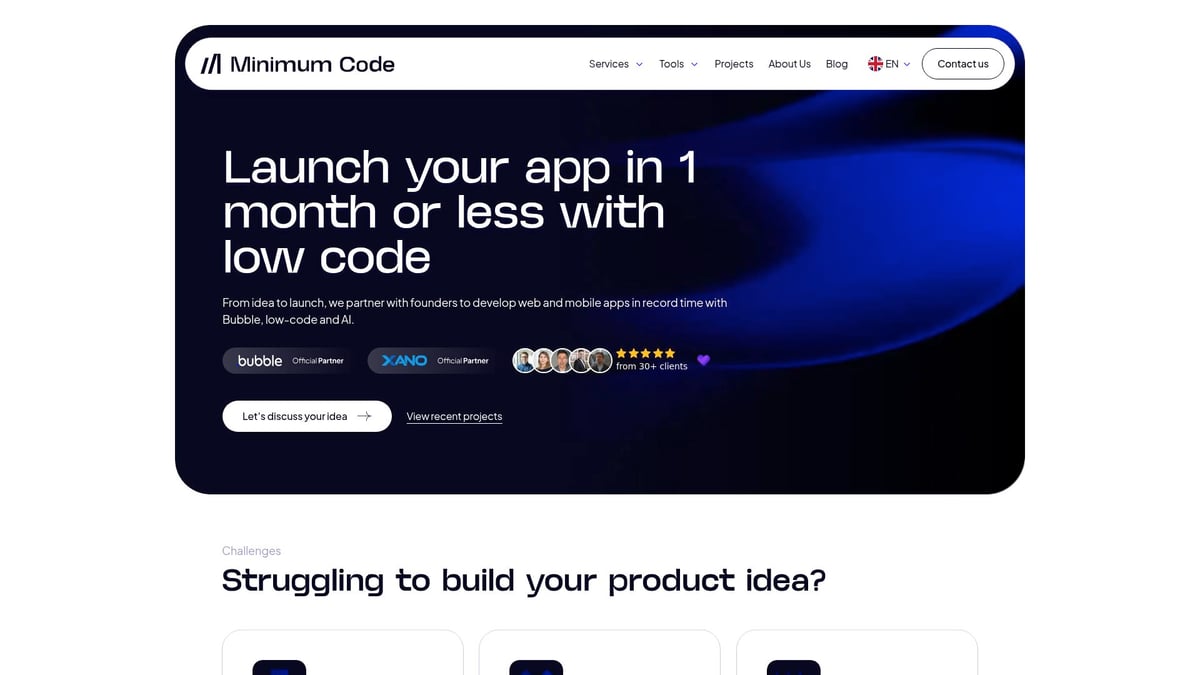
We deliver fully functional apps in as little as one month, with support for multiple languages and ongoing maintenance to keep your knowledge base running smoothly. Founders trust us for our transparent process and real-world results, as showcased in our client testimonials.
Ready to turn your vision into a robust solution? Book a free discovery call with us today for tailored, practical advice on your bubble knowledge base app.
How to Build a Knowledge Base App in Bubble.io: Step by Step Guide
Building a bubble knowledge base app is well within reach for non-technical founders. This step by step guide breaks down the process into clear, actionable stages. By the end, you will have a scalable, user-friendly knowledge base app ready for launch.
Step 1: Define Your Knowledge Base Structure
Start your bubble knowledge base app journey by clarifying your audience. Is your app for internal staff, external customers, or both? Knowing this helps shape every decision that follows.
List out the main categories of information you want to organise. Common examples include onboarding guides, product documentation, FAQs, and troubleshooting articles. Decide what article types you need, such as step by step guides, policy documents, or multimedia resources.
Plan access levels early. For example, HR onboarding content may only be visible to employees, while product FAQs are public. Sketch how users will navigate your knowledge base and the permissions each group will need.
- Identify your users: employees, customers, or partners
- Map main categories: onboarding, support, product info
- Define article types: guides, videos, policies
- Set visibility: public, private, or restricted
A well-structured bubble knowledge base app makes it easier to scale, search, and manage content as your startup grows.
Step 2: Plan Core Features and User Roles
With your structure mapped, list the must-have features your bubble knowledge base app needs. Core features include a hierarchical category system, robust search, user roles, and article versioning.
Define user groups such as admins (full control), editors (content creators), and viewers (read-only). Each group should have clear permissions to ensure security and workflow efficiency.
Sketch out user journeys. For example, how does an editor create and update an article? What does the viewer experience look like? Consider the flow from login, searching for content, viewing articles, to providing feedback.
- Core features: categories, articles, tags, search, versioning
- User roles: admin, editor, viewer
- Permissions: who can create, edit, publish, or delete content
Aligning these features with your startup’s needs ensures your bubble knowledge base app serves both your team and your users effectively.
Step 3: Set Up Your Bubble.io Project
Now it’s time to bring your bubble knowledge base app to life in Bubble.io. Sign up and create a new app project. You can either start from scratch or select a template that fits a knowledge base structure.
Configure your database with the main data types:
| Data Type | Key Fields |
|---|---|
| Category | Name, Description, Parent |
| Article | Title, Content, Category, Tags, Author, Version, Status |
| User | Name, Email, Role |
| Tag | Name |
Set up relationships between articles, categories, and users. For versioning, add a version number or history log to articles. This structure supports growth and makes future changes easier.
If you want a deeper dive into MVP setup and best practices, read Building an MVP with No-Code to understand how your bubble knowledge base app fits into a wider no-code strategy.
Step 4: Build the User Interface
Design your app’s interface using Bubble.io’s visual editor. Begin with a dashboard for navigation, category lists, and a prominent search bar. Create article pages that are easy to read and edit, with clear calls to action for feedback or sharing.
Use navigation menus and breadcrumbs to help users track their place. Make sure all layouts are mobile responsive, so users can access your bubble knowledge base app from any device.
If you have a Figma prototype, import your design assets and layouts to speed up the process. Focus on accessibility by ensuring good contrast, readable fonts, and keyboard navigation support.
- Dashboard: categories, recent articles, search
- Article page: title, content, attachments, comments
- Responsive design: works on mobile and desktop
- Accessibility: alt text, keyboard navigation
A clean, intuitive UI boosts adoption and satisfaction for every user of your bubble knowledge base app.
Step 5: Implement Features and Workflows
Now, make your bubble knowledge base app functional. Set up CRUD workflows so users can create, read, update, and delete articles. Implement advanced search with filters for categories and tags, making content easy to find.
Add article versioning so users can view history and restore previous versions. Enable rich media support by allowing images, videos, and file attachments in articles.
Set up notifications for key actions, such as when an article is edited or commented on. This keeps teams informed and encourages collaboration.
Example Workflow:
When Editor clicks "Create Article":
    - Show article editor popup
    - Save article draft to database
    - Assign default version number
    - Notify admin for approval (if required)
Test each workflow to ensure it supports your core use cases. Well-implemented features turn your bubble knowledge base app into a powerful self-serve resource.
Step 6: Add Security, Permissions, and Compliance
Security is critical for any bubble knowledge base app, especially if you store sensitive information. Set up user authentication with secure logins. Use Bubble.io’s built-in privacy rules to restrict who can view or edit each type of content.
Assign permissions by user role. For example, only admins can publish articles or make sensitive changes. Editors can draft and update content, while viewers have read-only access.
Ensure your app is GDPR compliant. Store user data securely, provide consent options, and allow users to request data export or deletion.
- Authentication: email/password, SSO if needed
- Privacy rules: restrict access by role
- GDPR: user consent, data export, privacy policy
A secure bubble knowledge base app builds trust with both your team and your customers.
Step 7: Test, Launch, and Iterate
Before launching your bubble knowledge base app, invite test users from each group (admin, editor, viewer) to try out all features. Gather feedback on usability, navigation, and performance.
Track analytics to see which articles are most viewed, where users get stuck, and what content needs improvement. Use this data to refine your app before and after launch.
Release your MVP to a small group, monitor usage, and collect feedback regularly. Plan a roadmap for new features based on real user needs. Continuous iteration ensures your bubble knowledge base app stays relevant and valuable as your startup evolves.
Tips for ongoing improvement:
- Schedule regular content reviews
- Monitor analytics for popular and missing topics
- Plan updates and new features based on user feedback
Step 8: Integrate with Other Tools (Optional)
For added value, connect your bubble knowledge base app to other tools your startup uses. Bubble.io plugins make it easy to link with chatbots, CRMs, or support platforms.
For example, you can automate ticket creation when a user cannot find an answer, or sync user data with your CRM. Check each plugin’s documentation for integration steps and limitations.
- Chatbot integration: answer common queries automatically
- CRM sync: connect knowledge base usage to customer profiles
- Support platform: escalate issues directly from the app
Keep integrations simple at first, then expand as your bubble knowledge base app grows.
Common Mistakes When Building a Knowledge Base App in Bubble.io
Building a bubble knowledge base app offers huge potential for startups, but several common mistakes can slow progress or cause future headaches. Understanding these pitfalls will help you launch faster, with fewer setbacks.
Overcomplicating the First Version
Many founders try to launch a bubble knowledge base app with every feature imaginable. This often leads to feature bloat, higher costs, and delayed launches. Instead, focus on your minimum viable product (MVP). Identify the core features that solve your immediate pain points, such as article management, search, and access control.
Start with a basic structure and iterate based on user feedback. If you attempt to add advanced integrations or custom code too soon, you might run into platform constraints. For more on these challenges, see this useful piece on the Limitations of Bubble.io.
Neglecting User Experience
A bubble knowledge base app needs to be simple and intuitive. If navigation is confusing or search is weak, users will avoid the app. Many teams overlook mobile optimisation or accessibility, which can exclude key users.
- Prioritise a clean layout with clear menus.
- Test your app on different devices.
- Ensure all users, including those with disabilities, can access content easily.
Early user testing can catch usability issues before launch and boost adoption rates.
Underestimating Security and Compliance
Security is not just a technical concern. When building a bubble knowledge base app, some founders neglect to set proper roles and permissions. This can expose sensitive information to the wrong users.
Failing to address GDPR and data privacy can also result in compliance risks. Always restrict admin functions, require strong authentication, and provide user consent options. Review your setup regularly to avoid costly mistakes down the line.
Ignoring Scalability Early On
Startups often plan for their current needs, not future growth. Without scalable database structures, a bubble knowledge base app can slow down as content and users increase.
- Use modular data models from the beginning.
- Plan for bulk content uploads and multiple user roles.
- Monitor app performance as you scale.
Thinking ahead ensures your knowledge base remains fast and reliable as your team grows.
By anticipating these mistakes, you can build a bubble knowledge base app that launches smoothly, adapts to feedback, and supports your business long term.
Timeline and Cost Ranges for Building a Knowledge Base App in Bubble.io
Building a bubble knowledge base app requires careful planning around both timeline and budget. Understanding what to expect helps non-technical founders set realistic goals and avoid unpleasant surprises. Below, we break down the typical process so you can forecast your launch and investment with confidence.
Typical Project Timeline
For a standard bubble knowledge base app, the project timeline depends on your feature set and team experience. Most startups can launch a minimum viable product (MVP) in three to five weeks. This includes initial planning, core feature setup, and basic testing.
Full-featured apps, with advanced search or integrations, typically take six to ten weeks. Factors affecting duration include how clear your requirements are, how quickly you can provide feedback, and whether you use a pre-built template or start from scratch.
If you want a detailed step-by-step approach to launching an MVP, the guide How to Build an MVP App offers practical advice for founders planning their bubble knowledge base app.
Cost Considerations
The total cost of your bubble knowledge base app will vary by build approach. If you build it yourself, expect to pay for a Bubble.io subscription, which ranges from £25 to £115 per month. This covers hosting, database, and core functionality.
Outsourcing the build to a no-code agency or freelancer will cost between £3,000 and £12,000, depending on complexity and features. Ongoing expenses include monthly hosting, regular maintenance, and any premium plugins or integrations you add as the app grows.
Careful scoping and prioritising core features will help keep your bubble knowledge base app within budget, especially if you start with an MVP and iterate.
Value for Startups
Investing in a bubble knowledge base app is much more cost-effective than traditional software development. Custom development can be up to five times more expensive, not to mention slower to deliver.
Launching quickly means you get user feedback sooner, allowing you to refine features and improve onboarding. The ROI is clear: with a bubble knowledge base app, startups typically reduce support workload, speed up new team member onboarding, and improve customer satisfaction. This efficiency translates to tangible savings and a stronger competitive edge.
Examples of Knowledge Base Apps Built with Bubble.io
Startups across industries are using the bubble knowledge base app approach to streamline support, onboarding, and product documentation. These examples show how non-technical founders can deliver robust solutions quickly.
Real-World Startup Examples
One SaaS company built a bubble knowledge base app to power its customer help centre. Using Bubble.io, they created searchable FAQs, dynamic tags, and integrated analytics, which reduced support tickets by 30 percent within three months.
An HR consultancy launched an internal onboarding portal for new hires. The bubble knowledge base app included step-by-step guides, video walk-throughs, and role-based access for sensitive policies. Onboarding times dropped by 40 percent.
A fast-growing e-commerce brand designed a product documentation hub, supporting both customer self-service and internal training. The team chose Bubble.io after comparing Best No-Code Tools for Web Apps, finding it offered the right balance of speed and customisation.
Key Takeaways from Successful Builds
Each bubble knowledge base app succeeded by focusing on core needs first. Founders avoided unnecessary features, launching MVPs with clear navigation, strong search, and mobile-ready layouts.
Iterative releases allowed teams to gather feedback and refine their apps. Scalability was built in from the start, with modular structures and permission controls, ensuring the apps could grow with the business.
Collaboration features, like commenting and version history, drove user adoption. Integrations with chatbots and analytics tools helped teams measure and improve engagement.
Inspiration for Your Own Project
These bubble knowledge base app examples show that non-technical founders can deliver powerful results with the right approach. Start small, prioritise user experience, and iterate fast.
Let these success stories inspire your own journey — your scalable, future-ready knowledge base is within reach.
Ready to Build Your Knowledge Base App? Book a Free Discovery Call with Tom
Ready to take the next step and build your own bubble knowledge base app? Whether you are at the idea stage or want to scale your current platform, expert support can save you time, money, and frustration.
Tom, our founder, specialises in helping non-technical founders turn their vision into a working product. You will get clear, actionable advice tailored to your unique needs, not generic recommendations.
Book a free discovery call with Tom today through our contact form. There is no obligation—just practical guidance to help you move forward with confidence.
You’ve now seen just how transformative a well-built knowledge base app can be for your startup—streamlining onboarding, reducing support workloads, and setting you up for scalable growth in 2026 and beyond. If you’re ready to turn these insights into real results, why not take the next step? As a non technical founder, having expert guidance can make all the difference in translating your ideas into a secure, robust, and user friendly platform. Let’s talk about your unique challenges and ambitions—Book a free discovery call and get a tailored plan that fits your vision.
.avif)


Explore related articles


Ready to build your product?
