


How to build an order management app in Bubble.io: step by step guide


Ready to take control of your orders and scale your business, all without writing a single line of code? In 2026, the need for streamlined, digital order management has never been higher, as businesses look to automate and centralise every step.
If you are a business owner looking to build an order management app without hiring a full engineering team, this guide is for you.
It shows how to use Bubble.io to build a system that your team can actually run, iterate, and scale, without getting stuck in long development cycles or technical debt on day one.
You will learn what an order management app actually does, which features matter, how Bubble.io fits, how to build it step by step, what mistakes to avoid, realistic timelines and costs, and how to approach scale properly.
What an order management app is
Order management apps have become critical as businesses seek to streamline operations, reduce manual errors, and scale efficiently. The demand for digital solutions is only increasing, with the global order management system market expected to nearly double by 2026, according to the Global OMS Market Growth Forecast. But what exactly does an order management app do, and why are so many businesses moving away from spreadsheets to dedicated platforms like a bubble order management app?

Definition and purpose of order management apps
An order management app is software designed to centralise, automate, and track customer orders throughout their lifecycle. Instead of juggling spreadsheets or manual processes, a bubble order management app consolidates all order information in one place, making it accessible and actionable for everyone involved.
Typical workflows include:
Order placement (via website, phone, or manual entry)
Order processing (confirmation, payment, stock checks)
Fulfilment (picking, packing, shipping)
Order tracking (real-time status, notifications)
Unlike basic spreadsheets, a bubble order management app provides structure, automation, and real-time updates, reducing the risk of missed or duplicated orders. In 2026, businesses using these apps span e-commerce, B2B distributors, retailers, and professional service providers.
The benefits are tangible:
Fewer manual errors and miscommunications
Faster fulfilment and improved customer satisfaction
Clear visibility over stock and order status
Easier scaling as order volumes grow
For example, a small e-commerce shop handling 50 orders a month can use a bubble order management app to automate confirmations and shipping updates. As sales grow to 500 orders monthly, the same system supports scaling without additional admin staff.
Order lifecycle and stakeholders
Every order progresses through a lifecycle:
Creation: Order is placed by the customer or sales team.
Processing: Items are checked for stock, payment is processed, and the order is confirmed.
Fulfilment: Warehouse picks and packs the items.
Delivery: Order is shipped and tracked until it reaches the customer.
Returns: If needed, returns are initiated and managed.
A bubble order management app supports all stakeholders at each stage:
Sales reps can enter and track new orders.
Warehouse staff see what needs picking and packing.
Customers receive real-time updates and can check order status.
Managers monitor performance, spot bottlenecks, and access analytics.
Consider this real-world scenario: A customer places an order online. The bubble order management app instantly notifies the warehouse, updates inventory, and sends the customer a confirmation. As the order moves through each stage, automated status changes keep everyone informed, while managers can review fulfilment times and identify areas for improvement.
A bubble order management app, when implemented thoughtfully, brings structure, transparency, and efficiency to order handling, supporting business growth and operational control.
Core features of an order management app
Order management apps have become essential for businesses aiming to streamline processes and scale efficiently. The right mix of features can make a bubble order management app a true engine for growth, whether you are running an e-commerce store, a B2B wholesaler, or a service business. Let us look at the essential and advanced features that define a successful solution.

Essential features for MVP and scaling
A robust bubble order management app starts with a set of core features that address the entire order lifecycle. These features are critical for building a minimum viable product (MVP) that delivers immediate value:
Order creation: Allow manual entry by staff, customer self-service through a portal, or automated input via API.
Order tracking and status updates: Real-time dashboards and notifications keep everyone informed.
Inventory management integration: Sync stock levels, trigger low stock alerts, and prevent overselling.
User roles and permissions: Define access for admins, staff, and customers to enhance security.
Reporting and analytics: Track sales, fulfilment times, and identify process bottlenecks.
Automated notifications: Send updates by email, SMS, or in-app to reduce manual follow-ups.
Secure login and data protection: Ensure GDPR compliance and robust data privacy.
For example, a B2B wholesale app built in Bubble.io might include a dashboard for sales teams to create bulk orders, real-time stock visibility for warehouse staff, and analytics for managers. Here is a simple feature breakdown:
Feature | Admin | Staff | Customer |
|---|---|---|---|
Create Orders | ✓ | ✓ | ✓ |
View Order Status | ✓ | ✓ | ✓ |
Inventory Adjustments | ✓ | ✓ | |
Reports & Analytics | ✓ |
These foundational features ensure your bubble order management app delivers reliable, automated workflows from day one.
Nice-to-have and advanced features
Once the basics are in place, advanced features can further enhance your bubble order management app and support business growth:
Multi-channel order capture: Accept orders from your website, marketplaces, or over the phone.
Returns and refunds management: Simplify processing and tracking of returns, reducing friction for customers.
Payment processing integration: Connect with Stripe or PayPal for seamless transactions.
Audit trails and order history: Maintain a detailed log of all changes for compliance and transparency.
Mobile app access: Enable staff to manage orders on the go, increasing flexibility.
These enhancements are especially valuable as order volumes grow or your business expands into new sales channels. To see how these features come to life in real-world apps, explore the Projects built with Bubble.io portfolio, which highlights diverse solutions with advanced order management and workflow automation.
Selecting the right features for your bubble order management app depends on your business model, team, and customer needs. Prioritising essential functions first ensures a quick launch, while advanced features can be added as you scale. A clear feature roadmap helps avoid complexity and keeps your app focused on delivering measurable results.
Why use Bubble.io for order management apps (including limits)
Bubble.io has become a leading platform for founders building digital products without a coding background. If you are looking to launch a bubble order management app, it is essential to understand both the strengths and constraints of this tool before you start.

Benefits of Bubble.io for non-technical founders
The most significant advantage of using Bubble.io for your bubble order management app is its visual, drag and drop development environment. You do not need to write code to design interfaces, set up databases, or automate workflows.
With Bubble.io, you can quickly prototype and launch a minimum viable product, then iterate based on feedback. This is especially useful for founders who need to validate their bubble order management app idea before investing heavily.
You can build complex custom workflows, automate notifications, and integrate with third party APIs like Stripe or Zapier, all within Bubble.io's platform. Built in authentication, user roles, and responsive design allow you to deliver a secure and mobile friendly bubble order management app.
For example, many founders have launched their first bubble order management app in four weeks or less, thanks to Bubble.io's rapid development cycle and low technical barriers.
Platform limitations and tradeoffs
While Bubble.io is robust, it does have some limitations for a bubble order management app, especially as your business scales. Performance can be impacted if you manage very large data volumes, such as tens of thousands of orders, or require real time processing.
Scalability is another consideration. If your bubble order management app needs advanced backend logic or handles complex integrations, you might need to connect to external databases or use additional plugins. Data exports, ownership, and ongoing maintenance can also require careful planning.
As your requirements grow, you may encounter advanced logic needs or integration challenges. In these cases, it can be valuable to work with a specialist. For those seeking expert guidance, Bubble agency development services can help navigate these hurdles and ensure your bubble order management app is robust and secure.
Before committing, always weigh the benefits of rapid development and visual workflows against these tradeoffs. Assess your current and future needs to determine if Bubble.io remains the right fit as your bubble order management app scales.
How to build an order management app in Bubble.io: step by step guide
Building a bubble order management app does not require a technical background, but it does demand careful planning and a structured approach. Below, you will find a clear, actionable process designed for founders and product owners. Follow these seven key steps to move from concept to a robust, scalable solution.
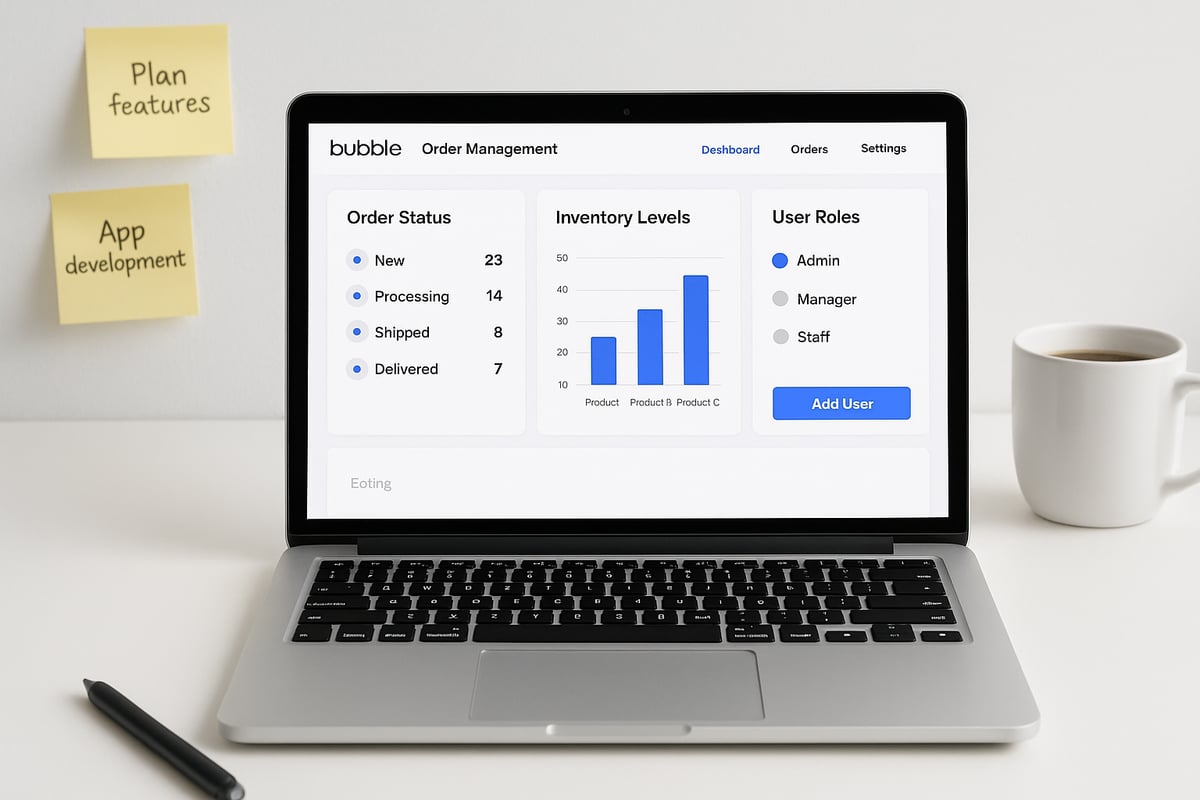
Step 1: Define your requirements and user stories
Start by outlining what your bubble order management app needs to achieve. Identify your main users: admin, staff, and customers. Map out the full order lifecycle, from placement to fulfilment and returns.
List must-have features, such as order creation and tracking, and separate out nice-to-have options like automated reporting or refund management. Writing user stories is a great way to clarify needs. For example, "As a warehouse manager, I want to see all pending orders in a dashboard."
Validating these requirements with real market needs is essential. For practical guidance, see How to conduct market research to ensure your bubble order management app aligns with genuine demand.
Step 2: Plan your database structure
A solid database is the backbone of every bubble order management app. Define your main data types:
Orders
Products
Customers
Inventory
Users
Each order should connect to products, customers, and inventory records. Include fields like order status, timestamps, and fulfilment details. Use Bubble's built-in database tools to set up relationships, keeping performance in mind—avoid overly complex structures at the start.
A simple entity-relationship diagram (ERD) can help:
Data Type | Key Fields | Relationships |
|---|---|---|
Orders | Status, Date, Total | Linked to Products, Customers |
Products | Name, SKU, Price | Linked to Inventory |
Customers | Name, Email, Address | Linked to Orders |
Inventory | Stock Level, Location | Linked to Products |
Users | Role, Permissions | Linked to Orders, Customers |
Keep your structure lean to ensure your bubble order management app runs smoothly as order volumes grow.
Step 3: Design your app’s UI in Bubble
Now, turn your requirements into a user-friendly interface. Use Bubble's drag-and-drop editor to build key pages:
Login
Dashboard (with order overviews)
Order list and detail views
Admin panel for staff management
Prioritise clarity and reduce steps for common tasks. For example, ensure order status updates are one click away. Use clear call-to-action buttons in your bubble order management app and group information logically.
Test your layouts on different devices. Responsive design is crucial for staff who may need to access the app from tablets or mobiles. Wireframes or mockups can help you refine the flow before investing time in detailed design.
Step 4: Set up workflows for order processing
Workflows automate the core logic of your bubble order management app. Set up actions for order creation, status updates, and notifications.
Automate status changes (e.g., "Processing" to "Shipped")
Send email or SMS alerts to customers and staff
Update inventory levels automatically when an order is placed
Use conditional workflows for different user roles
For example, when an order status changes to "Shipped," trigger an automated email with tracking information. Bubble's workflow builder allows you to set these rules visually, keeping complex logic manageable.
Step 5: Add integrations and advanced features
To make your bubble order management app truly powerful, consider integrating third-party services. Popular options include:
Payment gateways (Stripe, PayPal)
Inventory or accounting tools (via API or Bubble plugins)
Automated reporting (export to Google Sheets)
SMS/email notification services
Set up these integrations using Bubble's API Connector or pre-built plugins. This flexibility lets your app grow with your business and adapt to changing needs.
For advanced features like multi-channel order capture or returns management, plan integration points early. This approach avoids major rework as your bubble order management app evolves.
Step 6: Test, iterate, and launch
Before launching your bubble order management app, thorough testing is essential. Check every workflow with each user type: admin, staff, and customer. Verify permissions, notifications, and data accuracy.
Gather feedback from initial users and adjust your app based on their input. Fix any bugs and refine the user experience. Prepare for launch by reviewing data security, GDPR compliance, and setting up regular backups.
A successful launch is not the end—plan to continue refining your bubble order management app as new requirements emerge.
Step 7: Maintain and scale your app
Once your bubble order management app is live, ongoing maintenance is key. Monitor performance as order volumes increase—optimise database queries and review workflow efficiency regularly.
Plan for feature updates, bug fixes, and potential integrations with new services. As your business grows, you may need to scale your database or add new user roles.
Keep a roadmap for future improvements, such as mobile app access for staff or advanced analytics. With consistent attention, your bubble order management app will support your business for years to come.
Ready to turn your idea into a working solution? Book a free discovery call with our founder Tom for expert, personalised guidance on building and scaling your bubble order management app: Book your free call.
Common mistakes when building order management apps in Bubble.io
Building a bubble order management app can be straightforward, but it is easy to fall into some common traps that slow down delivery or lead to costly rebuilds. By understanding these pitfalls, founders can avoid wasted effort and ensure a smooth launch.
Underestimating order workflow complexity and database design
Many first-time founders underestimate how complex order workflows can become as the business grows. A bubble order management app must handle multiple order statuses, updates, and exceptions. If you start with a flat or poorly structured database, performance issues quickly appear as order volume increases.
For example, skipping relationship fields between Orders, Products, and Users can slow down searches and reports. Avoid storing everything in a single table. Instead, map out your data relationships and use Bubble’s best practices for database design from the start.
Ignoring these steps can lead to bottlenecks that are difficult to fix later. Always plan for future growth, even if your initial order volume is low.
User roles, permissions, and integrations
Security is often overlooked in a bubble order management app. Failing to set up correct user roles and permissions can expose sensitive data or allow unauthorised actions. Every user type, from admin to customer, should have clear access levels.
Another frequent mistake is delaying integration planning. Integrations with inventory or accounting software are critical for automation. If you leave this until late in the build, you may face major rework. It is wise to explore Bubble integration solutions early, as the right approach can save significant time and effort.
Take time to define user roles and list all system integrations during the planning stage, not after launch.
MVP scope, testing, and real-world example
Trying to pack too many features into the first version of your bubble order management app is a common misstep. Focus on the minimum viable product: core order tracking, notifications, and basic reporting. Add advanced features later, once the foundation is stable.
Testing with real users is just as crucial. Skipping this can hide usability issues or workflow gaps. In one real case, a founder had to rebuild their app after discovering that slow database queries made the dashboard unusable as order numbers grew. Early user feedback and stress testing would have prevented this costly mistake.
By keeping the MVP simple and validating with users, you set the stage for a robust and scalable solution.
Timeline and cost ranges for Bubble order management apps
Building a bubble order management app is a structured process with clear phases. Most projects follow these steps: discovery, where you clarify requirements and user journeys; design, where you map out workflows and interface; development, where the app is built and integrated; and launch, including testing and rollout.
Typical timelines:
Simple internal app: 2 to 4 weeks
Customer-facing app: 4 to 8 weeks
Complex workflows or integrations: 8 to 12+ weeks
Typical costs in EUR:
Simple MVP: €5,000 to €15,000
Production-ready system: €15,000 to €25,000
Complex cases with advanced logic, scale, or integrations: €25,000 to €50,000
Costs increase fastest due to:
Poor initial database design
Scope creep during build
Late integration or permission changes
Inventory-heavy or edge-case workflows
Cutting corners early almost always increases total cost later.
Examples of order management apps built with Bubble.io
Bubble order management app solutions have transformed how businesses of all sizes manage their orders, stock, and customer interactions. Here are three real-world examples that reveal the range and impact of these apps, showing what is possible even if you do not have a technical background.
E-commerce order and inventory tracking
A small e-commerce retailer built a bubble order management app to handle growing order volumes. The app enabled the team to:
Centralise all order data from the website and social channels
Track inventory in real time and receive low stock alerts
Automate email notifications to customers when orders shipped
Provide staff with a dashboard to monitor fulfilment progress
After launch, the business reduced order errors by 40 percent and cut fulfilment times in half. They could now easily scale from 50 to 500 orders per month without hiring extra admin staff.
B2B wholesale auction and order platform
A B2B wholesaler used Bubble.io to create a bespoke order and auction platform. This bubble order management app allowed the company to:
Let buyers place orders and bids through a secure portal
Sync orders with inventory and generate instant invoices
Track order status from placement to delivery
Provide real-time reporting for sales and warehouse managers
For a deep dive into a similar build, see the Bubble.io Case Study: Transpere, which details how Transpere used Bubble to build a robust auction and order management system without traditional code.
The result was faster deal cycles and a 30 percent reduction in manual data entry, freeing staff to focus on customer service.
Retail and service business with mobile staff
A local service provider needed a bubble order management app to connect field staff with the back office. Their solution featured:
Mobile-friendly dashboards for staff to view and update order statuses
Automated SMS notifications to customers on appointment progress
Role-based access for admin, staff, and customers
Integration with Google Sheets for daily reporting
Staff could now update orders on the go, reducing missed appointments and improving customer satisfaction. Management gained better insight into bottlenecks and resource allocation.
Across these examples, the key takeaway is that a bubble order management app can be tailored to fit any workflow or business size. Each business saw measurable gains in efficiency, accuracy, and scalability, proving that no-code tools like Bubble.io can deliver real results for founders.
When to use Bubble frontend with a Xano backend
If you expect serious scale, a Bubble-only setup may not be the best long-term architecture.
As a rule of thumb, once you consistently process 100,000+ orders per year, consider:
Bubble for the frontend and UI
Xano as the backend and database
This setup provides:
Better performance on large datasets
More control over queries and indexing
Scalable backend logic beyond visual workflows
Cleaner separation of UI and business logic
The tradeoff is increased complexity.
This approach requires:
More upfront architecture work
API-first development instead of purely visual logic
Higher development cost
Longer initial build time
For many teams, the right path is:
Start with Bubble only
Validate workflows and demand
Move heavy logic and data to Xano when scale justifies it
What are the signs you have outgrown Bubble.io?
If your bubble order management app slows down as order volumes grow, or if you hit plugin or workflow limits, it may be time to evaluate traditional development or hybrid approaches. Similarly, if your business needs have expanded to include advanced AI, real-time analytics, or highly customised integrations, a more robust platform could be necessary.
Modern trends in order management, such as the rise of AI-native and cloud-based ERP systems, also influence this decision. For more on the latest shifts in digital order management, see ERP Trends 2026 for Mid-Market Businesses.
How can you migrate or extend beyond Bubble.io?
If you outgrow your bubble order management app, plan a phased migration. Start by exporting your data and connecting external tools via APIs. You may also extend functionality by integrating specialist services or moving heavy workflows to dedicated backends. Careful planning ensures business continuity and protects your investment.
Ready to discuss your next steps? Book a free discovery call with Tom for expert guidance on scaling or migrating your order management solution: https://www.minimum-code.com/contact
Final note and next steps
If you are planning an order management app and want to avoid expensive mistakes, a short review of your workflow and data model can save weeks of work.
You can book a free discovery call with our founder Tom here:
https://www.minimum-code.com/contact
Get lear advice on whether Bubble alone is enough, or if a Bubble plus Xano setup makes sense for your scale.
.avif)


Explore related articles


Ready to build your product?
