


Bubble Project Management App Guide: Master Workflow in 2026

Spreadsheets and generic tools can quickly become a headache as your team grows and projects multiply. Many founders and product owners hit a wall when these basic solutions no longer keep up with real-world workflow demands.
This guide is designed for non-technical founders who want to build a bubble project management app that matches their unique processes and scales into 2026. You will get a clear, step by step approach—from defining your app needs to launching on Bubble.io.
We will break down what a project management app is, the essential features, why Bubble.io is the right platform (including its limits), and how to build and launch your own solution. Ready to move beyond spreadsheets and take control of your workflow? Follow this guide to get started.
What a project management app is
A bubble project management app serves as the single source of truth for organising projects, assigning tasks, tracking deadlines, and enabling team collaboration. Think of it as a digital control room where every detail—tasks, updates, files, and feedback—is always accessible and up to date.

Defining project management apps
A bubble project management app is designed for founders, growing teams, freelancers, and agencies who need more than sticky notes or basic spreadsheets. It lets you centralise everything—projects, tasks, team members, and documents—into one organised system.
Core benefits include better visibility into project progress, clear accountability for each team member, and streamlined communication. Typical workflows cover assigning tasks, updating statuses, sharing documents, and sending reminders or notifications. This helps avoid confusion, missed deadlines, and endless email threads.
Unlike spreadsheets or email chains, a dedicated bubble project management app scales with your team. As projects multiply, it becomes impossible to track dependencies or priorities in Excel. For example, a startup that managed client work with Trello and Excel may quickly outgrow those tools as complexity increases. Switching to a custom app enables them to automate repetitive steps, visualise workloads, and adapt the platform to unique processes.
Adoption of project management apps is accelerating, with 70% of SMBs reporting improved efficiency after moving beyond basic tools, according to Project Management Software Adoption Trends. This shift highlights the value of investing in a tailored, scalable solution.
When to build your own app
There comes a point where standard tools simply cannot handle your workflow. A bubble project management app becomes essential when you need custom fields, unique approval flows, or advanced automation that off-the-shelf software does not offer.
Common triggers include outgrowing existing solutions, needing deeper integrations, or wanting a branded client portal. Pain points often involve limited reporting, lack of privacy controls, or the inability to automate routine tasks. Security and data ownership also drive founders to seek custom apps.
Imagine an agency that manages multiple clients and needs each client to approve deliverables in a private portal. Off-the-shelf tools rarely provide this level of control or flexibility. With a bubble project management app, you can build exactly what your business requires—no compromises.
Choosing to build your own app is about more than features. It is about creating a tool that fits your business perfectly, supports your team’s growth, and gives you a competitive edge.
Core features of a project management app
Building a successful bubble project management app starts with understanding the essential features your team will rely on every day. The right set of tools makes collaboration smoother, keeps projects on track, and lets you adapt as your needs evolve.
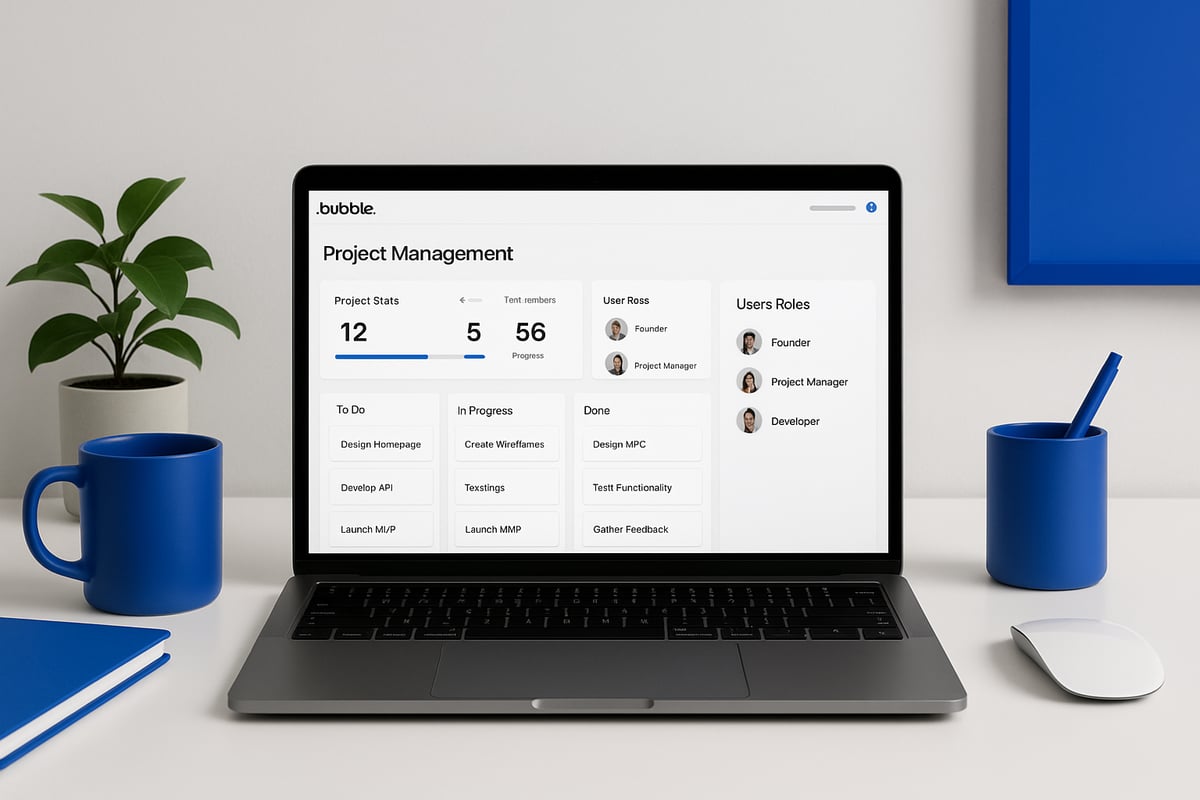
Essential features checklist
A bubble project management app should give you a clear view of all your projects and tasks. Here’s a breakdown of the core features you’ll need:
FeaturePurposeExample Use CaseUser authentication & rolesControl access and permissionsClients see only their projects, managers see allProject & task creationOrganise work, set hierarchyCreate parent project, add tasks and subtasksAssignments & deadlinesAssign owners, track due datesAssign designer to a task, set deadlineStatus trackingMonitor progress, flag bottlenecksMove task from to do to in progress to doneComments & activity logsEnable discussion, track changesLog who updated status, add notesFile uploads & document mgmtStore and share project filesUpload contracts, attach design assetsSearch & filteringFind tasks by criteriaFilter by assignee or overdue statusNotificationsKeep users informedEmail alert for new assignmentReporting & dashboardsVisualise progress and workloadDashboard shows overdue tasks, team load
With these features, your bubble project management app becomes a central hub for your team. For example, a dashboard page could display all overdue tasks, highlight team workload, and let you drill down by project or user. This visibility helps you spot risks, balance resources, and communicate priorities.
If you want a robust, custom solution tailored to your workflow, see the end-to-end project management solutions we develop for founders and teams.
Optional advanced features
As your bubble project management app grows, you may want to add advanced features to support more complex workflows:
These features allow your app to scale with your business. For example, agencies often add client portals and approval flows, while startups may prioritise integrations with their existing communication tools.
The goal is to make your bubble project management app flexible, efficient, and easy for your team to use. By focusing on these essentials first, you will build a solid foundation that supports your growth and changing requirements.
Why use Bubble.io for project management apps (including limits)
Building a bubble project management app gives founders a unique set of advantages and some important limitations to weigh. If you want to develop a tool tailored to your team's needs without deep coding skills, Bubble.io offers a compelling platform.

Advantages of Bubble.io for founders
The main appeal of a bubble project management app is the ability to create complex, fully functional tools visually. Bubble.io gives you a drag-and-drop editor, so you can design dashboards, kanban boards, and user flows without writing code.
With Bubble.io, your database is fully customisable. You control how data types like projects, tasks, and comments connect, which makes it easy to reflect your unique workflows. You also get built-in user authentication, so you can set up roles such as admin, manager, or client, each with the right permissions.
Rapid prototyping is another major benefit. Launch a minimum viable product in a few weeks, test with users, and refine based on feedback—all without waiting for a developer. Responsive design tools ensure your app works on desktops, tablets, and mobiles.
Security and compliance are built in. Bubble.io hosts your app in secure environments and offers GDPR compliance options, which is crucial for handling client data. Hosting, SSL, and user management are included, so you can focus on features rather than infrastructure.
If you want professional guidance, Bubble agency services overview explains how experts can accelerate your bubble project management app build and handle advanced needs.
You can launch a project management app in weeks, iterate quickly, and scale as your team grows. These strengths make Bubble.io ideal for startups, agencies, and founders needing custom workflows.
Real-world limits and tradeoffs
Despite its strengths, a bubble project management app does come with tradeoffs. Performance can be a bottleneck if your app stores very large datasets or runs complex workflows on every page load. For most small and medium-sized businesses, this is manageable, but at enterprise scale you may need to rethink your approach.
Scalability is solid up to a point. Bubble.io can handle thousands of records and users, but if you expect rapid growth or heavy real-time usage, you might hit platform limits. Planning your database structure and minimising unnecessary workflows can help maintain speed.
Integration options are broad, but some third-party services require plugins or manual API setup. Not every integration is plug-and-play, so factor in time for setup and testing. For advanced logic or real-time features, you may need to use JavaScript plugins or connect to external services.
Exporting code is not supported. Your bubble project management app always runs on Bubble.io’s infrastructure, so there is no direct way to move your app to another host. If full code ownership is a requirement, consider this early.
A common example: Agencies find Bubble.io perfect until they reach 50,000+ database entries, then optimise by restructuring data or archiving old records. For most founders, these limits are manageable with good planning.
In summary, Bubble.io offers unmatched speed and customisation for building a bubble project management app, as long as you are aware of and plan for the platform’s real-world boundaries.
Step by step build process in Bubble.io
Building a bubble project management app is achievable for any founder or product owner, even with no technical background. This step by step guide will walk you through the process, from initial planning to launch. By following these steps, you will create a flexible, scalable tool tailored to your team’s unique workflow.

1. Plan your app structure and data
Start by outlining the core structure of your bubble project management app. Identify who will use the app and what permissions each role needs. Typical roles include admin, project manager, team member, and client.
List the main data types your app will manage:
Map out how these data types relate. For example, each Task belongs to a Project and is assigned to a User. Each Project can have many Tasks and Comments.
Sketch the primary workflows your users will follow. Use a whiteboard or a tool like Figma to visualise steps such as task assignment, status updates, and notifications. This planning phase sets a clear foundation for the rest of your bubble project management app.
2. Set up your Bubble.io project
Head to Bubble.io and create a new app. Choose a descriptive name for your bubble project management app, upload a favicon, and configure privacy settings. Decide whether to use a starter template or build from scratch. Templates can accelerate setup but may require more customisation later.
Enable version control in Bubble.io. This allows you to experiment safely, roll back changes, and iterate without risk. Set up your app’s privacy rules early to protect sensitive data as you build.
Organise your project workspace with folders for pages, reusable elements, and workflows. This will keep your bubble project management app maintainable as it grows.
3. Build the database and data types
In Bubble.io’s Data tab, create the core data types you identified: User, Project, Task, Comment, and File. For each type, add fields to capture all necessary information. For example, a Task should have a title, description, status, due date, assignee (User), and attachments (File).
Set up relationships between data types using Bubble.io’s field types. For instance, a Project has a list of Tasks, while each Task references a single Project.
Use Bubble.io’s Privacy tab to control who can see or edit each type of data. For example, only users assigned to a project should view its tasks. Here is a sample privacy rule in Bubble:
When Current User's Projects contains This Project: Allow view
By structuring your data and permissions correctly now, you prevent issues with security and scalability later in your bubble project management app.
4. Design the user interface
Design the key pages for your bubble project management app using Bubble.io’s drag-and-drop editor. Start with a dashboard that provides an overview of projects, tasks, and team workload.
Build pages for:
Add navigation elements like a sidebar, top bar, and breadcrumbs for easy movement between sections. Use conditional formatting to highlight overdue tasks or show/hide buttons based on user roles.
For a kanban board, set up draggable columns for task statuses. This visual approach helps users quickly see project progress and bottlenecks.
Keep your layouts responsive. Test each page on mobile and tablet views early to ensure a consistent experience across devices. Strong interface design is crucial for user adoption of your bubble project management app.
5. Implement workflows and logic
Workflows are the backbone of your bubble project management app. In Bubble.io’s Workflow editor, set up actions for creating, editing, and deleting projects and tasks.
Automate key processes:
Set up recurring workflows for daily reminders about overdue tasks. Use Bubble.io’s conditional logic to trigger different actions based on user roles or project status.
For example, auto-assign tasks to the least busy team member using a search and assign workflow. Streamlining these processes ensures your bubble project management app saves time and reduces manual work.
6. Add collaboration and communication features
Enable real-time collaboration by allowing users to comment on tasks and projects. Set up an activity feed to log all changes and updates, providing transparency and accountability.
Use threaded comments for structured team discussions around specific tasks. Optionally, integrate real-time update plugins or external tools if your team needs instant notifications.
These features help your bubble project management app replace scattered email threads and keep all project communication in one place.
7. Set up reporting and dashboards
Create dashboards to give users a clear overview of project health. Use charts and graphs—available via Bubble.io plugins—to visualise:
A simple pie chart showing the percentage of completed tasks per project can quickly highlight areas that need attention. Custom dashboards make your bubble project management app a decision-making tool, not just a task tracker.
8. Test, iterate, and launch
Before launching, invite real users to test your bubble project management app. Collect feedback on workflows, usability, and performance. Identify any bugs or confusing steps, then refine your design and workflows accordingly.
Set up your domain and SSL certificate. Review privacy rules and test on all devices. Consider a soft launch with your internal team before rolling out to clients.
This approach ensures a smooth launch and builds trust in your bubble project management app from day one.
Common mistakes when building in Bubble.io
Building a bubble project management app can be rewarding, but there are common pitfalls non-technical founders should avoid. Careful planning will save time, money, and frustration as you scale up your custom tool.
Overcomplicating the data structure
One of the biggest mistakes in a bubble project management app is making the data model too complex. Too many data types or unclear relationships quickly lead to confusion and bugs. Start simple. Define only the essential types: User, Project, Task, Comment, and File. Add more only if your workflow truly needs them. This keeps your app stable and easy to maintain.
Ignoring privacy rules
Failing to set up privacy rules puts sensitive project data at risk. Bubble’s privacy editor lets you control exactly who can see and edit each record. Always restrict client data so that users only access their own projects and tasks. Test privacy rules by logging in as different roles to check for leaks.
Not planning user roles and permissions
If you skip mapping out user roles, your bubble project management app may develop permission holes or security gaps. Decide early on who can create, edit, or delete each item. Set up roles such as admin, manager, member, and client. Use Bubble’s built-in role logic to enforce these permissions across your workflows.
Skipping responsive design
A common oversight is building only for desktop. Many teams and clients will use your bubble project management app on tablets or mobiles. Use Bubble’s responsive editor to check layouts across devices. Add breakpoints and test navigation on different screen sizes so your app looks professional everywhere.
Forgetting about performance and technical debt
As your app grows, page loads can slow down if you have too many workflows running at once or inefficient searches. Limit data sent to the page and use custom searches with constraints. Plan your database for scale from the start. For more on avoiding long-term headaches, see this guide to managing technical debt.
Launching without user testing
Skipping user testing is risky. Even a simple bubble project management app can have hidden bugs or poor usability. Invite real users to try core workflows before launch. Listen to their feedback and iterate. Fix issues early to avoid support headaches later.
Relying only on Bubble for integrations
Bubble offers many plugins, but some advanced integrations or automations may need custom APIs or external tools. Plan for these early so you are not blocked later. Document any manual steps needed for critical integrations.
Example: Slow page loads and database restructuring
A founder built a bubble project management app that stalled as the number of tasks grew. The culprit was an overloaded page with too many workflows and poor database structure. By simplifying data types and breaking up workflows, performance improved dramatically.
Careful planning and awareness of these pitfalls will keep your bubble project management app reliable and scalable. Want expert help? Book a free discovery call with Tom to get tailored advice for your project.
Timeline and cost ranges for Bubble.io project management apps
When planning your bubble project management app, timeline and cost are crucial to set expectations and avoid surprises. Most founders want to know how soon they can launch and what investment is required. The market for project management software is expanding rapidly, reflecting increased demand for tailored solutions. For further insights on adoption rates and growth, see this Project Management Software Market Growth report.
Typical timeline for your build
These estimates assume a clear scope and regular feedback. Delays often come from unclear requirements or late-stage changes.
Cost breakdown
ApproachEstimated CostWhat’s includedDIYYour time onlyLearning Bubble, building everything yourselfFreelancer£2,000 – £10,000Design, build, basic setup, limited supportAgency£8,000 – £30,000+Full design, development, QA, launch, support
The exact cost for your bubble project management app depends on features, integrations, custom UI, user roles, and reporting needs.
Ongoing costs to plan for
These are typical for any SaaS-style tool. Plan for additional costs if you expect high user numbers or complex automation.
Example scenario
A startup founder builds an MVP bubble project management app in 4 weeks, spending under £3,000 by working with a freelancer and using mostly standard plugins. After launching and gathering user feedback, they upgrade to an advanced version with new workflows and client-specific features over the next two months.
In summary, building a bubble project management app is achievable for most founders within a few weeks and a realistic budget. Careful planning and clear priorities are key to staying on track and getting value for your investment.
Examples of project management apps built in Bubble.io
Founders and teams have used Bubble.io to create a wide variety of project management apps tailored to their exact needs. Whether you want to streamline client work, internal processes, or manage freelance projects, the flexibility of a bubble project management app lets you design features that fit your workflow, not the other way around.
Agency client portal
One creative use of a bubble project management app is for agencies needing secure client dashboards. For example, an agency built a branded portal where clients log in to track project progress, upload documents, and approve deliverables. This setup allows for custom permission levels and approval workflows. See a Real-world Bubble project example for a detailed case study on how this approach works in practice.
Startup internal tool
Startups often outgrow spreadsheets fast. One team replaced their Trello and Slack chaos with a bubble project management app offering a unified task board, integrated time tracking, and automated Slack notifications. This made it easier to spot blockers, track deadlines, and improve team accountability.
Freelancer solution
Freelancers have also benefited from a bubble project management app by building simple kanban boards that include client portals and automatic invoicing. This streamlines communication and payment, saving hours each week compared to juggling multiple tools.
SaaS case study
A SaaS company built a robust bubble project management app for their clients. The app offered a client-facing tracker, advanced permission controls, and real-time updates through plugins. Within six months, they scaled to over 500 active users and iterated on features based on customer feedback.
These examples highlight the power of customisation and rapid iteration. With a bubble project management app, you can implement branded interfaces, unique permission structures, and real-time features that off-the-shelf tools simply cannot offer. Ready to see what a tailored solution could do for your business? Book your call now with our founder Tom and get expert advice for your own project.
Book a free discovery call with Tom
Ready to take control of your workflow with a tailored bubble project management app built to fit your team's needs? Avoid the limitations of generic tools and unlock streamlined collaboration, full visibility, and scalable processes. Book a free discovery call with our founder Tom to discuss your goals, get expert advice, and see how a custom solution can accelerate your business. There is no obligation—just personalised insight and a clear plan forward. Book your call now and start mastering your workflow for 2026 and beyond.
You’ve seen how a tailored project management app can transform the way you and your team work—no more outgrowing spreadsheets or wrestling with off the shelf tools that just don’t fit. If you’re ready to take control of your workflow and want expert support in building your custom Bubble io app for 2026 and beyond, let’s have a conversation. I invite you to Book a free discovery call with our founder Tom. Together, we’ll explore your needs and chart a clear path to a secure, scalable solution that truly works for you.
.avif)


Explore related articles


Ready to build your product?
