


Bubble Time Tracking App Guide: Streamline Your Workflow 2026

Struggling to keep tabs on your team’s time and productivity without endless spreadsheets? You’re not alone. Many founders face the same challenge, but a custom bubble time tracking app can remove manual headaches and give you real insight into your business.
This guide is designed for non-technical founders who want to build a tailored bubble time tracking app without writing code. We’ll explain what a time tracking app is, the must-have features, why Bubble.io is an ideal choice, and what its limits are.
You’ll get a step-by-step build roadmap, learn how to avoid common mistakes, see realistic timelines and costs, and explore real-world examples. Ready to streamline your workflow? Let’s dive in.
What a Time Tracking App Is
Struggling to keep tabs on your team’s hours or project progress? Manual spreadsheets can quickly become overwhelming, especially as your business grows. A bubble time tracking app offers a smarter, automated solution that replaces manual entry with streamlined digital workflows.
Defining Time Tracking Apps
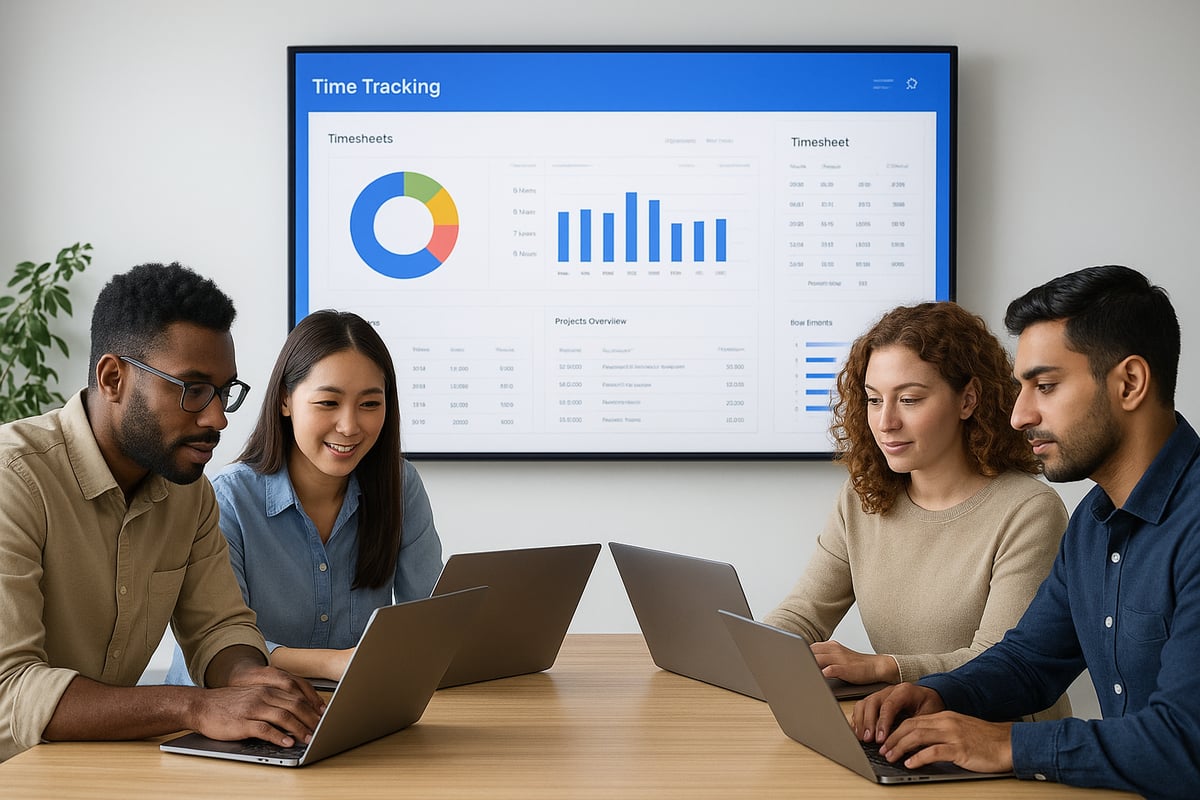
A bubble time tracking app is a digital tool designed to record and manage how time is spent across different projects and tasks. It enables users to log hours, track specific assignments, and generate reports with precision.
These apps are essential for businesses of all sizes, whether your team works remotely, in a hybrid setup, or in a traditional office. Typical functions include manual or timer-based time entry, project and task assignment, and on-demand reporting.
Use cases cover a wide range: marketing agencies managing client work, consultancies tracking billable hours, freelancers who need accurate invoicing, and startups keen on workflow visibility. Compared to manual spreadsheets, a bubble time tracking app automates calculations, reduces errors, and centralises all data for easy access.
Business Benefits of Time Tracking
Implementing a bubble time tracking app brings measurable benefits to your business. It increases productivity and accountability by making team hours visible and transparent. Accurate time logs simplify client billing and payroll, reducing disputes and errors.
You gain insights into project costing, resource allocation, and can ensure compliance with regulations such as GDPR or working time directives. Founders and managers benefit from real-time data, supporting smarter, data-driven decisions.
Notably, businesses that use time tracking report up to 26% higher productivity, according to time tracking boosts productivity by 26%. This demonstrates how replacing manual processes with a bubble time tracking app can cut down on time leakage and drive efficiency.
Who Needs a Time Tracking App?
A bubble time tracking app is especially valuable for startup founders scaling teams, agencies managing multiple projects, and freelancers who require precise invoicing. Product owners looking for workflow transparency and growth-stage companies ready to move beyond spreadsheets will also benefit.
For example, a small agency automating timesheets with a bubble time tracking app can save over five hours each week, freeing up time for client work and strategic planning. As your business grows, the need for a robust, automated solution only becomes more pressing.
Core Features of a Time Tracking App
Building a successful bubble time tracking app starts with understanding the core features your team needs. A robust feature set ensures the app delivers real value, supports growth, and adapts to your workflow.

Essential Features Overview
Every bubble time tracking app should start with a strong foundation of must-have features. These include secure user authentication, ensuring only authorised users access sensitive data. Role management lets you define permissions for admins, managers, and regular team members.
Time entry is central, allowing employees to log hours manually or use a built-in timer. Project and task management help organise workloads and link time entries to specific deliverables. Reporting and analytics dashboards offer insights into productivity and resource allocation.
Exporting data in formats like CSV or PDF is crucial for payroll and invoicing. Notifications and reminders keep users on track, prompting them to complete timesheets or review pending approvals. With these basics in place, your bubble time tracking app provides the backbone for accurate, efficient time management.
Advanced & Optional Features
To further enhance your bubble time tracking app, consider advanced and optional features that add flexibility and automation. Integrations with calendars, payroll systems, and project management tools streamline workflows and reduce duplication. For example, connecting to payroll not only saves time but also reduces errors—according to industry research, time tracking reduces payroll discrepancies by 28%.
Mobile responsiveness ensures users can log hours from any device, supporting remote and field teams. Dedicated mobile apps can go a step further with offline support or location tracking. Team management features allow you to assign roles and permissions, giving managers control over project access and approvals.
Tracking billable versus non-billable hours is essential for agencies and freelancers. Audit trails support compliance by recording changes and access. As an example, integration with payroll systems can automate salary calculations based on tracked hours, reducing manual processing.
UX/UI Considerations
User experience is critical when designing a bubble time tracking app, especially for non-technical users. Intuitive user flows help users log time and manage tasks without confusion. A mobile-first design ensures accessibility on smartphones and tablets, making on-the-go tracking effortless.
Accessibility and inclusive design accommodate all users, including those with disabilities. Custom branding features let you tailor the app’s appearance to match your business identity, reinforcing trust and professionalism.
A well-designed dashboard should present daily or weekly summaries with clear visuals, such as bar charts or pie graphs. For example, a dashboard showing total hours worked, top projects, and pending approvals at a glance empowers users and managers to make informed decisions quickly.
Why Use Bubble.io for Your Time Tracking App (and Its Limitations)
Building a custom bubble time tracking app can feel daunting for non-technical founders. Bubble.io offers a unique solution that bridges the gap, enabling you to create powerful web apps without writing code. Let’s explore why it stands out for time tracking, the limits you should be aware of, and how to get expert support.

Bubble.io Advantages for Non-Technical Founders
Bubble.io empowers founders to build a bubble time tracking app visually, using drag and drop tools instead of code. This means you can prototype ideas quickly, adjust features on the fly, and launch faster than traditional development.
The platform comes with built-in user authentication, database management, and a wide library of plugins. You can add features like notifications or reporting in just a few clicks. Compared to hiring a developer, Bubble.io is far more cost-effective, especially for MVPs.
Community forums and tutorials provide support at every step. For many startups, this means going from idea to live bubble time tracking app in just weeks. If you’re exploring the right platform, you might find value in this guide to the best no-code tools for web apps.
Key Limitations and Considerations
While Bubble.io is robust, it’s important to understand its constraints before building your bubble time tracking app. For larger teams or heavy data needs, performance can become a bottleneck. Advanced features may require plugins or custom scripts, which can introduce complexity.
Platform lock-in is another consideration. Migrating away from Bubble.io in the future can be challenging, as apps are built within their ecosystem. There’s also a learning curve for complex workflows, even with a no-code approach.
If your bubble time tracking app expects thousands of users or intricate logic, you may need to invest extra time in optimisation. For example, handling 10,000 daily active users could require backend tweaks and careful planning of data structure.
Security, Compliance & Data Hosting
Security is a priority for any bubble time tracking app, especially when handling sensitive employee data. Bubble.io supports GDPR compliance with options for data hosting in the EU or US, letting you choose what best fits your business needs.
User authentication and privacy rules are straightforward to set up, helping you restrict access and protect information. Regular backups and continuous app monitoring are available, so you can recover quickly if something goes wrong.
For extra protection, consider enabling two-factor authentication and using role-based permissions. These steps ensure your bubble time tracking app is both secure and compliant from day one.
Build Your Time Tracking App with Minimum Code
If you want to build a secure, scalable bubble time tracking app but need expert guidance, Minimum Code is here to help. Our team supports you through discovery, design, build, and launch, ensuring your app meets industry standards.
We specialise in GDPR compliance, intuitive UI/UX, and rapid delivery for non-technical founders. From scoping your project to post-launch support, we make the process clear and stress-free.
Ready to streamline your workflow? Book a free discovery call for a tailored project plan that brings your bubble time tracking app to life.
How to build a time tracking app in Bubble.io: step by step guide
Building a bubble time tracking app as a non-technical founder may seem daunting, but with the right approach, you can create a robust solution tailored to your team's needs. This step-by-step guide will walk you through every stage, from planning to launch, ensuring your app is both functional and scalable. Each step is crafted for clarity and action, so you can move confidently from idea to live product.

Step 1: Planning Your App
Start by defining the core goals of your bubble time tracking app. Who will use it, and what problems should it solve? Write clear user stories, such as, "As a manager, I want to review team hours by project." This sets the foundation for features and workflows.
Next, map out essential features. These may include time entry (manual or timer-based), project and task tracking, reporting, and data export. Sketch wireframes using Figma or simply pen and paper. This visual step helps clarify navigation and user experience, especially if you aim for both desktop and mobile users.
Identify any critical integrations, like calendar syncing or payroll systems. Consider starting with a minimum viable product to test core functionality quickly. For an in-depth look at this process, see Building an MVP with no-code.
By focusing on these planning steps, your bubble time tracking app will align with your business needs and user expectations.
Step 2: Setting Up Your Bubble.io Project
Begin by creating a new project in Bubble.io. Choose a template relevant to time tracking, or start from scratch for full control. Carefully configure app settings, including privacy rules, SEO basics, and custom branding elements to reflect your business identity.
Set up user roles and permissions early. Typical roles include admin, manager, and employee. This structure ensures each user sees only relevant data and features, supporting both security and usability in your bubble time tracking app.
A well-organised project setup helps prevent issues later and lays the groundwork for efficient development.
Step 3: Designing the Database Structure
A solid database is the backbone of your bubble time tracking app. Define the primary data types you will need:
- Users
- Projects
- Tasks
- Time Entries
- Clients
For each type, specify fields. For example, Time Entries might include start time, end time, user ID, project ID, and notes. Use one-to-many relationships, such as one user linked to many time entries. This enables detailed reporting and efficient data retrieval.
Below is a simple table summarising these relationships:
| Data Type | Key Fields | Relationships |
|---|---|---|
| User | Name, Email, Role | Many Time Entries |
| Project | Name, Client, Status | Many Tasks, Many Time Entries |
| Task | Name, Project, Assigned User | One Project, Many Time Entries |
| Time Entry | Start, End, User, Project | One User, One Project |
| Client | Name, Contact Info | Many Projects |
A clear structure will keep your bubble time tracking app reliable as it grows.
Step 4: Building User Interfaces
Design intuitive user interfaces using Bubble.io’s drag-and-drop editor. Start with login and signup pages, leveraging Bubble’s built-in authentication for security.
Create time entry forms that support both manual inputs and timer-based tracking. Make it simple for users to log hours with minimal clicks. Build dashboards for employees and managers, featuring clear summaries of hours tracked per day, week, or project.
Develop project and task management screens. Use features like drag-and-drop task assignment to streamline workflows. Ensure the interface is mobile-friendly so your bubble time tracking app works seamlessly on any device.
A focus on user experience will increase adoption and satisfaction.
Step 5: Workflow Automation & Logic
Set up workflows in Bubble.io to automate repetitive actions. For example:
- When a user submits a time entry, trigger a workflow to update project totals.
- Schedule reminders for incomplete timesheets.
- Differentiate billable from non-billable hours automatically.
Use Bubble’s visual workflow builder to manage these automations without code. You can also add conditional logic, such as restricting edits on approved entries. This ensures your bubble time tracking app remains efficient and error-free.
Automating core processes reduces manual admin and improves reliability.
Step 6: Reporting & Data Export
Dynamic reporting is a key benefit of a bubble time tracking app. Build reports to display hours by user, project, or date range. Add export buttons for CSV or PDF downloads, enabling easy sharing with payroll or clients.
Visualise data with charts and graphs, helping managers spot trends and allocate resources effectively. For example, include a weekly summary chart on the dashboard.
A robust reporting system supports transparent operations and informed decision making.
Step 7: Testing & Iteration
Before launching your bubble time tracking app, perform thorough testing. Use a checklist to cover all user flows, including time entry, project management, and reporting.
Invite a small group of stakeholders or team members to try the app. Gather feedback on usability, speed, and features. Iterate on your design based on this input, refining both functionality and appearance.
Debug any issues that arise and optimise for performance. This cycle of testing and improvement ensures your bubble time tracking app is ready for real-world use.
Step 8: Launch & Ongoing Improvements
With testing complete, deploy your bubble time tracking app to the live environment. Monitor usage closely, using analytics tools to track adoption and spot potential issues.
Plan for future updates, such as adding a mobile app or new integrations like Slack notifications. Collect user feedback regularly to guide enhancements.
Launching is just the beginning. A successful bubble time tracking app evolves with your team’s needs, delivering ongoing value.
Ready to take the next step? Book a free discovery call with our founder Tom to discuss your bubble time tracking app idea and receive a tailored project plan. Book your call now.
Common Mistakes When Building a Time Tracking App (and How to Avoid Them)
Building a bubble time tracking app can be straightforward with the right approach, but non-technical founders often encounter common pitfalls. Understanding these mistakes and how to avoid them will save time, reduce frustration, and lead to a more successful app launch.
Overcomplicating the MVP
One of the biggest mistakes when building a bubble time tracking app is trying to launch with every possible feature. Founders can get caught up in adding complex integrations, advanced reporting, or custom automations before users have even seen the basics.
Instead, focus on a Minimum Viable Product (MVP). Define your core features such as time entry, project tracking, and simple reports. Launch quickly, gather feedback, and only then add more. For a deeper dive into the MVP process, see this MVP development process explained guide.
Keeping the initial version simple ensures your bubble time tracking app delivers value fast and reduces development costs.
Ignoring User Experience
Even the most feature-rich bubble time tracking app will struggle if users find it confusing or cluttered. Non-technical founders sometimes overlook how important intuitive design is for adoption and daily use.
Prioritise clear navigation, straightforward workflows, and accessible interfaces. Test your wireframes with real users, especially those who are not tech-savvy. An easy-to-use dashboard and logical time entry forms will help your team embrace the new system.
A positive user experience means fewer support requests and higher engagement with your bubble time tracking app.
Underestimating Data Security
Security is critical in any bubble time tracking app, especially when handling sensitive employee or client data. Some founders rely on default settings or use weak passwords, leaving their apps vulnerable.
Implement strong authentication, set up Bubble’s privacy rules, and adhere to GDPR or other relevant regulations from the start. Regularly review user permissions and use role-based access controls to restrict sensitive data.
Taking security seriously from day one protects your business and builds trust in your bubble time tracking app.
Poor Testing and Feedback Loops
Launching a bubble time tracking app without thorough testing often leads to bugs, broken workflows, or unhappy users. Skipping quality assurance can undermine the entire project.
Always test every user flow, from sign-up to reporting. Involve actual team members in the process to catch issues early and gather honest feedback. Iterating based on real-world use ensures your bubble time tracking app meets actual business needs.
Not Planning for Scale
A bubble time tracking app may work well for a small team, but founders often forget to plan for growth. Inefficient database design or workflow logic can create bottlenecks as usage increases.
Optimise your data structure early, and review workflows for performance. If you expect to scale, design with future integrations and higher user counts in mind. Planning ahead will keep your bubble time tracking app running smoothly as your business expands.
Timeline and Cost Ranges for Bubble.io Time Tracking Apps
Launching a bubble time tracking app is a strategic investment for growing teams and founders. Understanding realistic timelines and costs helps you plan effectively and avoid surprises. Here is what you can expect when building your own time tracking solution using Bubble.io.
Typical Build Timeline
A bubble time tracking app can progress quickly from idea to launch, especially if you focus on a minimum viable product. Here is a typical timeline for non-technical founders:
| Stage | Duration | Activities |
|---|---|---|
| Discovery & Planning | 1 week | Define requirements, user flows |
| Design & Prototyping | 1 week | Wireframes, UI/UX |
| Core Development | 2–3 weeks | Build main features, set up workflows |
| Testing & Launch | 1 week | QA, user testing, deployment |
| Total | 4–6 weeks | MVP ready |
If you plan advanced features or custom integrations, expect the timeline for your bubble time tracking app to extend. According to time tracking software increases project ROI by 25%, investing in proper time tracking can speed up project delivery and reduce wasted effort.
Budget Estimates
Building a bubble time tracking app is cost-effective compared to traditional development. Here is a budget overview:
| Approach | Cost Range | Details |
|---|---|---|
| DIY (Bubble only) | £0–£200/month | Platform fees, basic plugins |
| Freelance/Agency | £3,000–£10,000+ | Custom design, advanced features |
| Ongoing Maintenance | £100–£500/month | Updates, bug fixes, support |
Factors impacting cost include the feature set, third-party integrations, and the level of custom design. Starting simple helps control your budget and lets you validate your bubble time tracking app before scaling.
Cost-Saving Tips
There are several ways to save money when building your bubble time tracking app:
- Start with a minimum viable product and add new features after launch.
- Utilise Bubble templates and plugins to accelerate development.
- Work with experienced Bubble developers for efficient delivery.
- Avoid unnecessary integrations at the beginning.
- Regularly review your app’s performance to prevent costly rework.
For inspiration and to see how others have achieved success, explore successful startups built with Bubble. Many founders reduce costs by focusing on essentials and iterating based on user feedback.
By planning carefully, you can launch a robust bubble time tracking app within weeks and keep costs predictable. Investing in the right approach now sets the foundation for future growth and scalability.
Examples of Time Tracking Apps Built with Bubble.io
Struggling to imagine what a successful bubble time tracking app looks like in practice? Real-world examples provide clarity and inspiration for your own project. Here, we explore how different founders have used Bubble.io to create efficient, scalable time tracking solutions tailored to their needs.
Showcase: Real-World Bubble.io Time Tracking Apps
Let us look at a few standout bubble time tracking app examples. One agency built a custom app to automate employee timesheets, replacing tedious spreadsheets. Their team now logs hours against projects and tasks, with instant reporting for managers and seamless data export.
Another consultancy developed a bubble time tracking app to support remote teams. Features included timer-based and manual entries, billable hour tracking, and integration with payroll. The result? Accurate billing, reduced admin time, and better project visibility.
For freelancers, a simple bubble time tracking app enabled easy time logging and one-click invoice generation. This eliminated manual errors and helped avoid lost revenue from missed entries. Notably, accurate digital tracking can significantly reduce time theft, a major issue costing businesses billions annually, as highlighted in Time theft costs U.S. businesses $11 billion annually.
User testimonials often mention saving five or more hours per week and improved transparency across all levels of the business.
Lessons Learned from Successful Builds
Building a bubble time tracking app is not just about features, but about process. Successful founders start with clear requirements and focus on the minimum viable product. By launching with core features, they gather feedback early and avoid overcomplicating the initial release.
Iterative design is key. After launch, teams use real user feedback to refine workflows and interfaces. Many projects leverage Bubble.io’s plugin ecosystem to quickly add functionalities, such as calendar integrations or advanced reporting.
One startup founder scaled their bubble time tracking app from five to fifty users with minimal changes, thanks to well-planned data structures and modular workflows. The most effective apps balance simplicity for users with robust reporting for managers, ensuring both adoption and value.
Inspiration for Your Project
Every bubble time tracking app can be unique. Some founders prioritise mobile-first design for teams on the go, while others customise dashboards for specific industries, such as creative agencies or consultancies.
Consider how your workflow differs from standard templates and tailor the app accordingly. Explore the Bubble showcase or gallery to see a variety of designs and feature sets, and let these spark ideas for your own build.
Remember, a bubble time tracking app can start simple and grow over time. Custom branding, accessibility, and seamless integrations are all possible as your needs evolve. With the flexibility of Bubble.io, you are limited only by your imagination and business goals.
Ready to turn your vision into reality? Book a free, no-obligation discovery call with our founder Tom to discuss your bubble time tracking app idea, clarify requirements, and receive a tailored project plan. https://www.minimum-code.com/contact
You’ve now seen how a custom Bubble io time tracking app can give you clarity and control without the usual tech headaches. If you’re ready to explore what this could look like for your business—whether you want to improve team productivity, automate reporting, or ensure GDPR compliance—I’d love to help you map out the next steps. We’ll discuss your goals, answer your questions, and create a tailored plan that fits your workflow and budget. To get started, simply Book a free discovery call and let’s unlock your project’s potential together.
.avif)


Explore related articles


Ready to build your product?
