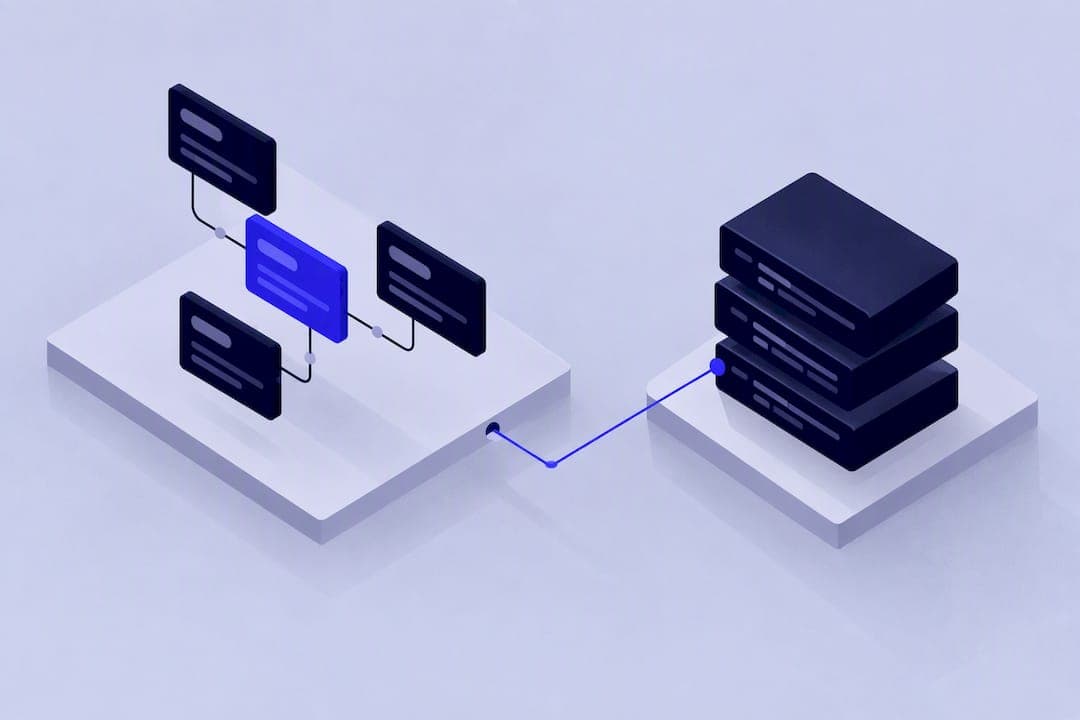


Map each Bubble data type to a Postgres table, each field to a column, and each list field to a join table, then preserve every Bubble unique id in a source_id column so relationships survive the move. Skip the id-preservation step and you will spend far longer reconnecting records than you spent exporting them. For most live apps, an incremental migration with tests beats a single cutover; the exception is a small, stable app where a one-off export and import is genuinely simpler. Before touching the full dataset, export one Data Type, map its fields, and verify that its unique ids and relations still resolve correctly.
TL;DR:
- Most migrations should be incremental, with testing each data type and its relationships before full import to prevent reconnecting issues.
- Map Bubble’s data types directly to PostgreSQL schemas, converting lists, option sets, and files into join tables, enums, and storage references respectively.
- Use a
source_idcolumn to preserve unique identifiers and enable reliable relationship rebuilding across the migration process. - Export data via API with staged, paginated requests, avoiding large bulk calls capped at 1,000 records, and verify relational integrity post-import.
- Prioritize thorough planning, testing, and validation to avoid orphaned records and data drift, considering app complexity when choosing cutover and migration strategies.
How Bubble data types map to Postgres and Supabase tables
Bubble’s data model already resembles a relational schema, which is why the mapping work is mostly mechanical rather than conceptual. Each Bubble Data Type becomes a table, and each field becomes a column with a comparable Postgres type: text stays text, number becomes numeric or integer depending on precision, date becomes timestamptz, and yes/no becomes boolean. Bubble’s own guidance on database structure confirms this logical correspondence between data types and SQL tables, fields and columns.
The parts that need actual design work are the ones Bubble handles implicitly:
- Lists of things become dedicated join tables with their own primary key, foreign keys to both sides, and indexes on each foreign key column.
- Option sets become Postgres enums when the set is small and rarely changes, or lookup tables when it grows, needs translations, or carries metadata.
- File fields become object storage references: the file itself moves to Supabase storage or S3, and the database column stores the URL plus metadata such as content type and size.
- Bubble’s built-in fields (Created Date, Modified Date, unique id) map directly to
created_at,updated_atand asource_idcolumn you add yourself.
Resist the urge to copy the Bubble schema field for field. Bubble apps accumulate convenience fields and denormalised copies of data, a cached “Owner’s email” on an Order record, say, because Bubble’s workflow engine makes joins expensive at runtime. Postgres doesn’t have that constraint, so carrying those shortcuts across turns a temporary workaround into a permanent part of your schema with all the update anomalies that come with it.
What are the export paths: Data tab, Data API, SQL connector?
Bubble gives you three realistic ways to get data out, and the right one depends on volume and how much relational consistency you need to preserve. The Data tab’s CSV/JSON export works well for quick audits or small tables, but it exports one Data Type at a time, so relationships between types aren’t automatically consistent if records change mid-export.
- Data tab export: fast for a single table, fine for small datasets, but offers no guarantee of cross-table consistency.
- Data API: the standard route for bulk programmatic export, with pagination and an admin token that bypasses privacy rules for a complete pull.
- SQL connector or external database: relevant only if your Bubble app was already configured to write to an external database.
- Third-party backup or sync tools: useful for scheduled or very large transfers where you want retries and logging built in.
One Data API limit worth flagging: Bubble’s Data API documentation states that bulk create operations are capped at 1,000 records per request, so large exports and imports need to be paginated and staged rather than run as a single call. Privacy rules also affect what a non-admin token can read, so plan your token strategy and export scope together, particularly if the dataset includes anything personal.
Should you migrate slice by slice or in one cutover?
Pick incrementally if the app must keep shipping features during the move, and pick a single cutover only if the dataset is small and stable enough that a weekend of downtime is acceptable. Most live, revenue-generating apps fall into the first category.
- Define vertical slices, one Data Type and its dependents at a time, so each slice can be tested and shipped independently.
- Run old and new systems in parallel for each migrated slice, using dual writes or a change-data-capture process to keep both in sync.
- Cut traffic over slice by slice, validating each one before moving to the next, rather than flipping every table at once.
A big-bang cutover removes the complexity of dual writes and sync logic, but it concentrates all the risk into one event and gives you one shot at catching data problems before users notice. Incremental migration spreads that risk out but demands more testing infrastructure and tolerance for a longer project timeline.
Pro Tip: Run the first slice on a feature nobody depends on daily, such as an internal admin tool, before touching anything customer-facing.
How do you preserve Bubble unique IDs through the move?
Add a source_id column to every table and populate it with the original Bubble unique id before you insert a single foreign key. This column becomes the canonical mapping key between the old and new systems, and Bubble’s own database structure guidance recommends keeping these ids intact specifically so relationships can be restored after the move.
A reliable three-stage import follows this order:
- Stage one: import every row with its
source_idand a new, temporary numeric primary key, with no foreign keys populated yet. - Stage two: import join tables and foreign key references by looking up each
source_idagainst the new primary keys you just created. - Stage three: validate row counts and relationship integrity, then apply foreign key constraints and drop any temporary mapping tables.
This structure, also described in Bubble’s own documentation on database structure, makes the import idempotent: a failed run can be cleared and re-run without corrupting what succeeded. For records that reference something already deleted in Bubble, decide up front whether to quarantine them in a separate table for manual review, drop them if the business rule says deleted means gone, or reconstruct a placeholder reference, rather than letting a broken foreign key block the whole import.
How do you handle Bubble’s lists, option sets and files specifically?
Each of Bubble’s non-primitive field types needs its own conversion rule, and getting these wrong is where most schema redesigns go sideways.
- Lists of things: create a join table with
source_id_a,source_id_b(or their resolved foreign keys), a primary key of its own, and indexes on both foreign key columns to keep lookups fast. - Option sets: use a Postgres enum when the set is fixed and small, or a lookup table with its own primary key when the set will grow, need reordering, or require translated labels.
- File fields: move the file to Supabase storage or S3, then store the resulting URL, content type, original filename and size in the database, along with a strategy for generating signed URLs if the files aren’t public.
- Recursive or self-referencing fields: import the base records first with the self-referencing column left null, then run a second pass to populate those foreign keys once every
source_idexists.
Pro Tip: Build the option-set lookup table before you touch a single data row. Changing an enum’s values later means a schema migration; changing a lookup table’s rows is just an update.
How do you test and reconcile the data after import?
Verification needs to happen before you trust the new database with real traffic, not after; following established CRM data migration: a practical plan for IT leaders helps ensure your migration is verified and reliable.
- Compare row counts per table between the Bubble export and the Postgres tables, table by table.
- Diff a sample of records field by field, including a few edge cases such as empty lists or null option sets.
- Check referential integrity: count any foreign keys that failed to resolve, and confirm join tables have no orphaned rows.
- Watch for data drift: type mismatches, timezone shifts on date fields, and locale differences in number formatting are the most common silent failures.
A useful discipline here comes from outside Bubble specifically: migrations across platforms commonly fail at the data-import stage because referential integrity wasn’t planned for early enough, so orphan handling and reconciliation deserve a slot in the plan rather than being left as a cleanup task. Rehearse your rollback plan before cutover, and keep monitoring in place for the first few days after, since some integrity issues only surface once real usage patterns hit the new database.
How do you cut over with minimal downtime?
A parallel run, old and new systems live together with synchronised writes, works for apps that can’t tolerate a freeze window. A short freeze window followed by a single switch works for smaller apps where a brief pause is acceptable.
- Choose blue-green or parallel running based on how much downtime your users will tolerate.
- Route writes carefully: either freeze writes briefly during the final sync, or keep dual writes active until the new system is confirmed healthy.
- Migrate in dependency order: users and core domain objects first, then attachments, then junction tables that depend on both sides already existing.
- Run smoke tests immediately after cutover and keep a short list of likely hotfixes ready, since the first hour after cutover is when drift issues surface.
When migrating off Bubble isn’t the right move
Some apps are better left on Bubble, particularly simple internal tools, early prototypes, or products with a small, stable user base where the budget for a migration project outweighs the benefit. If your app has no requirement for EU-only hosting and Bubble’s current feature set covers your roadmap, staying put is a reasonable call.
A quick redesign-versus-carry method: score each data model element on impact (how much it affects performance, correctness or future features) against cost to redesign. High impact, low cost items get redesigned now; low impact, high cost items get carried across with their limitations documented, not silently inherited.
Decision | Typical trigger |
|---|---|
Stay on Bubble | Small user base, simple feature set, no compliance need for EU hosting |
Redesign during migration | High-impact denormalisation, enum likely to grow, field used inconsistently |
Carry across as-is | Low-impact convenience field, stable option set, rarely queried table |
Migration becomes necessary | Regulatory requirement for EU-only hosting in healthcare, fintech or defence |
Whatever you decide to carry over, write it down. Undocumented technical debt in a new codebase is harder to spot than the same debt sitting visibly in a no-code tool.
How Minimum Code handles Bubble data migrations
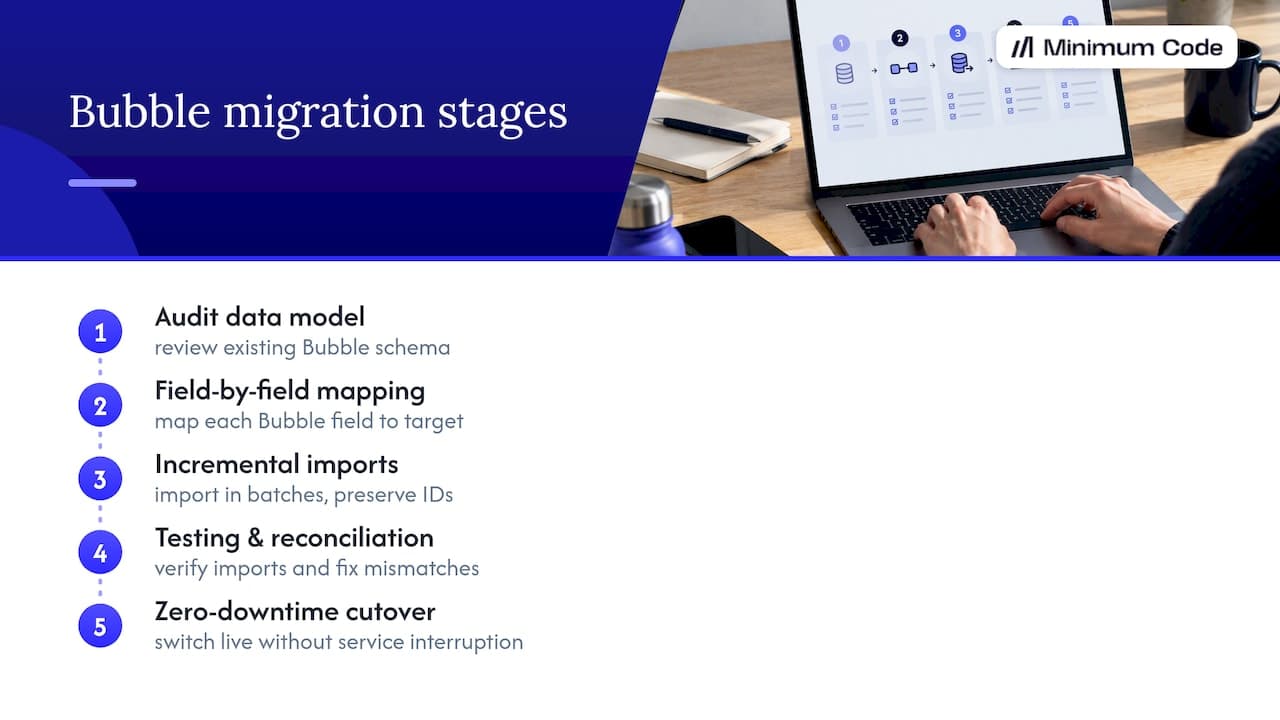
We typically use a stack that includes Next.js, Supabase and TypeScript, with experienced engineers managing architecture, schema design and testing while AI coding tools handle implementation. A typical Bubble migration runs through an audit of the existing data model, field-by-field mapping, incremental imports with id preservation, a testing and reconciliation pass, then a zero-downtime cutover. We work on fixed-price and fixed-scope engagements, with a period of free support once the new system is live.
What founders get wrong about the planning stage
Most migrations are bottlenecked by planning and testing, not by writing code. The surprises are usually the same: privacy rules blocking an export, orphaned records nobody remembered, and an option set that quietly grew since launch. Validate one data type end to end before you trust the pattern at scale.
— Tom
A managed option if you’d rather not run this yourself
We migrate Bubble apps to Next.js and Supabase at a fixed price and fixed scope, with no downtime during the switch and 60 days of free support once you’re live. Reaching out typically starts with an audit call to look at your data model, followed by a proposal and a pilot import on one Data Type before we commit to the full migration.
- An audit call to review your current schema and flag the fields that need redesigning.
- A fixed-price, fixed-scope proposal, so there’s no surprise bill partway through.
- A pilot import on a single Data Type to prove the id-preservation pattern before we run it at scale.
If you want to see what the full process looks like on a real app, our Bubble to code migration service page has the details, or you can start with a product strategy session if you’re still deciding what to carry across.
FAQ
Is the Bubble app real or fake?
Bubble is a real, established no-code platform used to build and host production web applications, not a fake or demo tool. Apps built on it run on Bubble’s own infrastructure and can serve real users and real data at scale.
Which tool is best for data migration?
There’s no single best tool: Bubble’s Data API handles bulk programmatic export well, the Data tab suits small one-off exports, and a SQL connector only applies if your app already writes to an external database. The right choice depends on your data volume and how much relational consistency you need to preserve during export.
Which is better, Glide or Bubble?
Glide and Bubble serve different needs: Glide is built for simpler, spreadsheet-backed apps, while Bubble supports more complex data models and workflow logic. Neither is universally better; the right pick depends on how relational and complex your data model needs to be.
How much does Bubble cost a month?
Bubble’s pricing varies by plan and usage, and the exact figures are best checked directly on Bubble’s own pricing page since they change over time. Enterprise-tier hosting, including EU-only hosting, sits on a separate plan from Bubble’s standard tiers.
What happens to records that reference deleted data during migration?
You need a deliberate rule rather than letting the import fail silently: either drop the orphaned reference, quarantine the record in a separate table for review, or reconstruct a placeholder based on your own business logic. Deciding this before the import starts prevents a broken foreign key from stalling the whole process.
Sources
Recommended

Written by Tom
Founder and Lead Developer

Ready to start your project?
Book a free discovery call to learn how we can build your app in 4 weeks, or less.
Book a call