
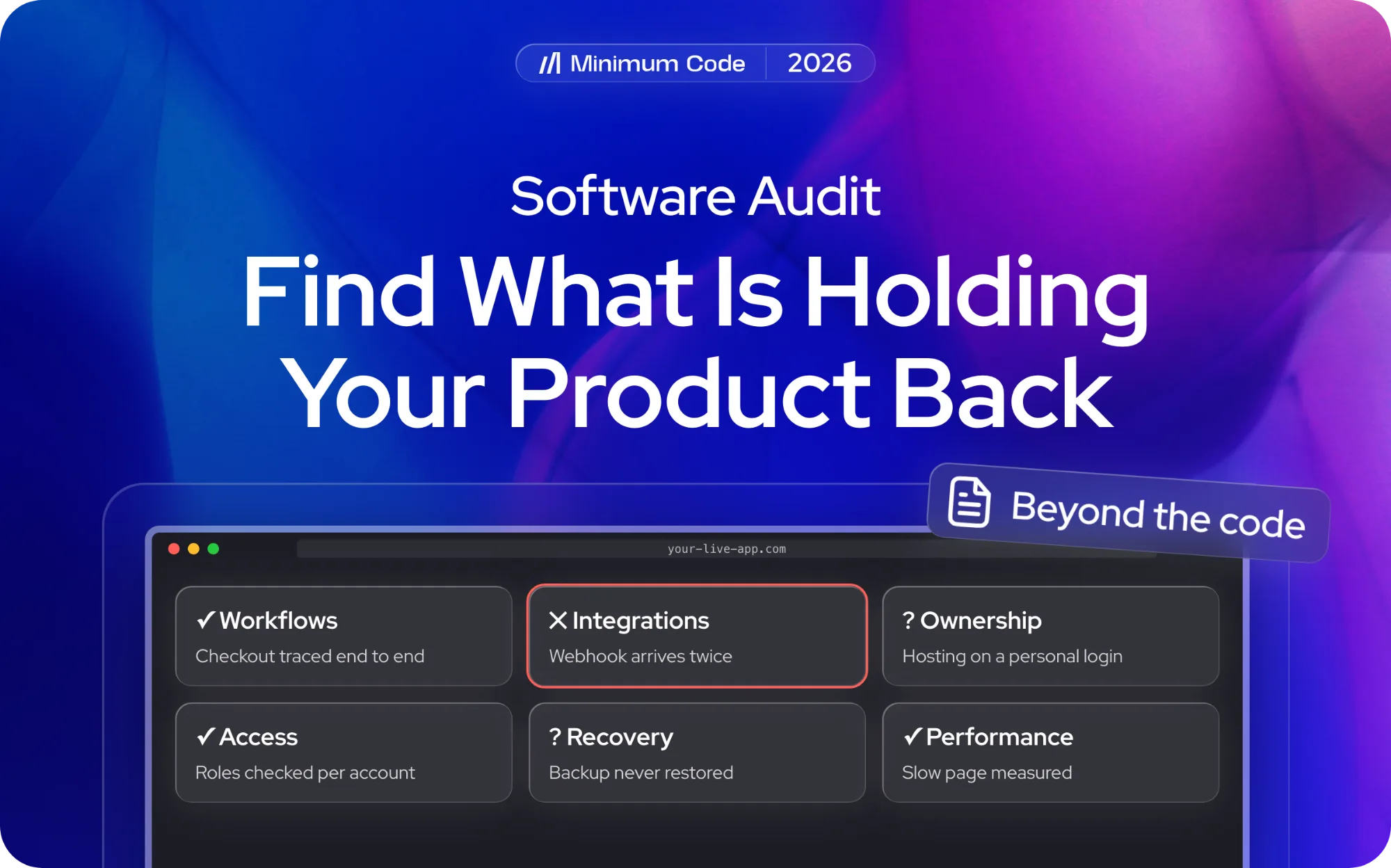
A software audit looks at the health of the whole application, not just the code. If customers cannot complete an order, updates keep breaking other features or your team is unsure who controls critical accounts, the review traces those problems through the workflows, data, integrations and systems behind the product. The goal is to show what is working, what is at risk and which changes are worth funding before you expand or replace the software.
This guide is for founders responsible for a live product or an application they plan to take over. It covers technical and operational assessments of the app you rely on—not software licence compliance, formal certification or a penetration test. Those require different scopes and, often, specialist providers. A code audit can be one part of a broader software audit; it does not automatically establish whether the product can be operated, maintained or handed over safely.
Key takeaways
- Start with the business problem: broken customer journeys, slow releases, recurring incidents or a planned handover.
- Audit the live application as a system: data, integrations, access, performance, releases and who can operate it.
- Ask which problems have been reproduced, what has only been inferred and what was not tested.
- Use the findings to decide what to repair, what to monitor and what—if anything—needs rebuilding.
What does a software audit actually assess?
A codebase can look tidy while customers still receive duplicate charges, staff lose track of orders or a deployment fails without a way back. A software audit therefore follows how the application behaves in practice, including its database, third-party services, infrastructure, access rules and operating procedures. Its breadth depends on the question being investigated: a checkout failure needs different evidence from a handover to a new development partner.
Architecture matters when it makes ordinary changes slow or risky. Imagine an app where adding a new subscription plan requires edits to billing, permissions, emails and reporting in four disconnected places. A useful audit shows those dependencies and tests whether they actually cause the reported problem. It should not recommend a redesign simply because the current structure looks old or unconventional.
Software quality is more than the number of bugs. A founder needs to know whether critical actions work, customer data stays within the right accounts and the team can deploy and recover changes. Tests and source-code inspection provide part of that evidence; logs, configuration, interviews and controlled checks may be needed to understand the running product. The table below shows what to ask for in each area.
Part of the application | Evidence worth requesting |
|---|---|
Critical workflows | The intended outcome, the behaviour examined and any confirmed failure. |
Architecture and dependencies | A map of relevant components and an explanation of where their relationships create constraints. |
Access and data handling | The permissions assessed and the boundaries covered by the review. |
Performance | Measurements or observations, with the conditions under which they were obtained. |
Operation and maintenance | The release, recovery and ownership arrangements that were actually verified. |
Treat the table as a scoping checklist, not a claim that every audit includes every test. A lightweight assessment might review architecture and operational records without measuring production load or attempting a restore. Ask what will be inspected, what will be tested and what remains outside the work. Penetration testing, licence compliance and formal certification should be commissioned separately when required.
When does your product need an audit?
Consider an audit when the same problem keeps returning or when you need to make a decision you cannot safely reverse. Common triggers include failed payments that are hard to trace, a growing backlog of regressions, a planned move away from the original developer, an acquisition or a major feature that touches several systems. Review the product before committing to a rewrite or a large development budget, not after that money has been spent.
Start with symptoms rather than a diagnosis. 'Every release breaks checkout' is an observation; 'we need to replace the backend' is a proposed solution. The audit should establish what is failing and why, then compare a targeted repair with a more substantial change. A founder should be able to see the evidence behind either recommendation.
An AI-assisted prototype becoming a paid product is another useful trigger. The interface may work in a demonstration while permissions, retries, billing edge cases or deployment procedures remain unproven. Review those business-critical boundaries before expanding the product. The origin of the code is less important than whether the application behaves reliably under the conditions you now expect it to support.
Not every problem needs a comprehensive engagement. If one endpoint is slow and you have usable logs, focused performance diagnostics may be enough. Broaden the scope when faults cross system boundaries, recur after fixes or make the next investment uncertain. For a quote, explain the decision you need to make and ask the provider to justify the proposed depth of review.
Trace the workflows your business depends on
Choose two or three journeys that would hurt the business if they failed: subscribing, making a booking, approving a refund or completing an internal handoff. Trace each from the user's action through data storage, integrations and the final outcome. This gives the audit a practical baseline and stops the report from becoming a list of disconnected technical observations.
Establish who can access and change information
Authentication proves who a user is; authorisation decides what that user may view or change. For a multi-tenant SaaS product, the review might test whether a customer can access another account's invoices by changing an identifier, rather than only checking that the interface hides the relevant button. The exact tests should reflect the product's roles and data boundaries.
A permission flaw is not automatically visible in the user interface. As discussed in our AI-generated code vulnerabilities article, a feature can appear to work while the server enforces access incorrectly. The reviewer should record which roles and paths were checked, any confirmed violation and which areas remain untested. A general 'security passed' statement cannot replace that evidence.
Follow data through connected services
Follow the data as it moves between your product and outside systems. For a subscription service, that could mean a payment provider sending a webhook, your database recording the subscription and the app updating a customer's access. The audit should identify the authoritative record, the handoff points and any manual work required when automation fails.
Failures reveal more than the happy path. If a payment succeeds but the webhook arrives twice—or not at all—does the app grant access twice, leave access disabled or flag a task for staff? Ask how errors are logged, retried and reconciled, and which outcomes are confirmed rather than assumed. Missing rules can be product decisions that need clarification, not necessarily coding defects.
Measure performance against actual use
Measure the operations users actually complain about. A page may feel slow because of database queries, an overloaded integration, client-side rendering or a chain of background jobs. Capture the conditions: which account, approximate data volume, device, environment and timing. A measured delay is stronger evidence than a bottleneck inferred from reading the code.
Scaling recommendations should be tied to a plausible demand scenario. If the business plans to grow from hundreds to thousands of transactions per day, the audit should explain which parts of the system have been tested at comparable load and what remains unknown. One quick benchmark cannot prove the application will handle every future spike.
Can your business operate the software?
A working product can still be hard to run when the original developer leaves. If only one supplier controls production access, renewal notices go to a personal inbox or nobody knows how to restore the database, the business has operational risks even when the code functions. A software audit should make those dependencies visible so the founder knows what must be transferred or documented.
Examine releases and recovery arrangements
Look at how changes reach customers and what happens when a release goes wrong. Is there a staging environment? Can the team identify the deployed version, roll back a change and restore important data? Are incidents detected before users report them? The review should check the arrangements the product actually uses rather than ticking off a generic operations checklist.
Distinguish documents from demonstrated recovery. A backup policy is not proof that a restore succeeds; a written rollback plan is not the same as a rehearsed rollback. Any exercise that could affect production data needs an agreed environment, safe test conditions and approval before it is performed. Record what was verified and what was reviewed only on paper.
Make technical ownership visible
Check who can access the source repository, hosting, domain, database, payment provider and monitoring tools. Make sure company-controlled accounts and documented responsibilities do not depend on a single developer's personal login. The audit need not include credentials in its report; it should identify missing access, unclear ownership and the person responsible for fixing each gap.
A replacement development team will need more than repository access. It needs deployment instructions, environment details, data models, business rules and a record of unfinished work. If those materials are missing, the report should explain what can be reconstructed and what requires input from the outgoing supplier. This operational view makes a software audit different from a code-only assessment.
How a software audit works: scope, evidence and decisions
The process starts with a decision, not a tool. You might need to know whether the current app can handle another 5,000 customers, whether another team can take it over or whether repeated outages justify a rebuild. Agree the critical workflows, access, testing limits and deliverables before work begins. Otherwise, two providers may call their proposals a 'software audit' while offering very different levels of investigation.
Prepare a brief the reviewer can test against
Give the reviewer a short description of the product, who uses it, the workflows that cannot fail and what you plan to change next. Include current requirements and acceptance criteria where they exist; a product requirements document can help, but an old specification is not automatically a reliable account of today's app. Flag rules that changed after launch so the reviewer does not label intended behaviour as a bug.
Support the brief with incident reports, customer complaints, deployment history, error logs and any architecture diagrams you have. Make someone available to explain undocumented decisions. If key access or information is missing, the provider should tell you which conclusions can still be drawn and what would need another investigation—not quietly assume the system behaves as expected.
Agree how observations become findings
A software audit can combine repository inspection, interviews, configuration checks, log analysis and tests of selected workflows. Automated scanners help find possible issues, but a finding is only useful when its relevance has been assessed. The report should identify the application version, environment, scope and method for each material observation; it should not imply that untested systems were cleared.
Look for a finding that connects the symptom to evidence and action. For example: 'A repeated payment webhook can update an order twice' should include the observed behaviour, the affected workflow, the business consequence and a recommended control or follow-up test. Group work into immediate risks, next-release fixes and improvements that can wait. If the root cause is uncertain, say so before attaching a firm repair estimate.
Review the findings with the person who will make the investment decision and the people who will implement changes. Resolve disagreements about intended behaviour, assign an owner to open questions and record the evidence behind the priorities. The output should help you approve a limited next step without automatically committing to a full rebuild.
Use the findings to choose the next investment
Three outcomes are common: the application is sound enough to continue, a set of targeted repairs will remove the immediate risk, or the constraints justify a larger change. A good report makes those options comparable in terms of affected users, cost, disruption and what remains uncertain. The number of findings on its own is not a business case for replacing software.
Technical debt matters when past shortcuts make today's work slower or less reliable. A tangled billing workflow may deserve attention before a new pricing launch; a duplicated internal component may not. Use the audit evidence to rank technical debt against actual customer and delivery risks rather than treating every cleanup item as urgent.
When a rewrite or migration is proposed, ask which failures a smaller repair cannot solve. Account for data migration, integration changes, testing, user disruption and the ability to operate the replacement—not just the effort to write new code. The audit should also identify what is already working well enough to keep.
You can decide not to fix a finding yet. Record the reason, the person accepting the risk and the signal that would trigger a fresh review, such as another incident or a usage threshold. For work you do approve, specify the expected change and how it will be verified. That turns the report into a usable plan rather than a backlog nobody owns.
Once the repairs are delivered, retest the affected workflows against the original finding. Confirm that related integrations and access rules still behave correctly, and update runbooks or handover notes when procedures change. Close a finding only when the evidence supports it; track anything not yet verified separately.
How Minimum Code turns an application audit into improvements
Minimum Code works on existing applications as well as new builds. Our legacy application modernisation work starts by examining how a live product operates—its workflows, architecture, data, integrations and delivery risks—before deciding what to preserve or change. That is the wider view described here, distinct from a source-code-only review.
Depending on the findings, the next phase may involve:
- Application modernisation: Untangle dependencies, improve reliability or plan a phased change while keeping essential workflows available.
- Web app development: Repair or extend the interfaces, business rules, access controls and integrations that users depend on.
- Testing and staged delivery: Check agreed fixes and release them in steps, with a way to assess the outcome before expanding the work.
PetRehomer shows this approach in a live Bubble application. Minimum Code audited more than 60 checks across five areas, then worked with the charity on the issues affecting daily operations. The published case study reports four manual processes moved into the app and a reduction from 13 Bubble branches to two. That is evidence of an application audit and improvement project—not a claim that the team performed a conventional source-code audit.
From findings to a phased improvement plan
The value of the assessment is the decision it enables. Some applications need a handful of repairs; others need architecture, data or integration changes sequenced over several releases. Minimum Code's legacy application modernisation service connects the review with a plan for what stays, what changes and how critical workflows will be protected during delivery.
Before approving work, ask what the first phase will improve, what it will cost, how success will be checked and what has deliberately been excluded. Comparing targeted repairs with larger restructuring helps avoid paying for a rewrite that does not address the original problem. You can approve later phases once earlier results have been verified.
What should you budget for a software audit?
There is no meaningful fixed price for every software audit. A review of one broken checkout flow is different from assessing a multi-tenant SaaS product, its infrastructure, data integrations and recovery process. Request a proposal that specifies which workflows and systems will be examined, which checks involve testing and what deliverables are included. Compare like with like before comparing fees.
Ask what the estimate assumes about repository access, a working test environment, current documentation and help from the existing developer. If any of those are missing, agree a bounded first investigation and a point at which the provider must propose the next step. A lower initial quote is not necessarily cheaper if important systems are excluded.
Keep assessment and implementation budgets separate. The audit should help determine whether you are buying targeted fixes, a phased improvement plan or deeper discovery. It may identify work that cannot be quoted reliably until more is known; ask for that uncertainty to be explicit. Clarify whether verification of later repairs is part of the audit fee or a separate task.
Ask when the review will begin, which access or stakeholder decisions could delay it and when material findings will be shared. Agree how serious issues will be escalated during the work. Leave enough time after the report for the next decision—especially if you are approaching a major release, acquisition or supplier handover.
Software audit FAQs
These distinctions help you select the right type of assessment.
How is a software audit different from a code audit?
A code audit examines a defined part of the implementation, typically source code, architecture, dependencies or tests. A software audit can go further, checking how the running product handles data, integrations, access, deployment, recovery and operational ownership. The Code Audit Service guide explains the narrower assessment. In either case, agree the actual scope; the label alone is not a guarantee of coverage.
Can automated tools complete the audit?
Automated tools can inspect dependencies, configuration and parts of the code. They cannot reliably explain every business rule, validate every finding or guarantee that an application is safe. Ask who reviews the results and how source code, logs and customer data will be handled.
How often should software be audited?
Schedule a review when you face a material decision or have unresolved risks: repeated incidents, a major launch, an acquisition, a new development team or a significant architectural change. Routine monitoring and maintenance should continue between formal assessments.
Does a software audit prove the application is safe?
No. A software audit provides evidence about a particular version and agreed scope. It does not certify the whole application or replace specialist penetration testing, ongoing monitoring or maintenance. Ask for explicit limitations and outstanding questions.
Find out what your application needs next
If a live application has become hard to change, unreliable or dependent on one supplier, the first decision is not necessarily to rebuild it. Map the critical workflows, confirm the risks and separate repairs from larger structural work. Explore Minimum Code's legacy application modernisation service, or contact our team to discuss the right scope for your product.

Written by Tom
Founder and Lead Developer

Ready to start your project?
Book a free discovery call to learn how we can build your app in 4 weeks, or less.
Book a call