
OpenCode vs Claude Code is a choice between a flexible, open-source coding agent and Anthropic's Claude-centred development environment. OpenCode connects to multiple model providers, including supported local models; Claude Code combines Claude models with Anthropic's own agent, repository workflow and controls. Neither wins every task. Choose based on your required models, developer workflow and the cost of a reviewed result.
For developers, the quickest way to decide is to test both agents on the same repository task: compare the plan, final diff, passing tests, correction time and access controls. For founders hiring a team, what matters is who remains accountable for the code after the agent stops.
Key takeaways
- OpenCode is open source and supports multiple cloud providers and local models. Its flexibility is valuable when a team has a concrete reason to manage model choice.
- Claude Code works with Anthropic's Claude models across terminal, IDE, desktop and web workflows, with Anthropic's own planning and permissions.
- Running Claude through OpenCode does not reproduce Claude Code's workflow: tools, context, instructions and billing still differ.
- OpenCode's client is free, but hosted models and optional OpenCode plans may cost money. Claude Code comes with eligible Claude subscriptions or API billing.
- Founders without engineering support should resolve technical ownership before making either agent central to delivery.
What are OpenCode and Claude Code?
Both are AI coding agents that can inspect repositories, edit multiple files and run development tools. The differentiators are model choice, planning, project instructions, access controls and pricing. Here is what matters before choosing one for a real codebase.
OpenCode gives teams a configurable agent
OpenCode supplies the agent environment, while the selected model generates responses. The open-source client connects to numerous cloud providers and compatible local-model endpoints. That lets engineers change models without replacing the surrounding workflow.
OpenCode is not terminal-only: it has terminal, desktop, IDE and browser-based workflows. Check which interface and capabilities are available in your installed version, especially for reviewing diffs and approving commands.
OpenCode 1 and OpenCode 2 have separate documentation and differences in configuration, permissions and project instruction files. Record the version, provider and model during evaluation. Instructions from one release may not work unchanged in another.
Claude Code provides Anthropic’s coding environment
Claude Code can read a repository, edit files and run development commands. It is available through the terminal, supported development editors, a desktop app and the browser. Access and features vary by account and interface, so the team should evaluate the surface it intends to use every day.
The distinction between Claude and Claude Code also matters. Claude names a model family and related products; Claude Code is the coding agent around those models. Buying access to a model and adopting a particular development workflow are separate decisions.
The same distinction affects comparisons. OpenCode using a Claude model is still a different agent from Claude Code; variations in context handling, tools and permissions may change the outcome even when the model is the same.
OpenCode vs Claude Code at a glance
Both agents support serious repository work and more than one interface. OpenCode's main advantage is provider flexibility; Claude Code offers an integrated experience around Claude. The comparison below is a starting point, not a substitute for testing the installed version.
Feature | OpenCode | Claude Code |
|---|---|---|
Model providers | Multiple providers, including compatible local models | Claude models in Anthropic's agent |
Working environment | Terminal, desktop, IDE and web | Terminal, IDE, desktop and web |
Planning and rules | Plan agent; AGENTS.md (OpenCode 2) | Plan Mode; CLAUDE.md instructions |
Permissions | Allow/ask/deny rules; version-specific setup | Claude Code permission modes and approvals |
Starting cost | Free client; Go $10/mo, Go Plus $40/mo or API | Pro $20/mo; Max $100/$200/mo or API |
When provider flexibility earns its place
OpenCode makes sense if your team must change providers, use local inference or route requests through an approved gateway. Claude Code makes sense if developers want Claude models and an integrated Anthropic agent. More configuration options are beneficial only when somebody maintains and verifies them.
Treat this as an engineering responsibility with an owner. Switching models can change how well the agent follows instructions or uses tools. A provider that works for one kind of task still needs evaluation for the work your team intends to delegate. Wider access creates a larger set of combinations to assess.
Using Claude through OpenCode changes the comparison
OpenCode can connect to Anthropic through a supported API key and use Claude models. That is not the same as using Claude Code, and the API bill is separate from the personal Claude Pro or Max subscription allowance.
This is why claims that one product always writes better code need careful treatment. A comparison using different models cannot establish how much of the result came from the agent environment. Record the model and relevant settings before drawing a conclusion about the tools themselves.
If the problem is an awkward interface rather than model choice, consider an editor-focused agent or a different way of supervising delegated tasks. A change of provider alone may not solve the workflow issue.
Which workflow will your developers actually use?
An agent earns its place through repeated use on real work. The interface matters because developers spend time inspecting proposed changes and correcting direction, as well as writing requests. Assess that complete interaction during a trial.
Planning and execution: Plan vs Plan Mode
Before a multi-file change, the developer should agree on the intended behaviour and review the areas likely to be affected. This is where a planning mode can prevent an agent from implementing an incorrect assumption at scale.
Claude Code Plan Mode supports investigation and review before implementation. OpenCode also has a built-in Plan agent alongside Build. Both support planning, but the permissions and default behaviour are different and should be checked in the installed version.
OpenCode's Plan agent restricts ordinary file edits, but shell commands follow separate permission rules. Inspect the effective configuration before treating it as read-only. Claude Code's own Plan Mode has different controls. In either system, a developer should approve the plan and verify the resulting changes.
Project instructions: AGENTS.md vs CLAUDE.md
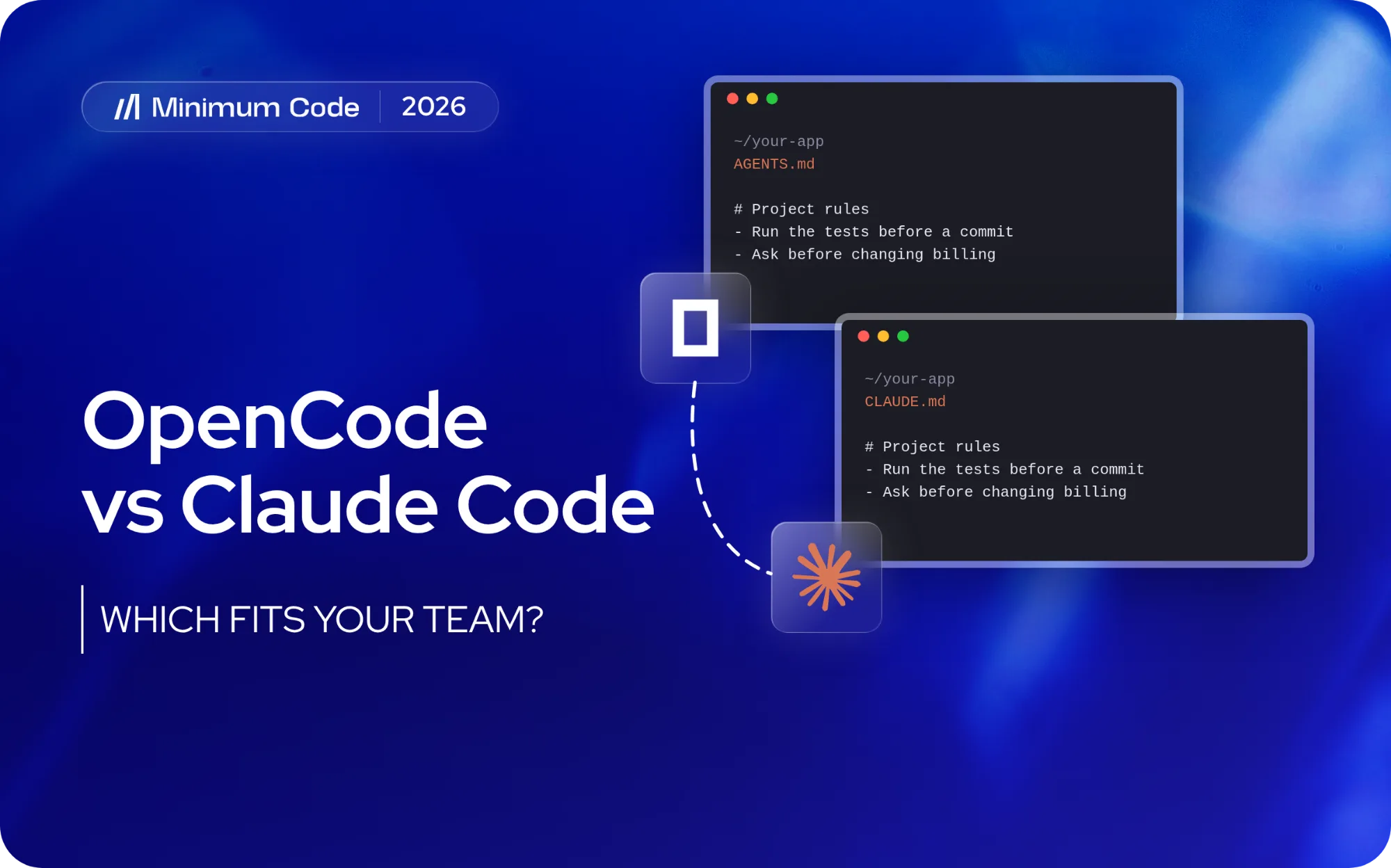
Claude Code uses CLAUDE.md for project instructions, while OpenCode uses AGENTS.md. OpenCode 1 supports CLAUDE.md as a fallback when AGENTS.md is absent; OpenCode 2 recognises AGENTS.md only. Teams switching agents or versions must keep instructions in the file their tool actually reads.
The content should explain decisions that affect implementation: where important rules live, which checks establish acceptable behaviour, and what changes need discussion. Keeping those instructions with the project also makes the workflow easier for another developer to inspect.
Clear project instructions in CLAUDE.md reduce repeated briefing in a Claude Code workflow. The same editorial principle applies when preparing instructions for another agent: include information that changes how the task should be performed, and remove stale guidance as the application evolves.
How do permissions and data access compare?
Permissions determine which actions an agent may perform. Data access concerns what information reaches the model service or connected tools. Evaluate both in the actual configuration; an open source client and a commercial agent each require scrutiny of their surrounding setup.
OpenCode provides controls that allow actions, require approval or deny them. Its version 2 documentation also describes policies that restrict providers, tools and integrations. These controls give a technical team ways to establish an approved operating boundary, provided somebody configures and verifies it.
For a European business, check which model provider, gateway and integrations receive source code and project context. Open source does not automatically mean local processing or compliance with your organisation's data policies.
OpenCode vs Claude Code pricing in 2026
A free agent is not necessarily a cheap workflow. Compare model charges with the human time needed to reach a tested, approved change. Keep setup costs separate from recurring use.
What does OpenCode cost?
The OpenCode agent is free and open source. Model access depends on your provider or local hardware. Optional OpenCode Go costs $10/month; Go Plus is listed at $40/month with higher usage limits. OpenCode Zen and third-party API connections have their own rates. Go plans are intended for single-member workspaces, so do not treat them as a team-wide licence.
Ask for a written explanation of the proposed billing path. Which service charges the business? Who monitors usage? What happens when a limit is reached? Record the answers for the actual provider being tested, because a different connection can change the economics.
A low token rate can be misleading if the team repeatedly repairs the model's output. The useful unit of comparison is the cost of an accepted change, not a single prompt.
What does Claude Code cost?
Claude Pro includes Claude Code for $20/month billed monthly ($17/month equivalent with annual billing). Claude Max has higher-usage tiers at $100 and $200/month. Team plans and API billing differ, and all usage is subject to limits. A Claude Pro/Max subscription should not be assumed to fund Claude calls inside OpenCode: OpenCode's provider documentation warns that plugins reusing subscription authentication are prohibited by Anthropic.
Compare the time needed to brief, supervise, review, test and correct work in both agents. A low token price is only valuable if the output is accepted. Our Is Claude Code Worth It? guide explores that cost-benefit question.
A realistic budget includes subscriptions or API usage, any local hardware and the developer's setup time. Hosting and operating the finished application are separate expenses.
Test both agents on a real repository task
Choose one task from your backlog with clear acceptance criteria, such as a reproduced bug, limited feature or missing test. A real codebase is a better comparison than unrelated demos.
Select work from the existing backlog that the team can evaluate confidently. Use comparable starting conditions and the same task brief. If one product receives better project instructions or a substantially more capable model, record that difference rather than treating the result as a clean comparison of agent environments.
Ask the engineer to record the time spent briefing and supervising each attempt, followed by review and correction time. Retain the proposed changes and the checks that were run. A task that ends with unresolved failures should stay unresolved in the evaluation, even when the generated implementation appears plausible.
The reviewer should assess scope as well as correctness. Unrelated edits make acceptance harder and can hide additional maintenance work. Record if the agent followed the existing structure and if the engineer could understand the change without reconstructing a long conversation.
Pay attention to recovery. A useful workflow lets the developer notice a wrong direction, interrupt it and return to a reviewable state. The amount of work required to recover belongs in the trial result. Fast progress during the first few minutes has limited value if correction becomes difficult later.
Finish by deciding if the evidence justifies adoption for a defined category of work. A narrow result is useful: one tool may fit the team’s maintenance workflow well without proving anything about a major architectural change. Retain the working configuration so the team can reproduce the result after the trial.
Which should your team choose?
If model routing or local inference is a non-negotiable requirement, shortlist OpenCode first. If your team is already productive with Claude and prefers its integrated agent, start with Claude Code. Neither choice is worth changing an established workflow without evidence of a better reviewed result.
If you need a multi-provider agent with a different workflow, read Claude Code vs Cline, which covers its editor, CLI and desktop options. If you want to supervise delegated engineering tasks, Codex vs Claude Code compares that approach.
For a team working with Google's developer ecosystem, Gemini CLI vs Claude Code is another relevant comparison. For more choices beyond direct matchups, see our broader Claude Code alternatives guide.
Without an engineering lead, have the developer who will maintain the product test and review both tools. Neither coding agent takes responsibility for security, deployment or long-term maintenance.
When selecting a software development partner, ask who will review agent-produced changes and remain responsible after launch. A clear answer about delivery ownership is more valuable than a promise to use whichever coding tool currently attracts attention.
OpenCode vs Claude Code FAQ
Is OpenCode the same as Claude Code?
No. OpenCode is a separate open source agent with multiple provider options. Claude Code is Anthropic’s coding environment centred on Claude models. Their surrounding workflows remain distinct even when OpenCode uses a Claude model.
Is OpenCode free to use?
Yes. The client is free and open source, but hosted models, optional Go or Zen access and local infrastructure can cost money. Go starts at $10/month; its quotas and supported models are not unlimited.
Can OpenCode use Claude models?
Yes, with a supported Anthropic API connection. A Claude Pro/Max subscription is not automatically valid for billing OpenCode calls, and OpenCode warns against plugins that reuse subscription authentication in third-party clients.
Is Claude Code only available in a terminal?
No. Claude Code also provides supported editor integrations, desktop access and browser use. Available features and account requirements vary across those interfaces.
Which is better for a non-technical founder?
Choose with the engineer who will operate and review it. A founder working alone should arrange technical review before relying on either tool for software handling customer data or important business operations.
OpenCode vs Claude Code: the bottom line
OpenCode is the stronger candidate when model-provider flexibility has a defined purpose. Claude Code is a sensible starting point for a team seeking a Claude-based coding workflow. Test the chosen setup against accepted work in your application, then commit on that evidence.
Neither agent replaces engineering judgement. Choose the workflow your team can supervise, test and maintain, and keep responsibility for security, deployment and production support with qualified developers.

Written by Tom
Founder and Lead Developer

Ready to start your project?
Book a free discovery call to learn how we can build your app in 4 weeks, or less.
Book a call