

Before you move real users off Bubble, you need proof across seven areas: the data matches, permissions hold, Stripe billing reconciles, integrations behave, files still resolve, admin tasks work, and performance holds under real load. The safest way to get that proof is a timed dry run against a copy of production data, with rollback criteria written down before the cutover window opens. Everything below explains how to check each area and what a founder can require from any vendor doing the work.
TL;DR:
- Most migrations require a full dry run with production data, scheduled during the actual cutover window, to verify data, permissions, billing, and performance.
- Assign clear responsibilities and written criteria for each checklist item, with automatic halts for unresolved critical failures like billing discrepancies or permission issues.
- Verify referential integrity, high-value record accuracy, and correct access controls on files before the final switch, using spot checks and simulated user journeys.
- Use shadow mode webhooks and phased billing cutovers with idempotency keys to prevent financial errors and reconcile Stripe totals before going live.
- A lightweight QA is acceptable for small apps, but thorough testing of data, roles, and billing remains vital, with decision-makers pre-authorized to rollback if necessary.
Key takeaways: a checklist you can hand to a vendor
A pre-cutover QA plan has to cover enough ground that “it looks fine” never becomes the standard for going live. Any vendor should be able to walk through this list and show evidence, not just assurance.
- Data reconciliation: row counts, spot checks on high-value records, and referential integrity confirmed between old and new systems.
- A permission test matrix covering every role, endpoint, and escalation path, run before cutover.
- Billing verified against Stripe: webhook delivery, idempotency, and totals reconciled.
- Integration smoke tests for the critical user journeys, plus file access and admin workflow checks.
- A timed dry run on a production data copy, with rollback criteria agreed in writing and a named decision maker.
Any mismatch in billing totals, a failed authorization test, or missing high-value records should stop the cutover, not get logged for later.
How to use this checklist and assign responsibilities
This checklist works because each item has an owner. The founder signs off on go or no-go decisions. The vendor executes the migration and runs the dry run. An engineer writes the test cases, and QA (which may be the same engineer on a small team) actually runs them and records results.
- Assign each checklist item to a named person before work starts, not after something breaks.
- Agree pass and fail criteria for each item in writing, so nobody argues definitions mid-cutover.
- Schedule the dry run and a blackout window, and tell users in advance if the cutover needs downtime.
- Set a rule: any unresolved fail on data, billing, or permissions pauses the cutover automatically.
Data reconciliation: exact checks to prove the data moved correctly
Row counts are the first and easiest check. Every table or data type in the old system should have a matching count in the new one, per tenant if the app is multi-tenant. Any delta needs an explanation before you move on, not after.
Spot checks come next, focused on records that matter financially or legally: invoices, subscriptions, user accounts, anything tied to money or identity. Keyed checksums or content hashes on a sample of these records catch subtle corruption that a row count would miss entirely.
- Compare row counts per data type and tenant, and investigate every delta.
- Run checksums or hashes on sampled high-value records, particularly invoices, users, and subscriptions.
- Confirm referential integrity: every foreign key resolves, and no orphaned or broken relationships exist.
- Verify that file references inside migrated records point to files that actually exist in the new storage.
A broken foreign key often hides until a user clicks into a specific record, so testing this before cutover matters more than testing it after.
Permission test matrix: build, automate, and run role-based tests
Start by mapping every function and endpoint to the roles that should be able to reach it. That map is your authorization matrix, and it becomes the reference point for every test you run afterwards.
Then test three angles: unauthenticated access, horizontal escalation (one user reaching another user’s data), and vertical escalation (a standard user reaching admin functions). The OWASP Web Security Testing Guide describes these tests in detail, including forced browsing and header-based bypass attempts, where a request is modified to see if the backend actually checks the role rather than trusting the client.
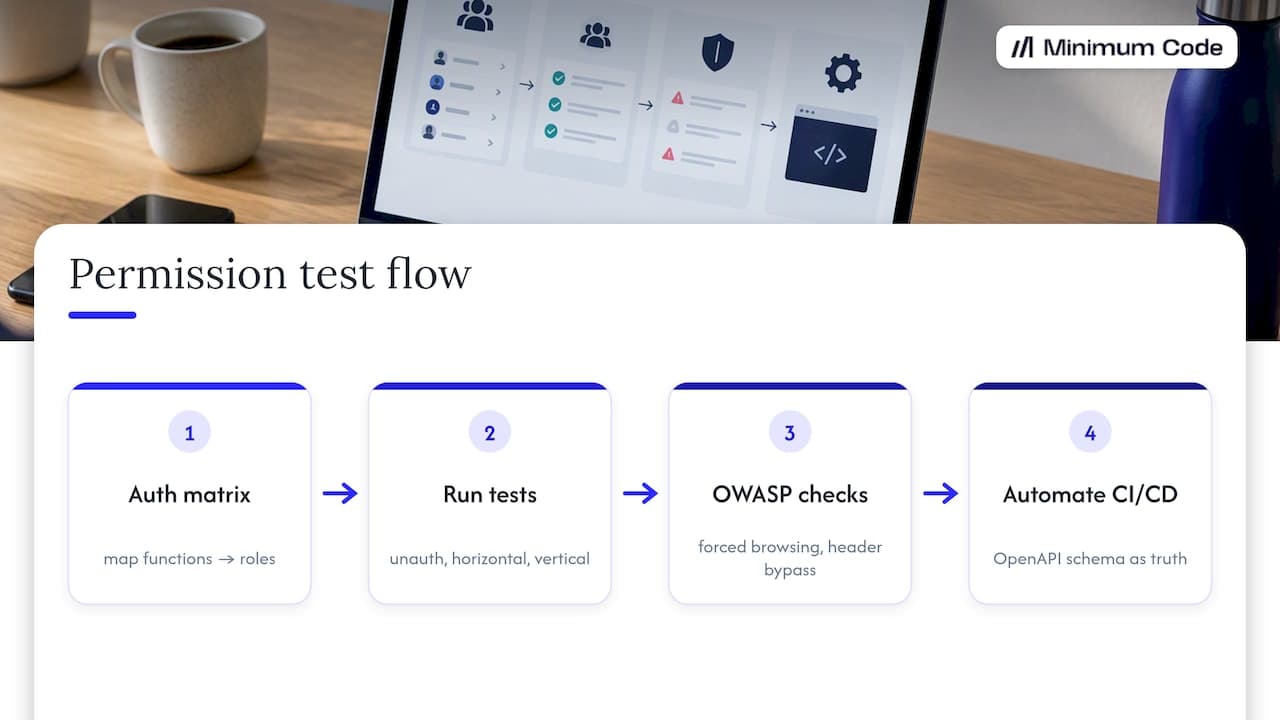
Pro Tip: Automate authorization tests in CI/CD using your OpenAPI schema as the source of truth, as OWASP’s authorization regression guidance recommends, so a future code change can’t quietly reopen a hole you already closed.
Billing and webhooks: verify Stripe events, idempotency, and reconciliation
Billing is where a migration mistake costs real money, often before anyone notices. Stripe’s webhook documentation recommends running the new webhook handler in shadow mode first: it processes events and logs what it would do, without writing anything, so you can compare its output against the live handler before trusting it.
- Run the new handler in shadow mode, verify signature checks pass, and confirm it replies with a 2xx response quickly.
- Use idempotency keys during any overlap period so the same event can’t get processed twice.
- Reconcile totals in Stripe against totals recorded in the new system before opening access to users.
- Decide in advance whether to pause live billing writes during the cutover window, and write that decision down.
Stripe’s guide on migrating from snapshot events to thin events lays out this phased approach: add the new endpoint, run it in shadow mode, compare logs, then cut over with deduplication in place and retire the old handler only once it checks out.
Integration smoke tests and webhook shadow runs
Smoke tests don’t try to cover everything. They confirm that the handful of journeys your business actually depends on still work end to end.
- List the critical journeys first: usually signup, payment, content upload, and search, plus anything specific to your app.
- Run every third-party webhook in shadow mode, logging what it would do rather than writing to production, and compare that log against the existing handler’s actual output.
- Watch latency and error rates during the dry run, and flag any case where the new system reaches a different business outcome than the old one for the same input.
A journey that “mostly works” but produces a different result under the same input is a harder bug to catch later, because nothing throws an error. It just quietly does the wrong thing.
File access and admin workflows: verify ACLs, signed URLs, and admin tasks
Files tend to break in ways that don’t show up until someone tries to open a specific document weeks later. Check signed URL expiry settings, access control lists, CDN access, and that file metadata inside each record still points to a file that resolves.
- Confirm signed URLs, ACLs, and CDN paths all behave the same for files migrated from the old storage.
- Run admin flows end to end: creating a user, changing a role, issuing a refund, moderating content, and exporting data.
- Check that privacy rule behaviour carries over correctly. Bubble’s API workflow privacy rules can filter what a workflow returns, and a setting to ignore privacy rules exists precisely because this sometimes blocks a workflow silently.
Performance, timed dry run, and explicit rollback criteria
None of the checks above mean much unless you’ve also run them together, under conditions that resemble the real cutover. That’s what the dry run is for.
- Schedule a timed dry run against a full copy of production data, ideally during the same window you’d use for the real cutover, and run the critical journeys under realistic concurrency.
- Measure response times and error rates against a baseline, and log every reconciliation mismatch you find, however small.
- Agree rollback criteria in writing before the window opens: for example, any unresolved mismatch on high-value records, any billing discrepancy, or any authorization failure triggers a rollback.
- Name the person who has authority to call the rollback. This should be decided in advance, not negotiated in the moment.
If the app’s production dataset is large, copying it in full can take time. Bubble users have reported multi-day copy times for bigger apps, so plan the dry run schedule around that rather than assuming it happens overnight. A smaller tenant subset or synthetic data covering known edge cases can substitute when a full copy isn’t practical in time.
Pro Tip: Put the rollback decision in writing before the window opens. A verbal agreement made under pressure during a live cutover rarely holds up the way a signed criteria document does.
When this QA approach isn’t right for you
A full checklist like this is overkill for a tiny prototype with no real billing or third-party integrations. If your data volumes are small and the app barely touches external services, a lighter pass on the same categories will do.
When you’re not sure which end of that spectrum your app sits on, a short technical assessment before committing to a migration timeline is usually the faster route to clarity. Our guide to migrating from Bubble covers how to scope that kind of assessment.
How Minimum Code runs migration QA
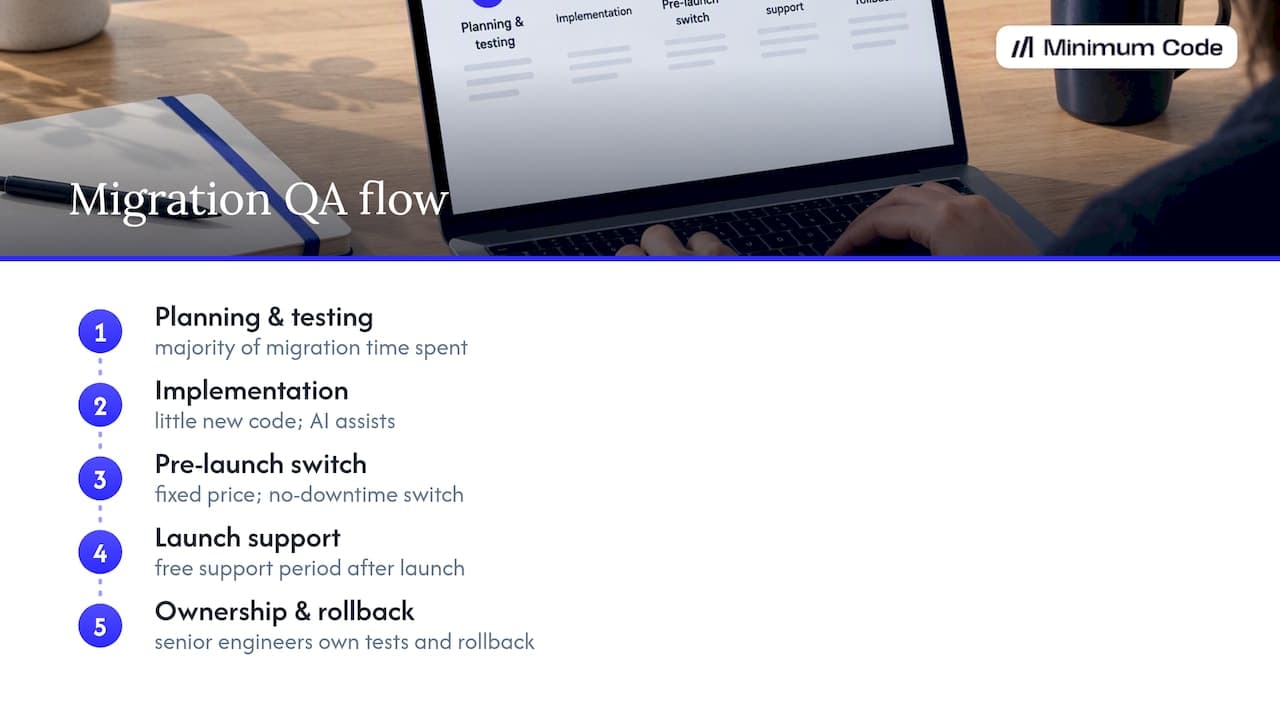
Migration engagements are typically built around fixed price, fixed scope, and no downtime during the actual switch, with a period of free support after launch. Most of the time on a migration goes into planning and testing rather than writing new code, which matches what this checklist covers: proving the data, the permissions, and the billing all hold before anyone flips the switch.
Senior engineers typically own the test plan and the rollback criteria, and AI coding tools often handle implementation under that review. Our piece on what ambiguous Bubble features need refactoring goes into more detail on where that planning time tends to go.
— Tom
Next steps: how to engage Minimum Code
If you’re weighing whether to migrate, the fastest way to get a straight answer is a migration assessment through our Migrate Bubble to Code service, where we look at your app and tell you honestly whether it’s ready to move.
To get the most out of that first call, come prepared with a few things:
- Access to your Bubble app (or read access, at minimum) and your current database structure.
- A list of every third-party integration in use, including Stripe, email providers, and any custom API connections.
- A short list of the critical user journeys your business can’t afford to get wrong during cutover.
In the first call, we scope the work, give you a realistic timeline, and put together a fixed-price proposal built around your app’s actual complexity, not a generic package.
Sources
The checklist above draws on documentation and testing guidance rather than opinion. Worth reading directly if you want the full detail behind any single check:
- Authorization Regression Testing - OWASP Cheat Sheet Series
- WSTG - Testing for bypassing authorization schema - OWASP
- Stripe webhooks documentation
FAQ
What’s the minimum QA a small app needs before switching off Bubble?
Even a small app should check data row counts, run basic permission tests for each role, and confirm any billing integration reconciles correctly before cutover. Skipping these on the assumption that “it’s a small app” is where most avoidable migration problems come from.
How long should a dry run take before the real cutover?
There’s no fixed duration; it depends on data volume and how many integrations you have to test. Budget enough time to run every critical journey under realistic load and to review the reconciliation logs properly rather than rushing the review.
Who should decide whether to roll back during cutover?
Decide this in writing before the cutover window opens, naming one specific person with the authority to call it. Leaving this undecided until the moment something breaks tends to produce delay exactly when speed matters most.
Can I test permissions without hiring a security specialist?
Yes, using an authorization matrix and the test types described in the OWASP WSTG guide, a competent engineer can run unauthenticated, horizontal, and vertical escalation tests without specialist security tooling. Automating these in CI/CD afterwards catches regressions in future code changes too.
Does Stripe billing need special handling during a Bubble migration?
Yes. Stripe recommends running your new webhook handler in shadow mode first, then cutting over with idempotency keys in place to avoid processing the same event twice during any overlap period.
Recommended

Written by Tom
Founder and Lead Developer

Ready to start your project?
Book a free discovery call to learn how we can build your app in 4 weeks, or less.
Book a call