
A straightforward Bubble app with a handful of workflows and no complex integrations can move to a coded stack relatively quickly, while a data-heavy app with many permission roles, third-party integrations, and an admin panel can take significantly longer. The timeline is set by your app’s complexity, not by Bubble itself: workflow count, data structure and integrations decide where you land.
TL;DR:
- Apps with numerous workflows, complex data relationships, and multiple integrations can require several months to migrate from Bubble to coded stacks.
- Data reconciliation, testing, and rehearsals often take longer than the actual coding, especially if manual cleaning of Bubble exports is needed.
- A staged migration reduces business risk by moving features incrementally, while a flash-cut demands a well-rehearsed runbook to minimize downtime risk.
- Quick decision-making and timely access provision are crucial, as delays in approvals or access requests can equal the technical complexity’s impact on overall timeline.
- Staying on Bubble remains preferable for products still discovering their market fit or with minimal SEO and hosting requirements, avoiding costly full migrations.
Key takeaways
- Planning and discovery feel slow at first but they cut the risk of rework later in the project.
- QA, data reconciliation and cutover rehearsals consume a large share of total effort: budget for them explicitly rather than treating them as a final checklist.
- A staged migration spreads risk over more calendar time; a flash-cut compresses the schedule but only works with a rehearsed runbook.
- If your app is simple, stable and doesn’t need SEO or EU-only hosting, staying on Bubble may be the better call for now.
- Delays in founder decisions or access requests move the finish date just as much as technical complexity does.
What does a realistic migration timeline look like?
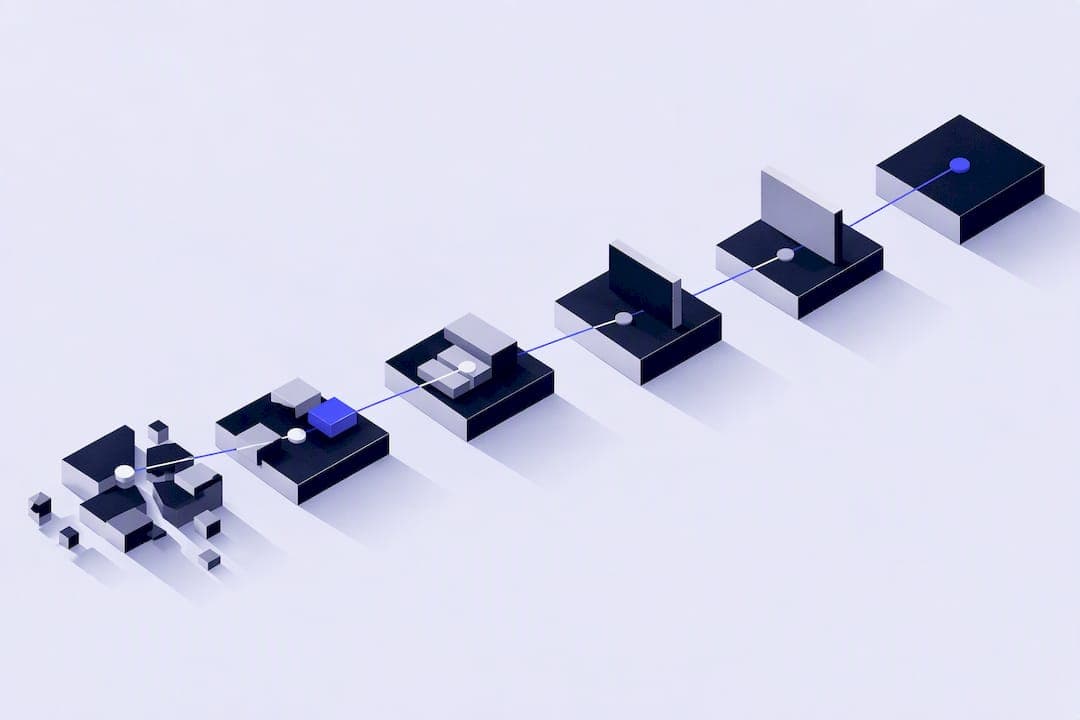
A migration runs through distinct phases, and each one has to finish before the next can properly start. The AWS prescriptive guidance on database migration frames this as assess, mobilise and migrate, and the same logic applies to a Bubble-to-code move.
- Assess: audit workflows, data types, and integrations; output is a scoped plan and a complexity rating.
- Design and data mapping: map Bubble’s data types to a relational schema and plan workflow logic in code; output is a schema document and workflow spec.
- Build: develop the front end, back end, and integrations in parallel where possible; output is a feature-complete staging environment.
- Iterative testing and UAT: run functional tests and have the client’s nominated tester check real workflows; output is a signed-off test log.
- Data reconciliation and cutover rehearsal: export, clean and import data, then rehearse the cutover at least once; output is a rehearsed runbook with a measured downtime window.
- Cutover and hypercare: switch traffic to the new stack and monitor closely; output is a stable production app with the team on standby.
Complexity increases the time needed in each phase. A permissions-heavy admin panel adds test cases to phase 4, and ongoing product redesign adds rework to phase 3.
Staged (incremental) migration runs sections of the app in parallel with Bubble, cutting one feature over at a time. It adds calendar weeks because you’re maintaining two systems, but it lowers business risk because a failure only affects one slice of the product. A flash-cut moves everything at once on a single date. It’s faster on the calendar but depends entirely on a well-rehearsed runbook, a concept the AWS cutover runbook guidance treats as the main lever for controlling downtime risk.
Which parts of your app make the migration slower?
Before you can estimate a timeline, you need an honest read on your own app’s complexity. Four things matter more than anything else.
- Workflow count: every Bubble workflow is a piece of logic that has to be reproduced and tested in code, so forty workflows mean roughly forty sets of test cases, not one.
- Data types and list fields: Bubble’s data types often include list fields and nested relationships that don’t map cleanly to a relational schema, which is exactly the friction the Bubble manual’s section on database actions flags around exports and scheduler-driven changes.
- Integrations: payment connectors, CRMs and custom APIs each need to be re-authenticated, retested and sometimes rewritten, and these commonly add weeks rather than days.
- Permission roles and admin surface: the more distinct user roles and the larger the admin panel, the more edge cases your QA phase has to cover.
- Product churn: an app that’s still changing week to week extends every phase, because the target keeps moving.
A rough self-audit: count your workflows, count your data types with list fields, count your external integrations and count your permission roles. Four low numbers across the board usually means a simpler, shorter migration; two or more high numbers usually means a longer one.
Pro Tip: List every integration by name before you ask for quotes. Vague answers like “a few APIs” hide weeks of work that only show up once the build starts.
Why does QA take longer than the actual coding?
Writing the new application is rarely the longest part of a migration. Data reconciliation, testing and rehearsal are, and skipping or shortening them is the most common way a migration goes over schedule.
Reconciling data from Bubble involves several concrete steps: exporting the data, cleaning list fields and malformed records, mapping them to the new schema, importing them and then checking the counts and spot-checking records against the live app. The Bubble manual’s workflow and database documentation notes that export limits and scheduler activity can leave files needing manual cleaning before they’re usable, which is exactly the kind of step that’s easy to under-budget.
Cutover rehearsal matters because it turns an unknown risk into a measured one. A rehearsed cutover lets you replace a guess with an actual measured downtime window, which is the core argument behind the AWS cutover runbook guidance: rehearsals, documented rollback steps and a final freeze-and-sync week reduce the chance of an extended outage.
Practical mitigations that shorten this phase without cutting corners:
- Run continuous data replication during the build so the final sync is small, not a full export.
- Run user acceptance testing in parallel with the build rather than waiting for it to finish.
- Schedule the rehearsal window on the calendar early, with the same people who will run the real cutover.
What do you need to provide for the migration to stay on schedule?
A migration’s calendar is only half technical. The other half depends on how quickly the client supplies access and decisions, and this is where many projects quietly slip.
- Admin access to the Bubble app and any connected services.
- API keys and credentials for every integration in use.
- A single named decision-maker who can approve scope and design choices.
- Test users and a nominated tester who knows the app’s real workflows.
- Written acceptance criteria for what “done” means on each major feature.
Each of these has a typical turnaround, and a late answer doesn’t just cost the days it was late: it pushes every dependent phase behind it. A good practical habit, covered in more depth in our guide to migrating without losing momentum, is appointing one decision-maker from day one so approvals don’t get forked between two people with different opinions.
When should you stay on Bubble instead of migrating?
Migration isn’t the right move for every app, and saying so plainly is part of giving honest advice. Bubble remains a sensible home for MVPs, fast experiments and products where search visibility doesn’t matter yet.
- Stay on Bubble if your product is still finding its market fit and features change weekly.
- Stay on Bubble if you don’t need strong SEO and your current hosting setup already meets your compliance needs.
- Migrate if SEO performance is limiting growth, since Bubble’s rendering model makes this harder to fix than in a coded front end.
- Migrate if you’re in a regulated sector that needs EU-only hosting, since Bubble only offers that on its Enterprise plan.
- Migrate if you want to own your code outright or your Bubble costs are climbing faster than your usage justifies.
How Minimum Code handles this
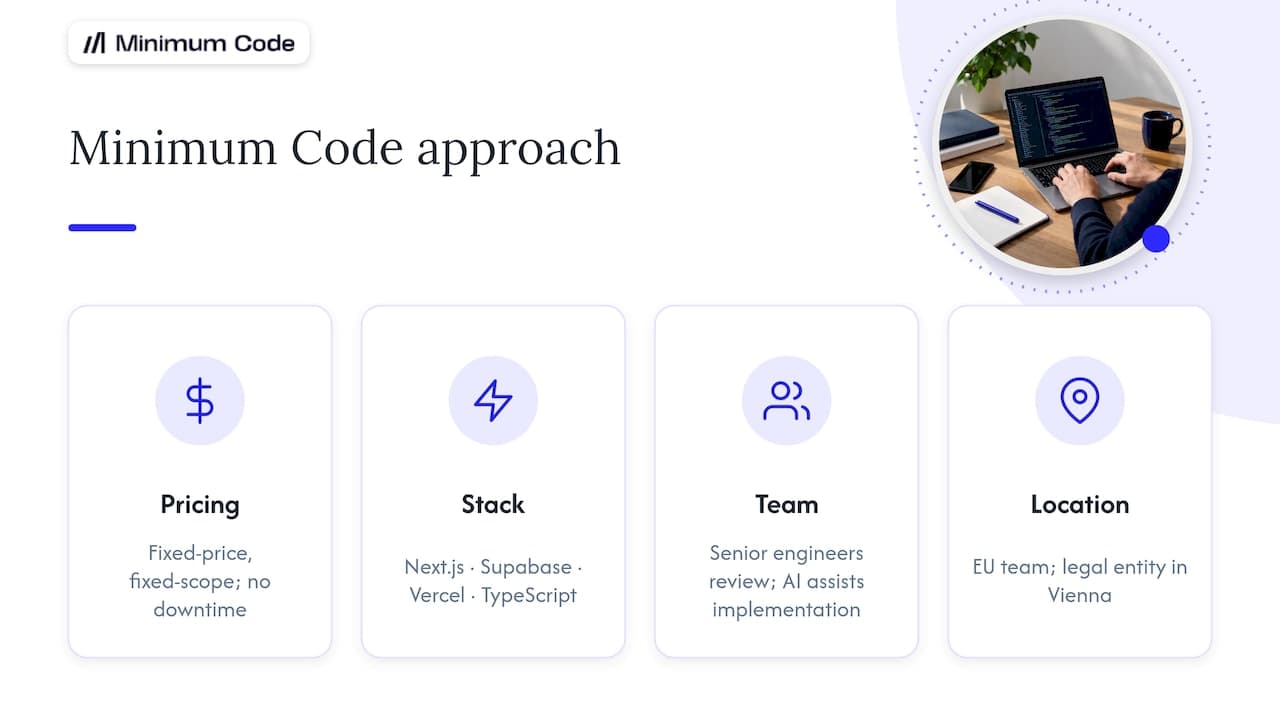
Some agencies run Bubble migrations as fixed-price, fixed-scope engagements with no downtime during the switch and a period of free support after launch. The default stack is Next.js, Supabase, Vercel and TypeScript, built with the Supabase Next.js quickstart as a practical implementation reference. Senior software engineers own architecture, code review and testing, with AI coding tools handling implementation under their supervision. The team works across Europe with its legal entity in Vienna, and has run Bubble projects since 2022 as a Bubble Gold agency, which is why it’s comfortable saying when an app should stay put.
What’s the most common mistake in these migrations?
Founders often port every Bubble workflow over, bugs included, instead of using the migration as a chance to simplify. The other recurring mistake is under-resourcing testing, treating QA as a checklist rather than the project’s critical path.
Pro Tip: Rehearse the full cutover runbook with your nominated tester at least once before the real date, not just the individual features.
— Tom
Ready to plan your own migration timeline?
If you’ve gone through the checklist above and your app leans toward the complex end, a scoped plan is more useful than a guess. A scoped plan should be built around your actual workflows, data and integrations, not a generic template, and pricing is typically offered as fixed-price, fixed-scope engagements with no downtime during the switch and a period of free support afterwards.
For founders who want a deeper technical read first, our guide to migrating from Bubble to Next.js walks through the trade-offs in more detail, and the UAT and data validation guide is a useful companion for briefing your nominated tester. When you’re ready to scope the actual dates, start with the Migrate Bubble to Code service page and get a plan built around your app.
Sources
- AWS prescriptive guidance — migration strategy for relational databases
- Bubble manual — database actions and workflow behaviour
- Supabase docs — quickstart with Next.js
FAQ
Will my app be offline during the migration?
No, not with a properly planned cutover. Minimum Code’s migrations run with no downtime during the switch, and a rehearsed runbook is what makes that possible, as outlined in the AWS cutover guidance.
Can I trust my Bubble data to export cleanly?
Mostly, but not always without manual work. Bubble’s own documentation notes that list fields and scheduler activity can complicate exports, so expect some manual cleaning before data goes into a relational schema.
Is a staged migration always safer than a flash-cut?
Staged migrations generally lower business risk because only part of the app changes at a time, but they take longer because two systems run in parallel. A flash-cut can be just as safe if the runbook has been rehearsed properly beforehand.
How much does a Bubble migration cost?
Minimum Code prices migrations as fixed-price, fixed-scope engagements, with the exact figure depending on your app’s complexity. Pricing details are available on request through the Migrate Bubble to Code service page.
What’s a sign my app isn’t ready to migrate yet?
If your product is still changing shape weekly and you don’t yet need strong SEO or EU-only hosting, staying on Bubble a while longer is usually the sensible choice. Migrating while the product is still unstable just means rebuilding the same features twice.
Recommended

Written by Tom
Founder and Lead Developer

Ready to start your project?
Book a free discovery call to learn how we can build your app in 4 weeks, or less.
Book a call