
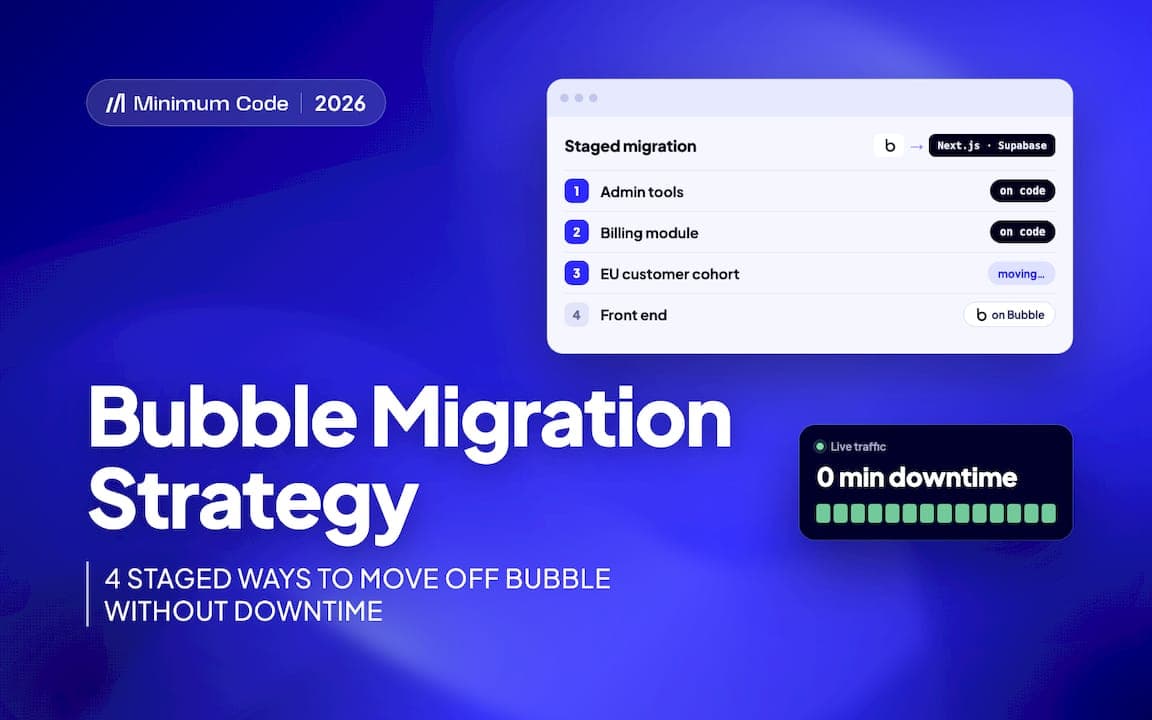
Staged migration is usually the safest way to move a live Bubble app off the platform, because it lets you keep shipping features while the underlying system changes. We recommend picking one of four patterns, module by module, cohort by cohort, admin tools first, or backend first with Bubble kept as a temporary front end. A one-off weekend big bang only makes sense for small, low-traffic apps with few integrations.
TL;DR:
- Choose a migration pattern based on your app’s data coupling, user segments, and internal tools, prioritizing proven stages over big bang approaches.
- Use API contracts, webhooks, and scheduled scripts to synchronize data and maintain consistency during migration, avoiding direct dual writes whenever possible.
- Always validate data integrity and perform thorough testing with staging environments and rollback plans before switching traffic between systems.
- Plan for significant time in planning and testing phases, allocating costs for maintaining temporary sync tools and managing regulatory or hosting requirements.
- For low-traffic, small apps, a weekend big bang cutover may be practical if rehearsed thoroughly and a rollback strategy is prepared.
Key takeaways and checklist
Before picking a pattern, run through a short checklist: how coupled are your Bubble workflows, how much traffic do you carry, do you have regulatory requirements, and where do you want to host long term. Planning and testing usually take up more of the schedule than the actual build work, so budget for them accordingly.
- Match the staged pattern to how tightly your features and data are coupled, not to what sounds simplest.
- Treat the Bubble Data API and its privacy rules as a constraint to design around, not an afterthought.
- Use webhooks or scheduled scripts as your main technical levers for keeping two systems in sync.
- Expect planning and testing to dominate your timeline more than development itself.
- Decide upfront how each stage ends: a seam you maintain forever is a failure mode, not a milestone.
Four staged migration patterns with concrete steps and end-state criteria
Each pattern suits a different shape of app, and each has its own answer to the hardest question in a staged migration: how do you keep data and authentication consistent while two systems share the load.
- Build the new backend and have Bubble call it through the API Connector, keeping the existing front end as a shell while business logic moves underneath it. Auth has to behave identically from the user’s point of view, often meaning you issue tokens the Bubble front end can still pass through. This pattern ends when you finally rewrite the front end, which is the one step many teams keep postponing.
Pro Tip: Start with the pattern that lets you prove your new backend against production data before any customer notices a difference.
Keeping data and authentication consistent during staged migration
Whichever pattern you choose, decide which system is the canonical source of truth for each data type, and route reads and writes accordingly rather than letting both systems write freely.
- Use one-way export when the new system only needs read access to historical Bubble data.
- Use dual-write with a conflict resolution rule when both systems can create or edit the same records during the transition.
- Use event-driven syncing, via webhooks, when you need near-real-time consistency between the two.
The Bubble Data API’s privacy rules depend on how you authenticate: a scoped user account respects privacy rules, while an admin token bypasses them entirely. Always test exports with a scoped account first, and reserve admin tokens for secure, audited scripts, because a privacy rule can silently block a field you assumed was exported. For auth, rotate tokens carefully and keep session handling consistent across both systems so a user does not get logged out mid-migration.
Testing, verification and rollback at each stage
Every cutover, however small, deserves the same discipline: a staging copy, a smoke test, and clear acceptance criteria signed off before you flip traffic.
- Build a staging environment that mirrors production data closely enough to catch real issues.
- Validate data with record counts, checksums and spot checks on sample rows, including referential integrity between related tables.
- Write a rollback plan for each module or cohort, including how you will re-sync data if you revert.
- Monitor for schema drift and set alerts tied to user-facing errors, not just server metrics.
Our guide to migrating from Bubble without losing momentum covers this kind of staged verification in more detail.
Tooling and methods for syncing data mid-migration
The right tool depends on how fresh your data needs to be and how much ongoing maintenance you can tolerate.
- CSV or manual export works for a one-off MVP migration but has no incremental sync, so it is a poor fit once Bubble keeps receiving writes.
- Scheduled API scripts or middleware suit ongoing sync but need idempotency, since retries after a failed run should never create duplicate records, and need monitoring for Bubble’s API rate limits and your plan’s server capacity, since heavy API reads compete with your live app.
- Webhooks and event-driven sync give the lowest latency but need a durable retry queue and an idempotency key, so a replayed event never creates a duplicate record. In Bubble, the events come from database trigger events or backend workflows that call your API.
- Temporary middleware that decouples the two systems is fine as a deliberate, time-boxed step, but it needs an owner and an end date, or it quietly becomes permanent.
Timeline, cost and resource planning
Most of a staged migration’s time goes into planning and testing rather than writing new code, often outweighing build time by a wide margin once you count data validation and rollback rehearsal. Cost mainly tracks data volume, the number of external integrations, any regulatory requirement for specific hosting, and how custom your Bubble workflows have become over time.
- Scope a fixed-price migration around modules or cohorts, not a single lump estimate, so each stage has its own budget and its own definition of done.
- Include the cost of maintaining the temporary seam, proxy, sync script or dual-write logic, as a line item, not a footnote.
- A minimal team for a staged migration usually includes one engineer who owns the new backend and one who owns data integrity and testing.
Our piece on moving from Bubble to Next.js walks through how these cost drivers play out in a real project shape.
Failure mode and when a big bang cutover is best
The most common failure mode is the seam that never closes: a sync script, a proxy layer or a dual-write rule that was meant to last weeks but is still running a year later, with business rules quietly diverging between the two systems and every bug fix needing to be applied twice. Watch for duplicate fixes and rising maintenance cost as the warning signs.
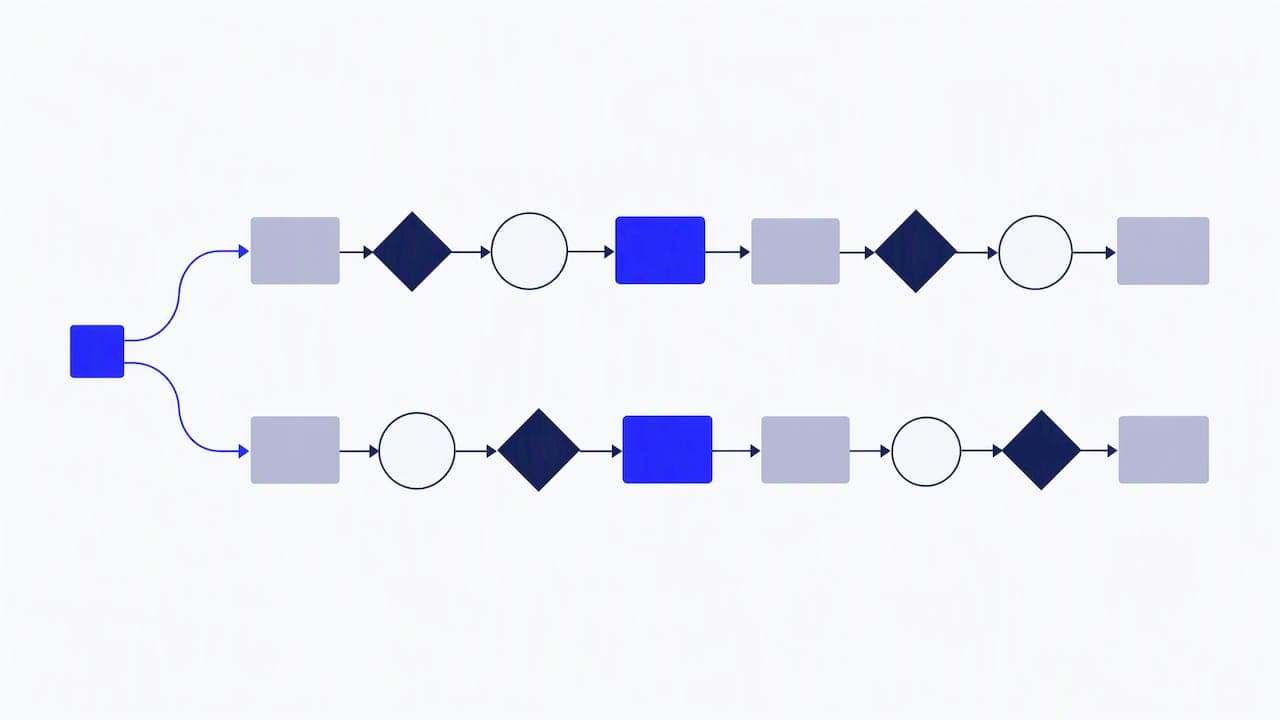
A single weekend big bang cutover is genuinely the better call for a small app with low traffic, few integrations, and a userbase that can tolerate a short planned downtime window provided you rehearse the cutover on staging first and keep a tested rollback ready.
How Minimum Code handles staged Bubble migrations
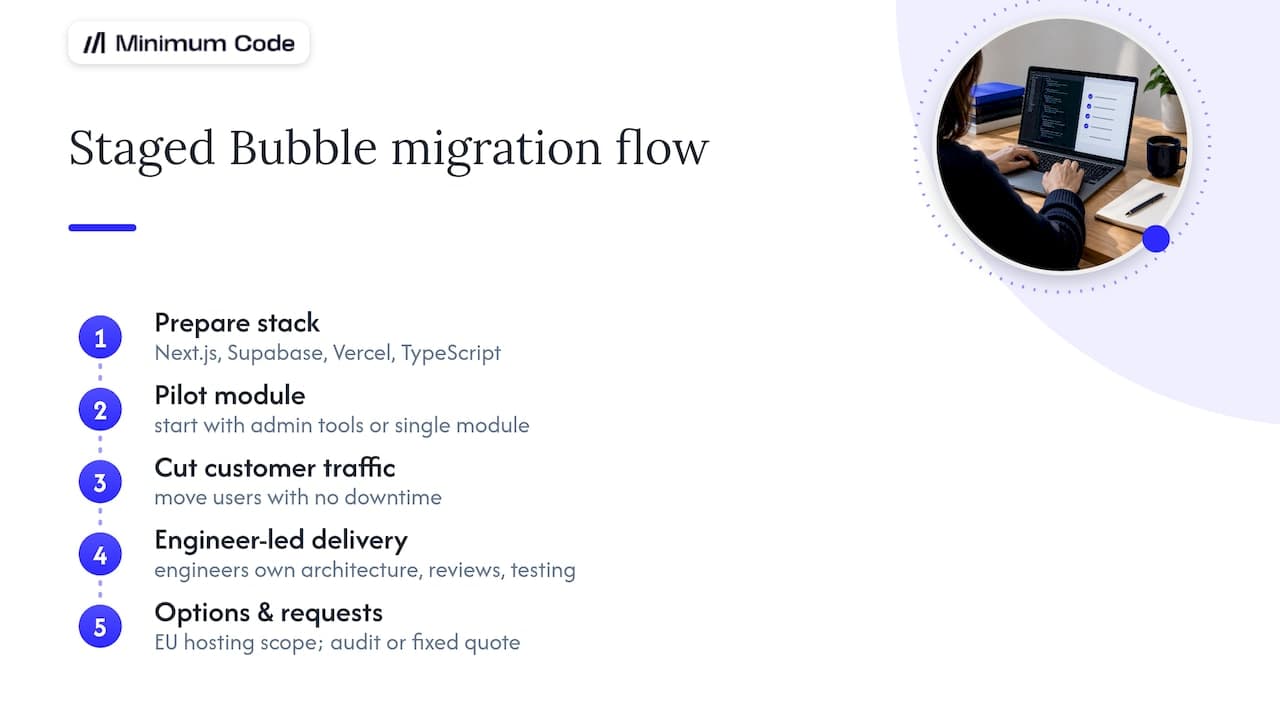
We run staged migrations with no downtime during the switch, typically building on Next.js, Supabase, Vercel and TypeScript. Engineers own architecture, code review and testing, while AI coding tools handle implementation work under supervision. We commonly start with admin tools or a single module to prove the new backend before moving customer-facing traffic, and we can scope EU hosting where a client’s regulatory needs call for it. You can request an audit or a fixed-price quote through our Bubble migration service.
Practical lessons from live migrations
Founders consistently underestimate how much of a migration is planning and testing rather than building, and that mismatch is what causes rushed cutovers. Start with the lowest-risk module or user group you can find, prove the pattern works, then expand with that confidence behind you. Resist the urge to redesign workflows while you migrate them, since combining a rebuild with a refactor multiplies the ways a release can go wrong.
— Tom
Minimum Code: start a staged migration with us
We take on staged Bubble migrations as fixed-price, fixed-scope projects with no downtime during the switch and 60 days of free support once your app is live on the new stack.That structure means you know the cost and the deadline before work starts.
If you want a second opinion on whether your app needs a full rebuild, a staged migration, or no migration at all, we can scope it honestly rather than defaulting to a sale. Get in touch through our Migrate Bubble to Code page for a fixed-price quote.
FAQ
What are the seven migration strategies?
The seven strategies, often called the 7 Rs, come from AWS’s prescriptive migration guidance and include approaches such as rehosting, replatforming and refactoring. For most live Bubble apps, rehosting or replatforming first and modernising afterwards carries less risk than refactoring everything at once.
What is a migration strategy?
A migration strategy is the plan for how you move an application’s data, logic and users from one platform to another while keeping the product usable throughout. For a live Bubble app, that usually means choosing a staged pattern, module by module, cohort by cohort, admin tools first, or backend first, rather than switching everything in one step.
What are the 7 migration strategies?
The seven strategies, often called the 7 Rs, come from AWS’s migration guidance: retire, retain, rehost, relocate, repurchase, replatform and refactor. Most of them are about moving servers to the cloud. A Bubble app can’t be rehosted or replatformed, because the code and runtime belong to Bubble, so leaving Bubble is always a refactor: the app is rebuilt in a new stack. That is why the useful decision for a Bubble app is how to stage the rebuild, not which R to pick.
What is the strangler fig pattern?
t’s a way to replace a system piece by piece: new code takes over one feature at a time, while the old system keeps running everything else, until nothing is left on the old system. For a Bubble app, it’s the module-by-module pattern: billing or reporting moves to the new stack first, and Bubble keeps the rest until each part is replaced.
How long does a staged Bubble migration take?
It depends on how many modules you have, how tightly their data is linked, and how many integrations need to move. Planning and testing usually take more time than the build itself, so the first module or cohort is the best estimate for the rest.
Does Bubble’s Data API cause problems during migration?
Yes, if you are not careful with authentication. The Bubble Data API’s privacy rules can silently block fields unless you export using an account with the right permissions, so testing a small export first is worth the extra hour.
Sources
Recommended

Written by Tom
Founder and Lead Developer

Ready to start your project?
Book a free discovery call to learn how we can build your app in 4 weeks, or less.
Book a call