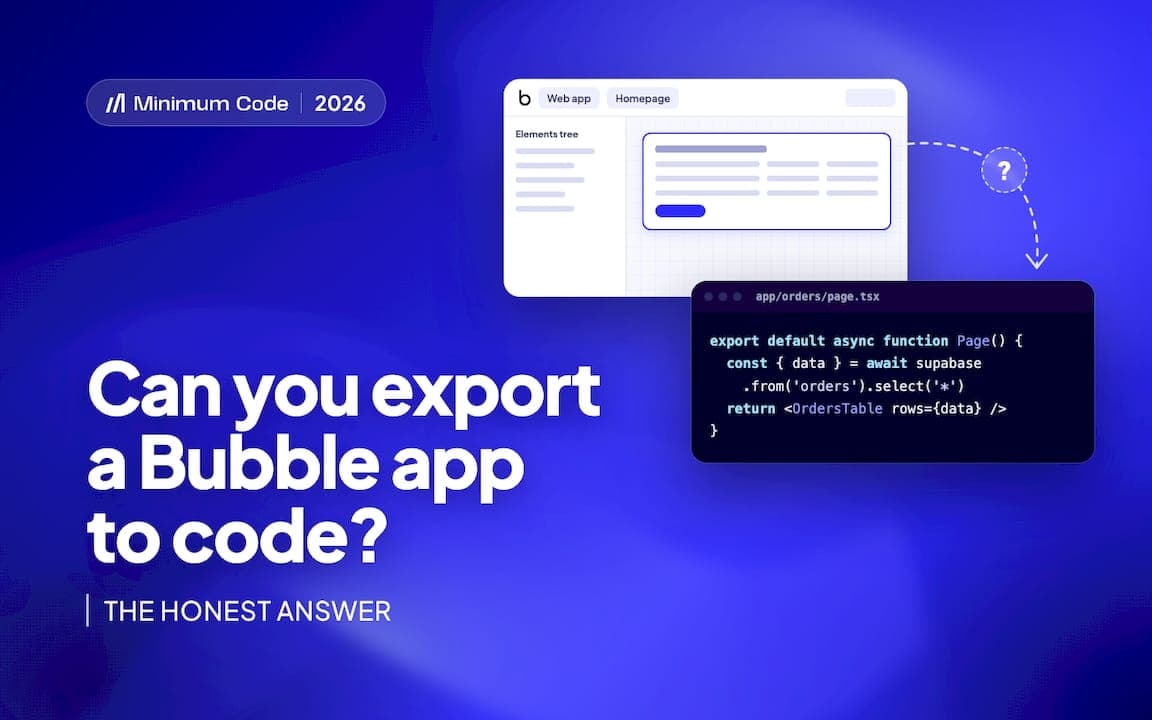

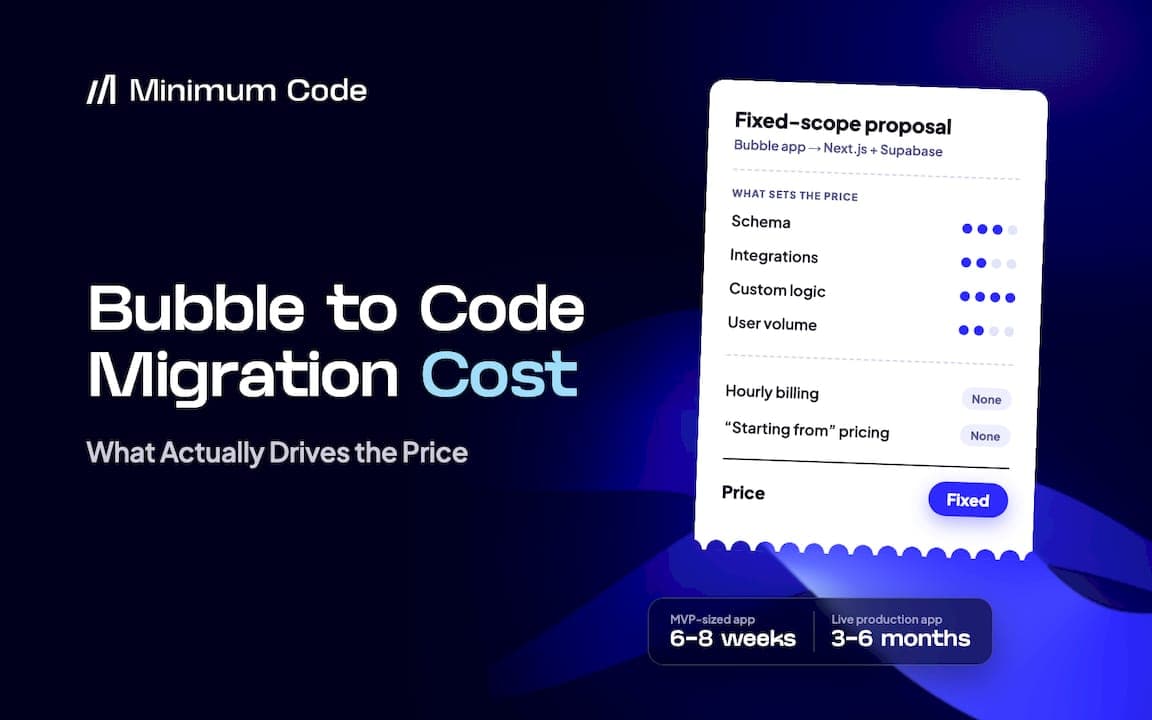

A Bubble to code migration is a rebuild of your application on a new stack, not an export of your existing code, so pricing follows the size of the rebuild rather than a simple conversion fee. The realistic approach is a paid audit that produces a fixed price and fixed scope, followed by 60 days of free support after launch. This article does not include specific euro figures because real pricing depends on your specific app and should come from a quote, not a blog post.
TL;DR:
- The cost of a Bubble to code migration depends on project complexity and includes key workstreams such as audit, data migration, workflow rebuild, and cutover planning.
- Data and authentication migration often incur hidden costs, especially since passwords typically require reset or magic-link methods instead of direct transfer.
- Budget estimates should specify exclusions like admin tools and QA processes, which are frequently omitted from initial quotes but are essential to app functionality.
- Pages do not accurately reflect migration effort, as background tasks, email triggers, and security rules significantly contribute to workload beyond visible pages.
- Most of the overall timeline is consumed by the audit and QA phases, with a fixed scope and price provided after the audit, and post-launch support included.
Key takeaways
- An audit that produces a full inventory and an acceptance-test checklist is the most valuable early deliverable, because it defines what “done” actually means.
- Data and authentication migration are common hidden costs: passwords in particular cannot simply be copied across and need a reset or magic-link strategy.
- Admin tools, reporting and QA are the parts most often missing from a cheap quote, because they are invisible until someone tries to use them.
- A fixed-scope quote should state what it excludes, and it should include a rollback plan and a cutover plan, not just a build plan.
- Minimum Code runs a paid audit before quoting, then delivers on a fixed price and fixed scope with 60 days of free support after migration.
What does a Bubble to code migration actually cost?
There is no honest flat number for this, and any article that gives you one without seeing your app is guessing. Cost is driven by workstream complexity, so the right way to plan a budget is to break the project into the same eight pieces every migration touches: audit, data model, workflow rebuild, integrations, admin tools, QA, cutover and post-launch support.
Audit and roadmap comes first and is usually a paid, fixed-fee engagement in its own right [data needed]. Its output is a full inventory of data types, workflows, plugins and privacy rules, an acceptance-test checklist, and a decision log explaining what stays, what changes and what gets retired. This step exists to contain scope before anyone quotes a fixed price for the build.
Data model redesign and migration covers schema mapping from Bubble’s data types into a relational structure, usually Postgres, plus file transfer and a user account strategy. Bubble’s Data API governs what can be exported and how, and an admin-level API token bypasses privacy rules entirely, so it should only ever be used as a short-lived migration credential. Passwords rarely move as plain fields; most teams design a reset or magic-link flow instead.
Workflow rebuild translates Bubble’s visual workflows into server-side code, including scheduled jobs and background tasks that were invisible in the no-code editor but still need to exist in the new system.
Integrations means rewriting OAuth connections, webhook handling and rate-limited API calls. Bubble’s own workflow API lets external systems trigger workflows, and every one of those endpoints needs to be inventoried and rebuilt or replaced.
Admin and internal tools, billing dashboards, reporting screens, internal user management, are frequently missing from early quotes because they don’t appear on a customer-facing sitemap.
QA and reconciliation means automated tests, data validation against the old system, and role-based security testing, checking that a user can only see and do what their role permits, not just that the data imported correctly.
Cutover covers staging, DNS changes, session handling and a rollback plan designed to minimise downtime.
Post-launch support is monitoring and bug fixes in the weeks after go-live, when real usage surfaces edge cases that testing missed.
Pro Tip: Ask any vendor to quote each of these eight workstreams separately. A single lump number hides which parts they’ve actually scoped.
What makes the price go up or down?
Several specific features push cost in one direction or the other, and knowing which ones apply to your app is more useful than any average.
- File volume and storage, migrating assets and updating every reference to them, adds work in proportion to how much content your app stores.
- Authentication complexity, magic links, password resets and the security testing that goes with them, scales with how sensitive your login flow needs to be.
- Realtime features and scale targets raise cost because they require infrastructure decisions beyond a basic CRUD rebuild.
- The number of third-party integrations and custom plug-ins matters more than app size, since each one is a separate rebuild task.
- Regulatory hosting requirements, particularly EU hosting for healthcare, fintech or defence, can shift architecture decisions and cost, since Bubble’s workload-based pricing and hosting options differ from a coded stack’s flexibility.
- The quality bar you set, automated test coverage, performance targets and security checks, is a genuine cost driver, not a fixed cost of doing business.
Why is pricing by page count misleading?
Because pages measure what a user sees, not what the system does. A single admin page can sit on top of a dozen workflows, three scheduled jobs and two integrations, while a marketing page sits on top of nothing. Counting pages tells a vendor almost nothing about the actual work.
Items that page-count estimates commonly miss include:
- Scheduled jobs and background tasks with no visible page at all.
- Email templates and the logic that triggers them.
- Privacy rules and role-based permissions layered across data types.
- Reconciliation scripts used to validate the migrated data against the original.
Pro Tip: Before accepting a quote, ask for the acceptance-test checklist it’s based on. If the vendor can’t produce one, the quote isn’t really scoped yet.
What’s a realistic timeline and what should you receive at each stage?
Timelines vary by app, but the stage gates are consistent across most migrations, and each one should end with something concrete in your hands.
- Audit: a full inventory, an acceptance-test checklist and a fixed-scope quote.
- Build: data migration scripts, a working staging version of the app and automated tests running against it.
- Cutover: a written runbook, a rollback plan and monitoring configured before go-live.
- Support: 60 days of free support, a clear issue-triage process and handover documentation so your team can maintain the app independently afterwards.
Most of the calendar time in a well-run migration goes into the audit and QA stages, not the build itself. A migration guide covering the technical steps walks through this in more depth if you want the engineering detail behind each stage.
How does Minimum Code handle this?
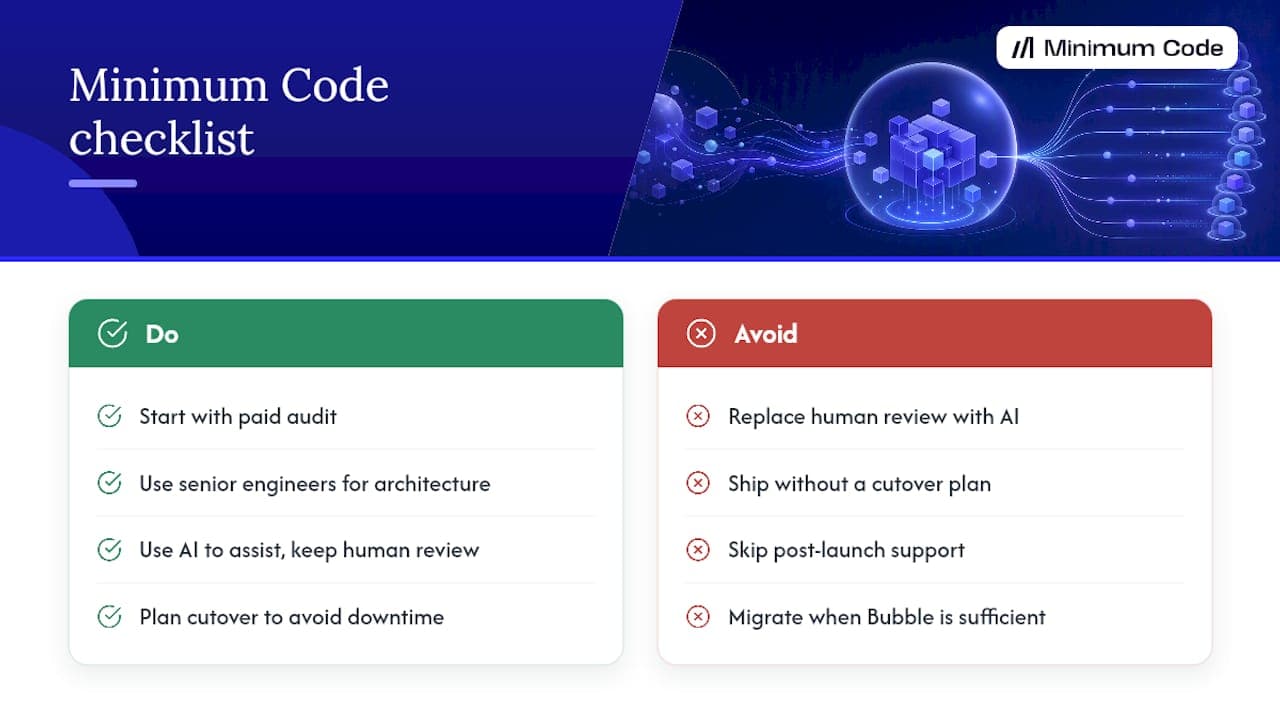
Some agencies start every migration with a paid audit, then deliver a fixed price and fixed scope for the build. Senior engineers may own the architecture, code review and testing; AI coding tools can assist with implementation but do not replace the review step. Cutover should be planned to avoid downtime, and migrations often include 60 days of free support after launch. Experienced teams working with Bubble may advise plainly when an app is better left on Bubble rather than migrated.
Should you migrate now, later, or not at all?
Migrate when you need to own your code, choose your own hosting, or hit an SEO ceiling that Bubble’s rendering makes hard to clear, and Bubble’s own scaling documentation is honest that these are hosting and ownership decisions, not just performance ones. Stay on Bubble if you’re still at prototype stage, your workload is light, or getting to market fast matters more than owning the stack right now. Either way, weigh the ongoing maintenance and hosting trade-offs against the migration bill, not just the invoice you’d get for the rebuild itself.
Most founders underestimate the maintenance cost of staying, not the cost of leaving.
— Tom
How can Minimum Code help you plan this?
If you’re weighing a Bubble to code migration, the audit gives you an honest answer before you commit to anything: a full inventory of your app, an acceptance-test checklist, and a fixed price for the build that follows. There’s no guessing involved because the scope is written down before work starts, and the fixed price stays fixed. Minimum Code’s Bubble to code migration service includes 60 days of free support after launch, and for apps that need SEO improvements beyond what Bubble’s rendering supports, Bubble-specific SEO techniques can sometimes close the gap without a full rebuild. Get in touch to book the audit.
Where does this article’s technical detail come from?
- Bubble’s Data API and privacy rules documentation for export and access controls.
- Bubble’s Data API security guidance on least-privilege access.
- Bubble’s workload-based pricing model for assessing cost drivers.
- Supabase’s Next.js integration tutorial as a common target stack.
Sources
FAQ
Is a Bubble to code migration always a full rebuild?
In practice, yes. Bubble doesn’t export usable application code, so moving to a coded stack means rebuilding the data model, workflows and integrations rather than converting existing files.
Why do cheap migration quotes often miss admin tools and QA?
Admin dashboards, reporting screens and reconciliation scripts don’t appear on a public sitemap, so a quote based on visible pages tends to skip them. The same applies to QA, since automated testing and role-based security checks add work that isn’t visible until something breaks after launch.
How does Minimum Code price a migration?
Minimum Code starts with a paid audit that produces a full inventory and a fixed-scope quote, so the price is set before the build begins rather than estimated from a page count. Every migration also includes 60 days of free support after launch.
Should every Bubble app move to code?
No. Simple, all-in-one tools and early prototypes often do fine staying on Bubble, and migration only tends to pay off when you need code ownership, a specific hosting setup or SEO performance that Bubble’s rendering limits.
What usually gets missed in a DIY migration attempt?
Password migration, scheduled jobs, email templates and privacy rules are commonly missed items in DIY migration attempts because they are not visible from the app’s front end. An audit helps identify these before quoting a fixed price.
Recommended

Written by Tom
Founder and Lead Developer

Ready to start your project?
Book a free discovery call to learn how we can build your app in 4 weeks, or less.
Book a call