
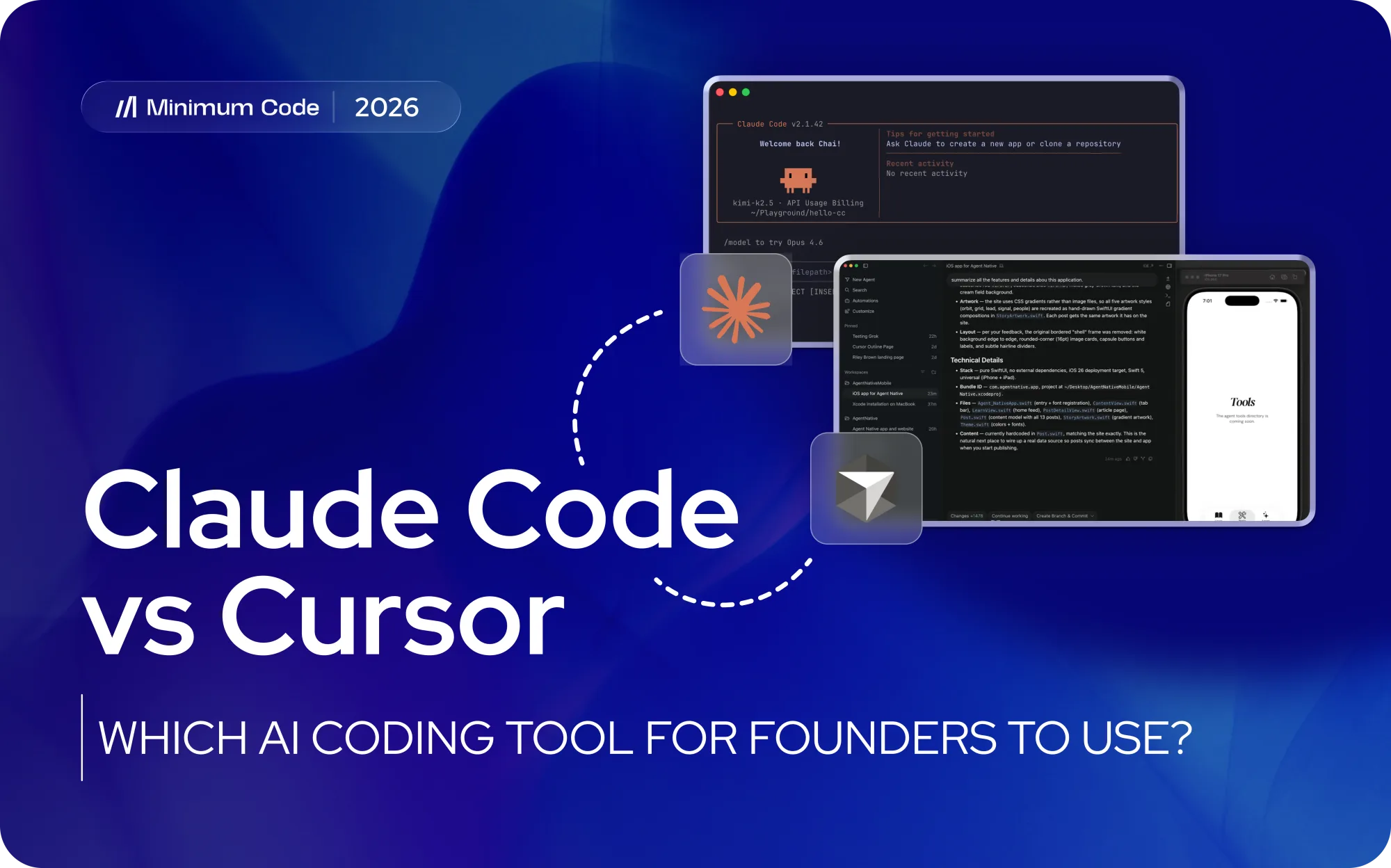
The Claude Code vs Cursor decision usually appears when a founder wants to build faster without losing control of the product. Sounds like a paradox, but it can be done. Let’s understand how.
Both tools can read a codebase, edit multiple files and help complete development tasks, yet they encourage different ways of working. The practical choice depends on who will operate the tool and who will be accountable for the resulting software.
Cursor is usually the easier starting point for hands-on founders and developers who want AI inside a familiar visual editor. Claude Code is usually stronger for experienced engineers who want to delegate larger tasks, run commands and automate work across a repository. Architecture, testing, security review and deployment ownership remain essential. At Minimum Code, we place the tool inside an engineering workflow with a named person responsible for every release.
Key takeaways
- Cursor is the more approachable default for visual, hands-on development and continuous diff review.
- Claude Code is strongest when an experienced engineer delegates repository-wide work with explicit checks.
- Production software still needs a named technical owner for architecture, security, testing and release decisions.
- Workflow quality matters more than any model leaderboard because requirements, tests and review determine the result.
- Using both tools can work when the team shares project instructions, version-control rules and acceptance criteria.
- Real cost includes review time, rework, infrastructure and maintenance as well as subscription or usage fees.
Why the wrong AI coding workflow costs more than it saves
Tool comparisons often focus on generated code quality or the number of features in a subscription. Founders have a wider decision to make. The selected workflow changes how product requirements reach the codebase, how easily changes can be reviewed and how much technical knowledge is required to spot a bad result.
Coding speed creates value only when the work moves the product towards a commercial milestone. A feature produced quickly can still delay launch if it breaks an integration, ignores an edge case or adds complexity that the next developer struggles to maintain. The relevant measure is the time from a clear requirement to a reviewed, tested and deployed result.
The operator matters as much as the tool. Cursor keeps files, suggested edits and conversations visible inside an editor. That visibility makes small changes easier to follow. Claude Code can explore the repository, use development tools and carry a broader task through several steps. This suits an engineer who can define boundaries, inspect the outcome and intervene when the agent takes an unhelpful direction.
The choice also affects hiring and continuity. A founder working alone needs a workflow that exposes enough context to understand what changed. A technical team may value automation, command-line access and repeatable instructions. In both cases, the company needs version control, documentation and a reliable path for another engineer to take over.
Claude Code and Cursor solve different parts of the same job
The two products now overlap in several areas, so simple labels can mislead. Their strongest distinction remains the primary working environment and the way a person supervises the AI.
Cursor: visual control inside the editor
Cursor is an AI-first code editor built around a familiar desktop development environment. It combines file browsing, inline suggestions, chat, multi-file edits, agents, code review and terminal access. A user can inspect a file, select a section and ask for a change while seeing the proposed diff in the same workspace.
That visual feedback shortens the learning curve for developers who already use a modern editor. It also gives technical founders a clearer view of where the agent is working. Cursor can run larger agent tasks and cloud work, yet its daily experience still centres on reading, editing and reviewing code in an interface.
Claude Code: delegated execution across the repository
Claude Code is an agentic coding tool that can operate from the terminal and other supported surfaces. It reads project files, edits code, runs commands, executes tests and works with development tools. The user typically describes an outcome, gives relevant constraints and supervises a sequence of actions across the repository.
This delegation-led model can be effective for repository-wide changes, debugging, test creation, migrations and automation. It assumes that the operator understands the environment well enough to grant sensible permissions, interpret failures and decide whether the final result belongs in production. A wider view of the current market appears in our review of AI app builder platforms, which separates developer tools from simpler prompt-led products.
Claude Code vs Cursor: a founder-level comparison
Founders should compare the products through the work their team performs each week. The table keeps the technical detail tied to practical product consequences.
Claude Code vs Cursor Comparison
Decision Area | Cursor | Claude Code |
|---|---|---|
Primary workflow | Visual editor integration, inline assistance, and diff review. | Task delegation across files and tools; agent-based supervision. |
Ease of adoption | Familiar to modern editor users; low barrier to entry. | Requires thinking in repository tasks, permissions, and commands. |
Small edits | Convenient for file inspection and in-place refinements. | Capable, but advantages are clearer in multi-step/tool tasks. |
Large changes | Broad tasks supported with editor-connected reviews. | Suited for repository exploration, planning, and multi-area editing. |
Model choice | Access to several model families and custom routing. | Native Claude model family workflow. |
Automation | Command-line and cloud-agent options available. | Natural fit for CLI workflows and repeatable scripts. |
Review experience | Easy diff inspection within the active development environment. | Review typically occurs via version-control tools or external editors. |
Cost control | Plan allowances with additional usage options. | Subscription limits or metered usage; requires monitoring. |
Best operator | Developers/Founders wanting close visual involvement. | Engineers delegating outcomes and validating environments. |
Founder implication | Approachable path into AI-assisted development. | Deeper autonomy under strong engineering supervision. |
Tool features change quickly, which makes workflow criteria more durable than a long capability list. Our overview of leading AI coding tools provides extra context on where editors, agents and development assistants fit in the broader market.
Choose Cursor when visibility improves your decisions
Cursor is usually the stronger fit when a person wants to stay close to the code and review work continuously. Its editor-led experience reduces context switching and gives each suggestion a visible location.
A developer can move from reading a file to asking a question, applying a change and checking the diff without rebuilding the context in a separate tool. This is useful for interface work, local refactoring, bug fixes and features where judgement develops while the developer explores the code. Inline completion also helps with repetitive implementation during normal coding, without opening a separate agent task.
Technical founders often find Cursor easier to learn because the project structure remains visible. They can inspect files, follow imports and compare changes before accepting them. The environment still requires production safeguards. Its visible structure reduces the distance between the human and the output.
Cursor also suits teams that want a choice of models within one environment. Different models may perform better on planning, fast edits or complex reasoning, and the editor can keep the review workflow consistent. The trade-off is operational: model selection, usage limits and team rules need active management or developers may make inconsistent choices.
Choose Claude Code when the task needs an engineering agent
Claude Code is usually the stronger fit when an experienced engineer wants to delegate a defined outcome and let the agent work through the repository. It is particularly useful when the task involves investigation, commands, tests and coordinated changes across several areas.
A well-scoped request can ask the agent to inspect existing behaviour, propose a plan, implement the change, run the relevant checks and report what remains uncertain. This compresses repetitive execution while keeping architecture and acceptance decisions with the engineer. The benefit grows when the repository has reliable tests and clear project instructions.
Command-line access also makes Claude Code practical for maintenance work. Dependency updates, test coverage, release preparation, migration tasks and large refactors often require more than editing a visible file. The agent can move between code, commands and outputs as one workflow.
The learning curve is more demanding for a non-technical operator. Terminal output can look convincing even when the underlying decision is weak. Permissions also require care because the agent may be able to edit files, run scripts and interact with connected tools. Founders should treat access design as an engineering responsibility.
The working method is closely related to agentic development: define an outcome, provide constraints, let the agent execute and verify against explicit checks.
Can Claude Code and Cursor share one development workflow?
Yes. Many development teams can use Claude Code and Cursor together because the tools address overlapping but distinct moments in the workflow. The combination works when responsibilities are explicit and both tools operate on the same version-controlled codebase.
A developer might use Cursor for daily navigation, inline completion and close review, then use Claude Code for a repository-wide task with clear acceptance criteria. The reverse is also possible: an engineer may work primarily through Claude Code and open Cursor when detailed visual review or manual editing is faster.
Using both adds subscriptions, configuration and governance. Project instructions can drift if each tool receives different rules. Team members may also duplicate work or create conflicting changes when several agents run on the same branch. A shared definition of done, consistent test commands and small reviewable commits reduce that risk.
The combination earns its cost when it shortens meaningful delivery work. It becomes overhead when the team is experimenting with tools instead of resolving product decisions. Before expanding the toolset, define the core workflow and architecture. Our web app planning guide shows how clear user journeys and data structure give any development method a stronger foundation.
The subscription fee is rarely the deciding cost
The subscription price is the smallest part of the cost decision for most funded products. Usage patterns, developer time and the cost of correcting weak output carry more commercial weight.
Cursor plans combine a monthly allowance with limits and optional additional usage, depending on the plan. Claude Code can be used through paid Claude plans or metered access, with consumption influenced by model choice, repository size and session length. Current plan names and allowances change often, so procurement should check the live terms before rollout.
Agent behaviour makes costs less predictable than ordinary software seats. A broad prompt may cause extensive file reading, repeated test runs and several attempts at a solution. Parallel tasks multiply that activity. Teams should begin with a short pilot, measure a representative week and separate productive usage from avoidable context consumption.
Founders should budget for the complete product lifecycle, including hosting, monitoring, maintenance and future changes. Our analysis of web app development costs helps connect the tool bill to the much larger investment required to launch and operate reliable software.
Who owns the code when the AI gets it wrong?
Both tools can produce useful code and both can produce plausible mistakes. The quality outcome depends on repository standards, permissions, review discipline and the experience of the person accepting the work.
Security begins with access. An agent should receive only the files, credentials and connected services required for the task. Production databases, deployment keys and customer data deserve separate controls. Broad access to systems that could damage the live business creates unacceptable risk, even when it is convenient during development.
Testing needs explicit acceptance criteria. Asking an agent to make the tests pass proves little if the tests are weak or altered to hide the problem. A reliable workflow defines expected behaviour before implementation, reviews new tests and checks edge cases that affect payments, permissions, privacy or data integrity.
Code ownership also means maintainability. The team should understand the architecture, keep dependencies controlled and document decisions that a future engineer will need. A generated feature that nobody can explain becomes a liability during an incident or change request.
AI features inside the product require the same discipline. Model output, privacy, evaluation and failure handling need planned controls. Our guide to integrating AI into an app provides useful context on feedback loops and ongoing operational responsibility.
Which tool fits your current product stage of development?
The best choice becomes clearer when founders start from the product stage and the skills already available. The most capable agent still leaves an unclear scope and missing technical accountability unresolved.
Testing an idea without technical support
Cursor can feel more approachable because the files and changes are visible, yet a non-technical founder may still struggle to evaluate architecture, security and deployment. Use either tool for controlled experiments with disposable data. Bring in experienced review before real users, payments or sensitive information enter the product.
Building version one as a technical founder
Cursor is a sensible default when the founder wants close involvement and frequent manual edits. Claude Code becomes attractive when the founder can specify repository-level tasks and trust a test suite. A short trial on the same real feature will reveal which workflow produces clearer, easier-to-review changes.
Standardising AI work across a small engineering team
Teams should choose the workflow that integrates with code review and existing standards. Cursor can improve daily developer flow, while Claude Code can handle larger delegated work and automation. Standard project instructions, shared permissions and usage reporting matter more than personal preference once several people contribute.
Taking over a prototype built with AI
Begin with an audit before adding more generated features. Confirm the architecture, data model, authentication, dependencies and deployment path. The right tool can speed up repairs, but the first commercial decision is how much of the existing product is safe to retain. Selecting the reviewer is therefore as important as selecting the assistant. The guide to choosing an MVP developer offers practical criteria for assessing that person or team.
How Minimum Code turns AI speed into production software
Our process starts with product scope and engineering ownership. We choose tools after the user journey, data structure, integrations and acceptance criteria are clear enough to guide implementation.
Claude Code is valuable when a senior engineer can delegate a complete task and supervise the result. Cursor is valuable when close visual work, rapid iteration and detailed diff review suit the change. A project may use either or both, provided every contribution passes through the same version control, testing and review standards.
We keep human ownership explicit. Engineers make architecture decisions, review generated changes and remain accountable for production behaviour. AI accelerates implementation and investigation, while the release still reflects professional judgement.
This approach is especially important when a founder arrives with a working prototype. We assess what can be retained, identify structural risk and define the shortest credible route to a maintainable product. The comparison of MVP development agencies explains why discovery and technical ownership should be visible before a build begins.
FAQ - Frequently asked questions
Is Claude Code better than Cursor?
Claude Code is often better for experienced engineers delegating complex repository tasks. Cursor is often better for close visual coding, inline assistance and continuous diff review. The stronger option is the one your team can supervise and verify reliably.
Is Cursor easier for beginners?
Cursor usually has the easier interface because it resembles a familiar code editor and keeps files, chat and changes visible. Beginners still need technical support before deploying software that handles users, payments or sensitive data.
Can Claude Code work inside an editor?
Claude Code supports editor-based workflows in addition to its terminal experience. Its main advantage remains agentic task execution across code and development tools, whichever interface the engineer chooses.
Can Cursor handle autonomous tasks?
Yes. Cursor offers agent, command-line and cloud workflows that can complete multi-step work. Its visual editor remains a major advantage when a developer wants to inspect and refine changes closely.
Which tool is cheaper?
Compare the available plans against a representative workload and the review effort each output creates. A short pilot gives a more useful cost signal than subscription prices alone.
Do founders still need a developer?
Founders need technical ownership for production software. A capable founder may operate the tools directly, but architecture, security, testing and deployment decisions still require engineering competence.
Choose the tool your team can review and govern
Cursor is the stronger starting point for visual, closely supervised development. Claude Code is the stronger choice for experienced engineers delegating broader work across a repository. Either can accelerate a product when the team owns the architecture, review and release process.
If you need help choosing or governing an AI-assisted development workflow, contact Minimum Code to scope the safest route from idea or prototype to production.

Written by Tom
Founder and Lead Developer

Ready to start your project?
Book a free discovery call to learn how we can build your app in 4 weeks, or less.
Book a call