

Yes, Lovable exports your code, on every plan, through a two-way GitHub sync. What comes out is a Vite and React single-page app with shadcn/ui components, Supabase migrations and edge functions, and a handful of files that only make sense inside Lovable. It runs from a clean clone in under a minute and is not production-ready, and the gaps repeat across exports. This page walks through the export, the fixes, and the Claude Code prompt that does most of them.
One note on the examples below. We did not build a toy app. We took a public Lovable export from August 2026 (an AI script generator with sign-up, three database tables and two edge functions, 117 of its 130 commits made by Lovable's bot) and ran it as a client would hand it to us, and we scanned 100 public Lovable exports on GitHub for the patterns that repeat. Your export will differ in names, not in shape.
Step 1: Export the code to GitHub
Five clicks, no plan needed. The screenshots are from an earlier version of Lovable, so a label or two may read differently on your screen.
- In Lovable, open Project settings, then Git, then GitHub, and click Add account (Connect GitHub in older versions).
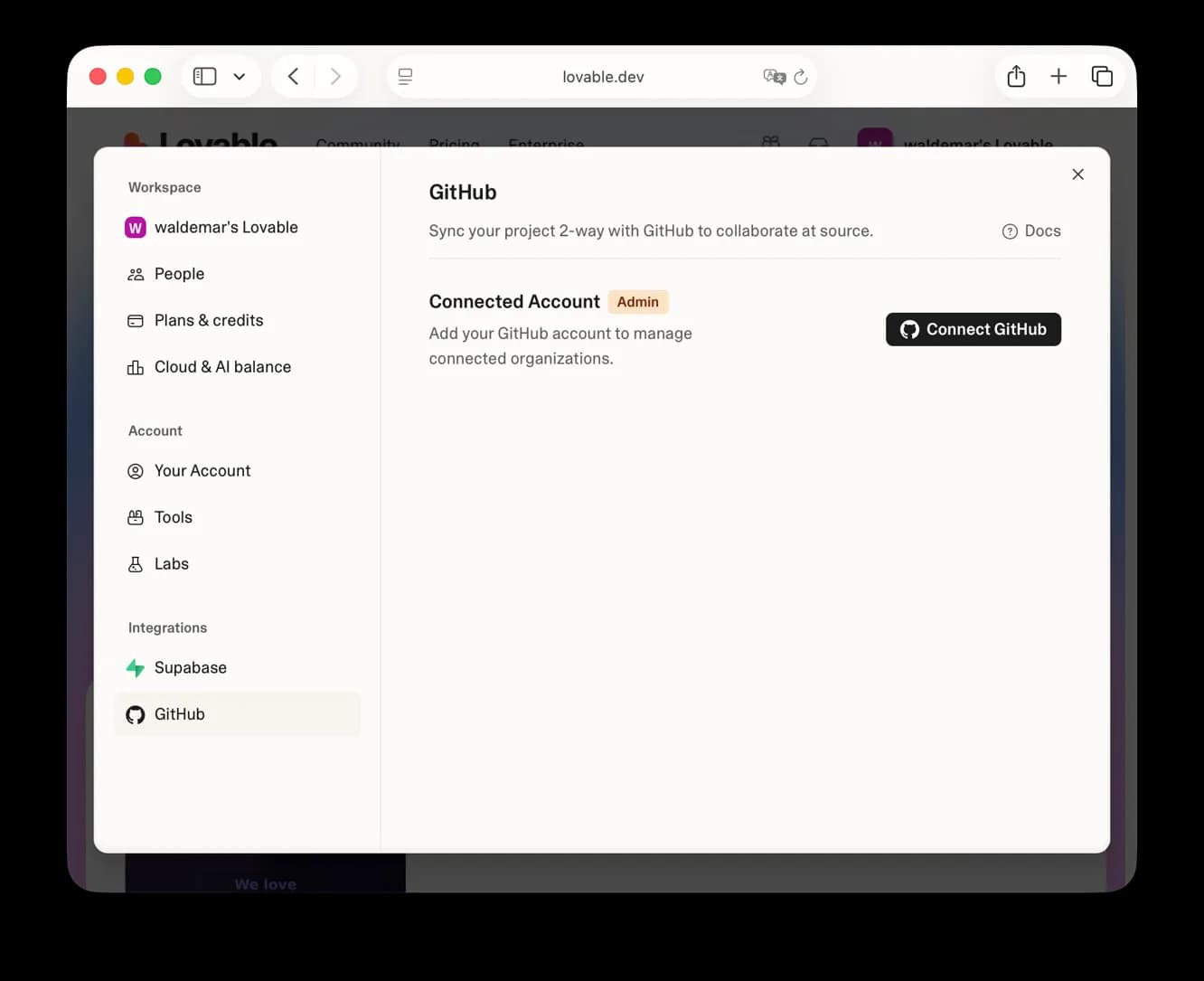
Lovable settings, GitHub tab, before connecting. Screenshot: VibeFactory, vibefactory.ai/export-lovable-project.
- A GitHub window opens and asks you to authorise Lovable. It also asks which account or organisation to use and whether to allow all repositories or selected ones. Click Install & Authorize.
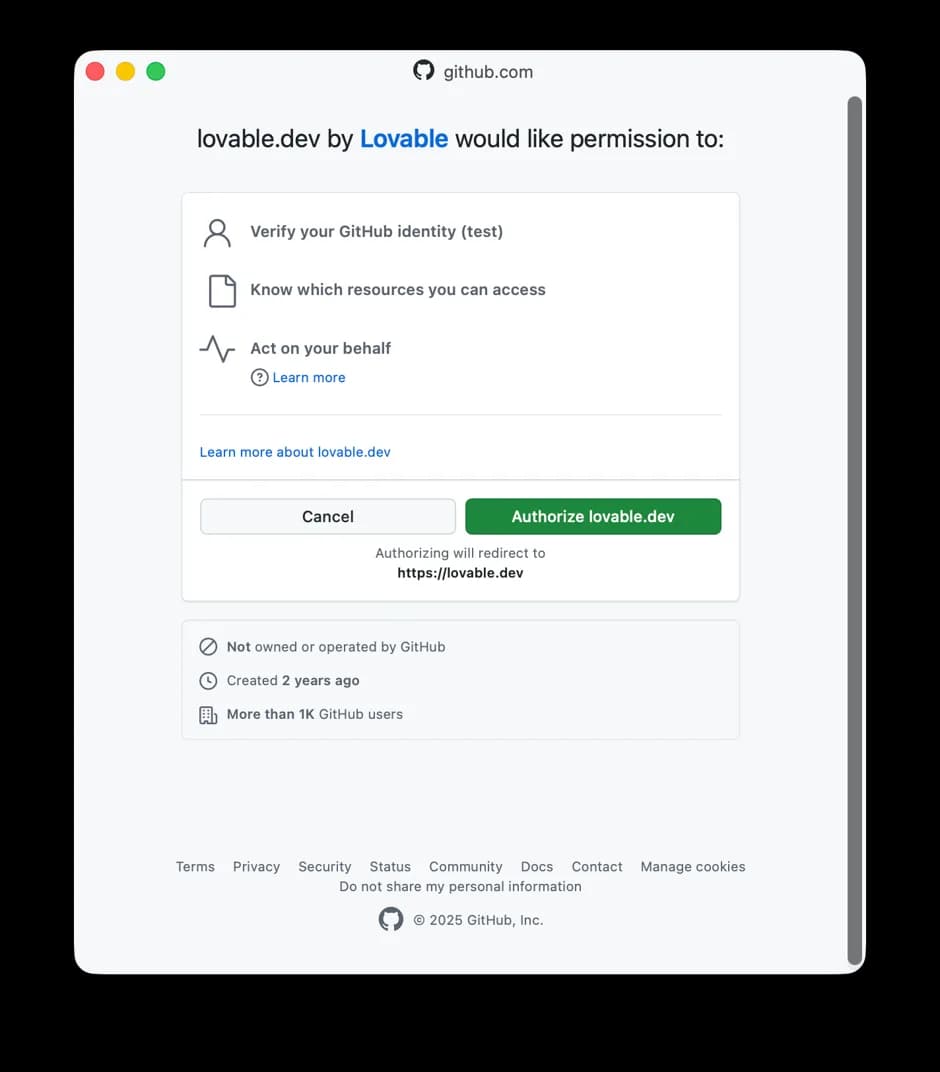
GitHub's authorisation screen for Lovable. Screenshot: VibeFactory, vibefactory.ai/export-lovable-project.
- Back in Lovable, the project now shows Connect Project. Click it.
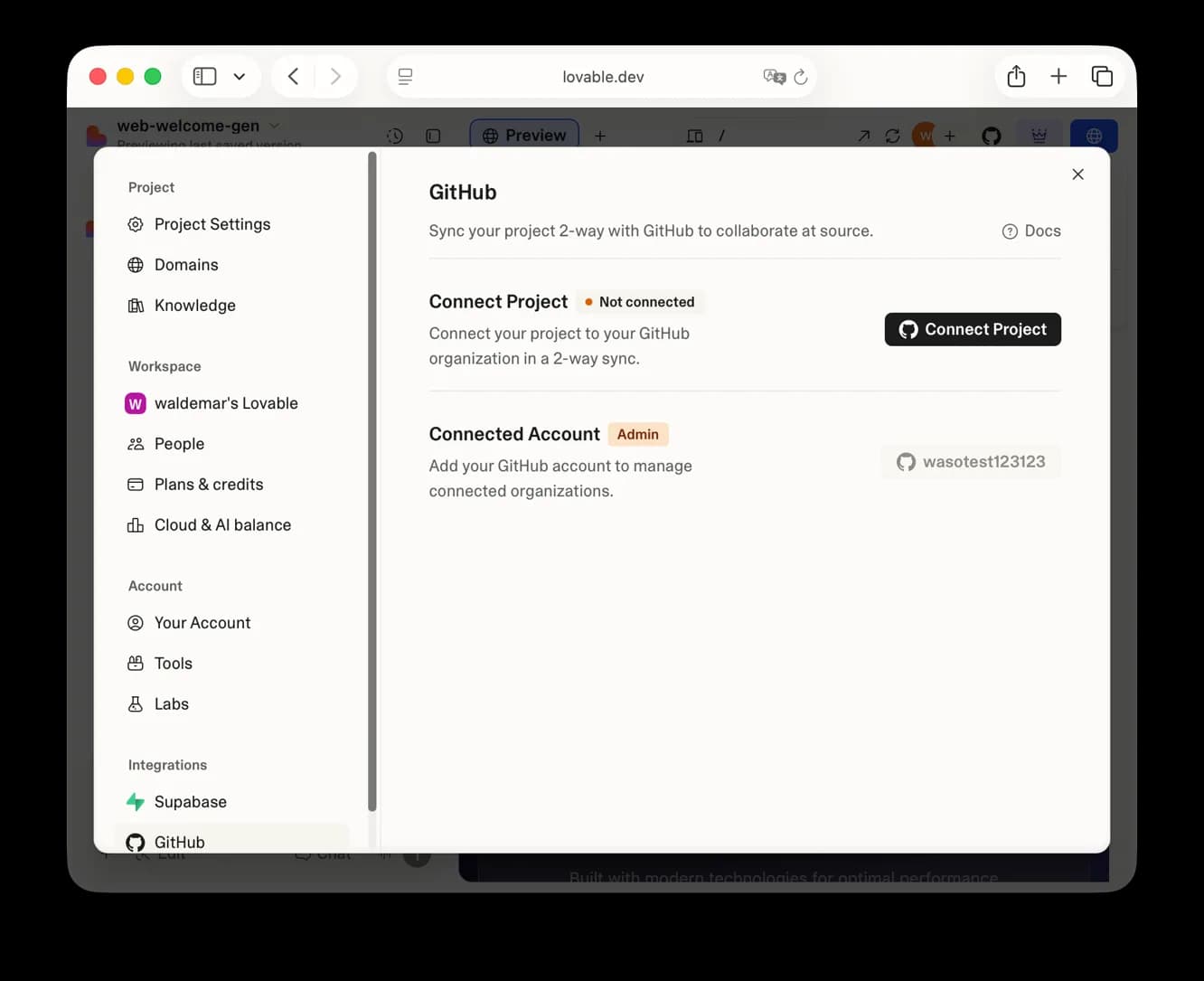
Connect Project, once your GitHub account is linked. Screenshot: VibeFactory, vibefactory.ai/export-lovable-project.
- Pick the GitHub account or organisation and click Connect. Lovable creates a new private repository there.
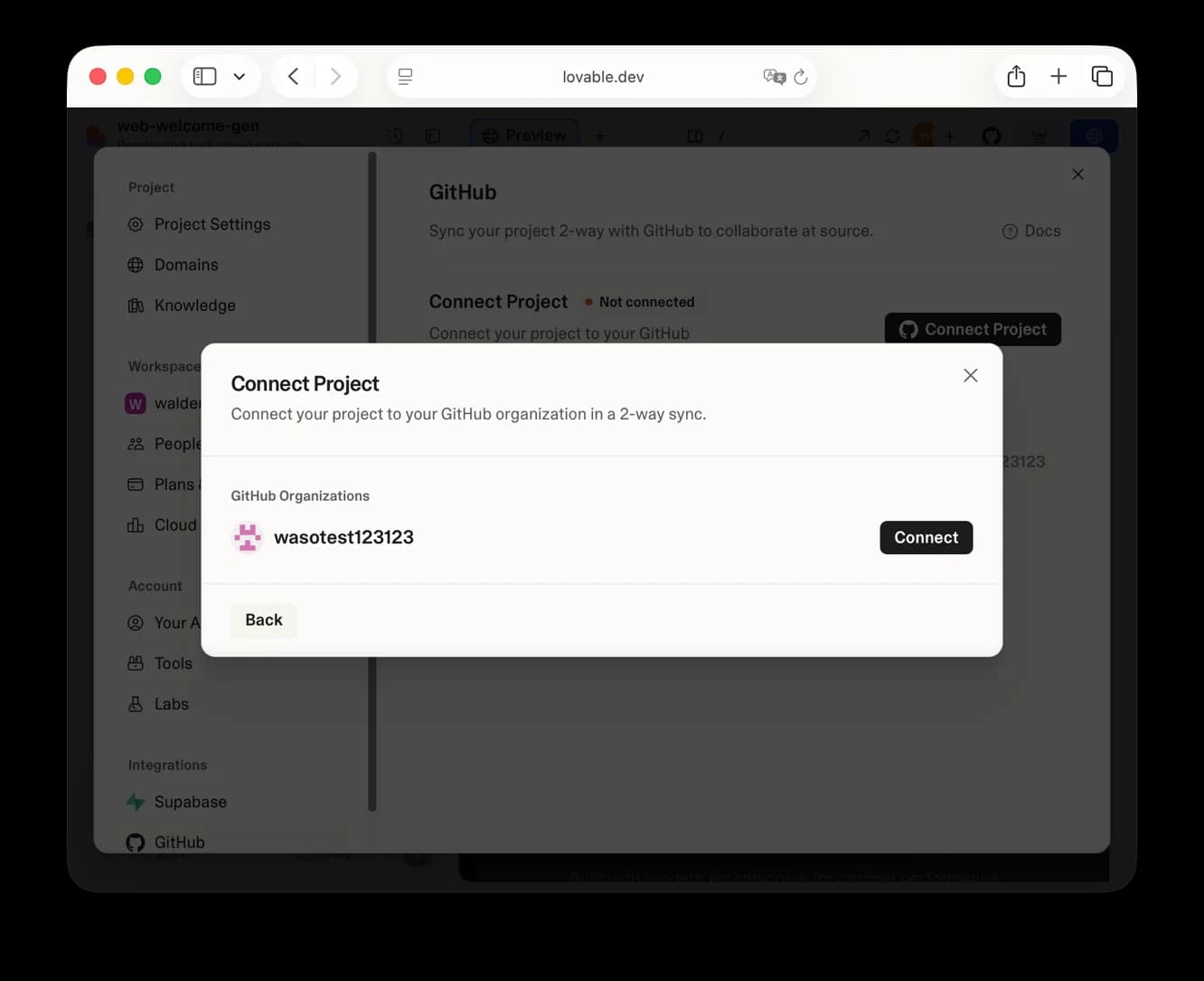
Choosing where Lovable creates the repository. Screenshot: VibeFactory, vibefactory.ai/export-lovable-project.
- The project shows Connected, with a View on GitHub link and the clone URL you need in Step 2.
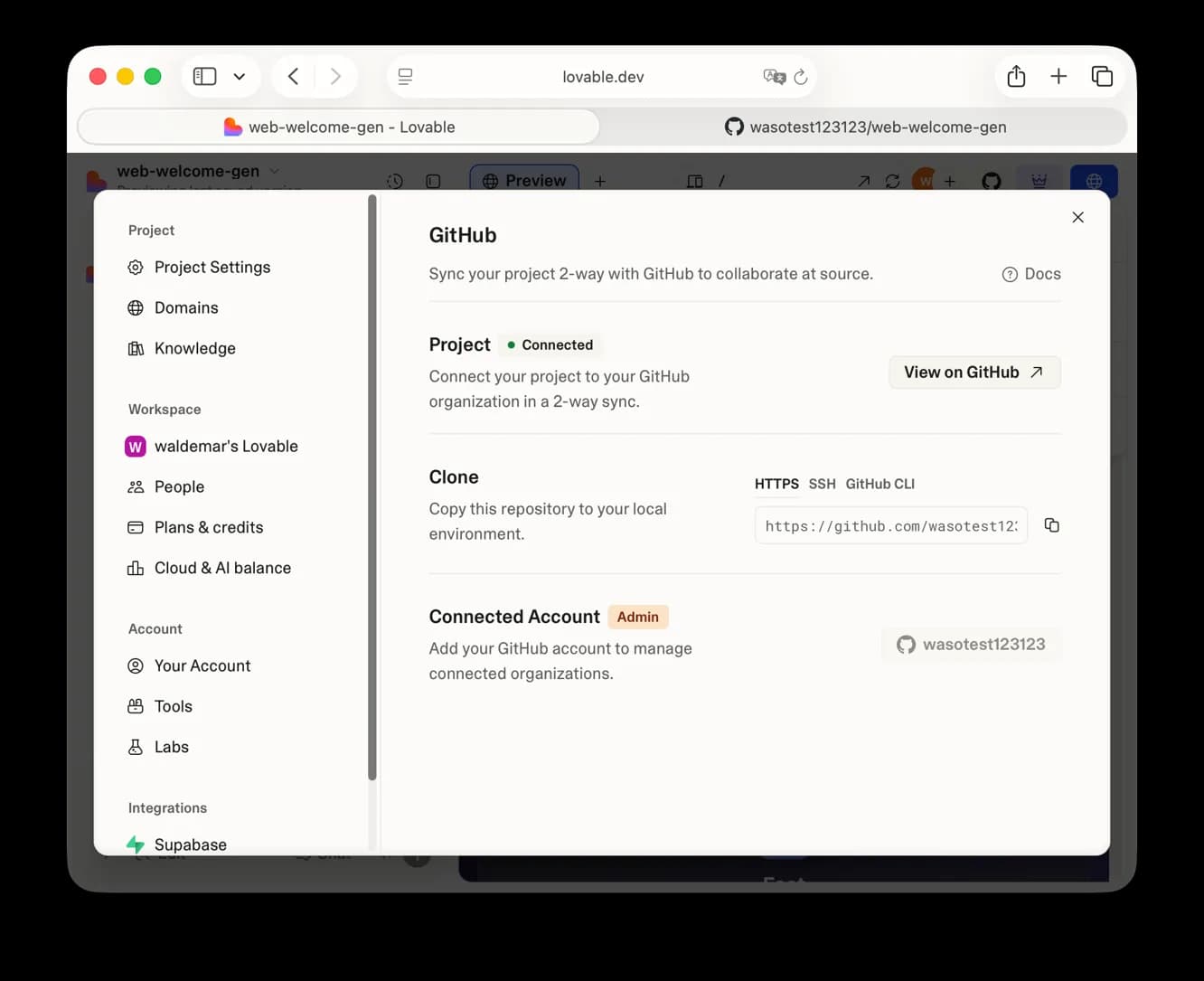
Connected: the clone URL for Step 2 is on this screen. Screenshot: VibeFactory, vibefactory.ai/export-lovable-project.
Two things to know before you click. The sync is two-way and works on one branch at a time: edits in Lovable land as commits, and commits you push to that branch flow back into Lovable. And the repository is yours: if you disconnect later, Lovable's docs say the repository "remains intact with all history and files". Reconnecting makes a new repository rather than reusing the old one.
If you only want a zip and no GitHub, the Download codebase button in Project settings exists too, but only on paid plans (Pro at €25 a month at the time of writing). GitHub sync itself has no plan gate.
Step 2: Clone it and run it
Clone the repository, install, start. On the export we tested (your export will differ in timing, not in steps) this took eleven seconds to install and under a second to start:
git clone https://github.com/<you>/<your-project>
cd <your-project>
npm install
npm run dev

  VITE v5.4.19  ready in 722 ms
  ➜  Local:   http://localhost:8080/
It starts on port 8080, which is Lovable's setting, not Vite's usual 5173. The README in the export we tested still said 5173. npm run build also passed, with one warning about a 647 KB JavaScript bundle.
Here is the catch. The app started without any configuration file at all. Lovable's build config carried a hardcoded fallback for the Supabase project URL and the public key, so a fresh clone quietly talks to the original Supabase project. In your export, look in the file that holds your keys (.env) and in vite.config.ts. The variables you need are VITE_SUPABASE_URL and VITE_SUPABASE_PUBLISHABLE_KEY, and they are listed in .env.example. The secrets your edge functions use (the AI key, payment secrets, the service role key) are not in the repository at all; they live in Supabase project secrets, and the README will mention some of them at best.
Step 3: See what you actually have
The trimmed tree from the export we tested. Yours will differ in page names; look for where the data calls and the keys live:
src/
  App.tsx                       routing (react-router-dom)
  components/                   6 of yours, 49 shadcn/ui
  hooks/useAuth.tsx             Supabase auth session
  integrations/
    supabase/client.ts          browser client, anon key
    supabase/previewAuthStorage.ts   Lovable editor only
    lovable/index.ts            Lovable's OAuth broker
  pages/                        Auth, Index, Settings, Pricing...
  test/example.test.ts          expect(true).toBe(true)
supabase/
  config.toml
  functions/                    3 Deno edge functions
  migrations/                   3 SQL files, RLS enabled
vite.config.ts                  lovable-tagger plugin, key fallbacks
The framework is Vite, React 18 and TypeScript, styled with Tailwind and shadcn/ui (27 of the 54 dependencies are the Radix primitives under shadcn). There is no Next.js in a Lovable export, and there is no server of your own: every page reads and writes Supabase straight from the browser with the public key. Anything that must stay secret runs in a Supabase edge function. The two Lovable-only packages are lovable-tagger, which maps clicks in the Lovable editor to components, and @lovable.dev/cloud-auth-js, which npm describes as a "legacy OAuth broker".
Step 4: Fix what would break in production
What we found on the export we tested, in the order we would fix it. Your export will have some of these, not all. Items marked "100 exports" come from the scan of public repositories.
- Hardcoded fallback keys in the build config. The Supabase URL and public key are written into
vite.config.tsas fallbacks. Remove them and make the build fail with a clear message when the variable is missing. - The key file committed to the repository (36 of 100 exports). Lovable's default
.gitignoredoes not list.env, and Lovable writes your Supabase URL and public key into it. That part is by design; the public key is meant to be public. The problem is what people add next. In 14 of those 36 repositories the same file held third-party secrets asVITE_variables, such as a Gemini key, a payment provider secret and an S3 secret key. Vite compiles everyVITE_variable into the browser bundle. Add.envto.gitignore, rotate anything that was ever committed, and move every non-Supabase key into an edge function. - Keys hardcoded in the client file (32 of 76 exports with the file). Older exports write the URL and key as string literals in
src/integrations/supabase/client.ts; newer ones read environment variables. Check which one you have. - Lovable editor code in the auth path.
previewAuthStorage.tsis 88 generated lines that hand the session token to the Lovable editor overpostMessagewhen the app runs in a Lovable preview frame. Outside Lovable it does nothing useful. Replace it with plainlocalStorageand delete it. - Google login through Lovable's broker. The "Continue with Google" button calls
@lovable.dev/cloud-auth-js, so it works only while Lovable's service does. Switch it to Supabase's own OAuth with your Google client. This changes behaviour, so it needs a decision, not just a prompt. - Row Level Security is your entire security model. With the public key in the browser, the database policies decide who can read what. The export we tested enabled RLS on all three tables with per-user policies, which is good. In the 27 scanned repositories that had migrations, 7 did not enable RLS in the first migration. Check every table.
- No real tests. The suite is one assertion that true is true, and the Playwright config imports a package that is not installed. Write tests around login and the main flow.
- The export fails its own lint. Six errors and ten warnings from
npm run lint, 24 reported vulnerabilities fromnpm install, generatedTODOcomments still inindex.html. TypeScript compiled clean.
Cleaner than we expected: the edge functions handle rate-limit and quota errors with specific messages, and usage counting runs server-side with the service role key. Still missing: an error path that does not return raw error text to the client, and CORS narrower than *.
Step 5: Convert it with Claude Code
Point Claude Code at the repository with a short CLAUDE.md that sets the rules, then give it the fixes above in order. This is the file we used:
# Project
This is a Lovable export (Vite + React + TypeScript + shadcn/ui + Supabase). We are taking it out of Lovable and into a codebase we own.

Rules
- Do not change product behaviour.
- Keep the Supabase project; only change how it is configured.
- Do not add new dependencies unless asked.
- Run `npm run build` at the end and make sure it passes.
- Report every file you changed and why, in a short list.
And the first prompt, verbatim. This is the conversion prompt people search for; it takes the app out of Lovable rather than into Next.js, and the next section says why:
Make this Lovable export ready to leave Lovable. Do these in order and stop after each with a one-line note:
1. Remove the hardcoded Supabase fallback URL and publishable key from vite.config.ts so the app fails fast with a clear error when VITE_SUPABASE_URL or VITE_SUPABASE_PUBLISHABLE_KEY is missing, instead of silently pointing at the original project.
2. Remove Lovable-only coupling from the runtime: the brokeredPreviewStorage auth storage in src/integrations/supabase (use plain localStorage), the lovable-tagger plugin in vite.config.ts, and the @lovable.dev/cloud-auth-js integration in src/integrations/lovable if nothing in src/pages or src/components uses it (check first). Remove the packages from package.json if they become unused.
3. Confirm .env.example lists every VITE_ variable the code reads (grep import.meta.env).
4. Replace src/test/example.test.ts with one real test that renders src/pages/Auth.tsx and asserts the email and password fields exist; make sure npm test actually runs.
5. Run npm run build and npm test, paste the last lines of each.
The order of work after that prompt:
- Keys out of the repository and out of the build config (the prompt above).
- Data access locked to the user: an RLS policy on every table, checked one by one.
- A server layer for anything sensitive: every third-party call in an edge function, and any call that goes through a Lovable service (the AI gateway, the OAuth broker) re-pointed at your own provider.
- Tests around login and the main flow.
- Deploy.
What it did on the export we tested, in 131 seconds (your app will need the same passes, with different file names): removed the fallbacks and the tagger plugin, added a clear failure when the variables are missing, swapped the auth storage for localStorage, deleted the Lovable file, checked whether the OAuth broker was used before removing it, found it was, and kept it with a note. It wrote a real test for the login page. What a person had to catch: it could not run the build or the test itself in that session, so it said so rather than claiming success. When we ran the test, it failed on a Node 25 quirk (Node's own experimental localStorage shadows the test browser's) that nobody could have seen without running it. One flag fixed it. And the Bun lockfiles still listed the removed package until we re-installed.
On Next.js: a Lovable export is a Vite single-page app. Moving it to Next.js means rewriting the routing and the data layer, a second and larger prompt that many apps do not need. Get the app out of Lovable and onto your own hosting first; decide on Next.js after.
Step 6: Deploy and cut over
The export deploys as a static site on Vercel, Netlify or Cloudflare Pages with the same two environment variables. On Vercel:
- Click Add New, then Project, and import the repository Lovable created.
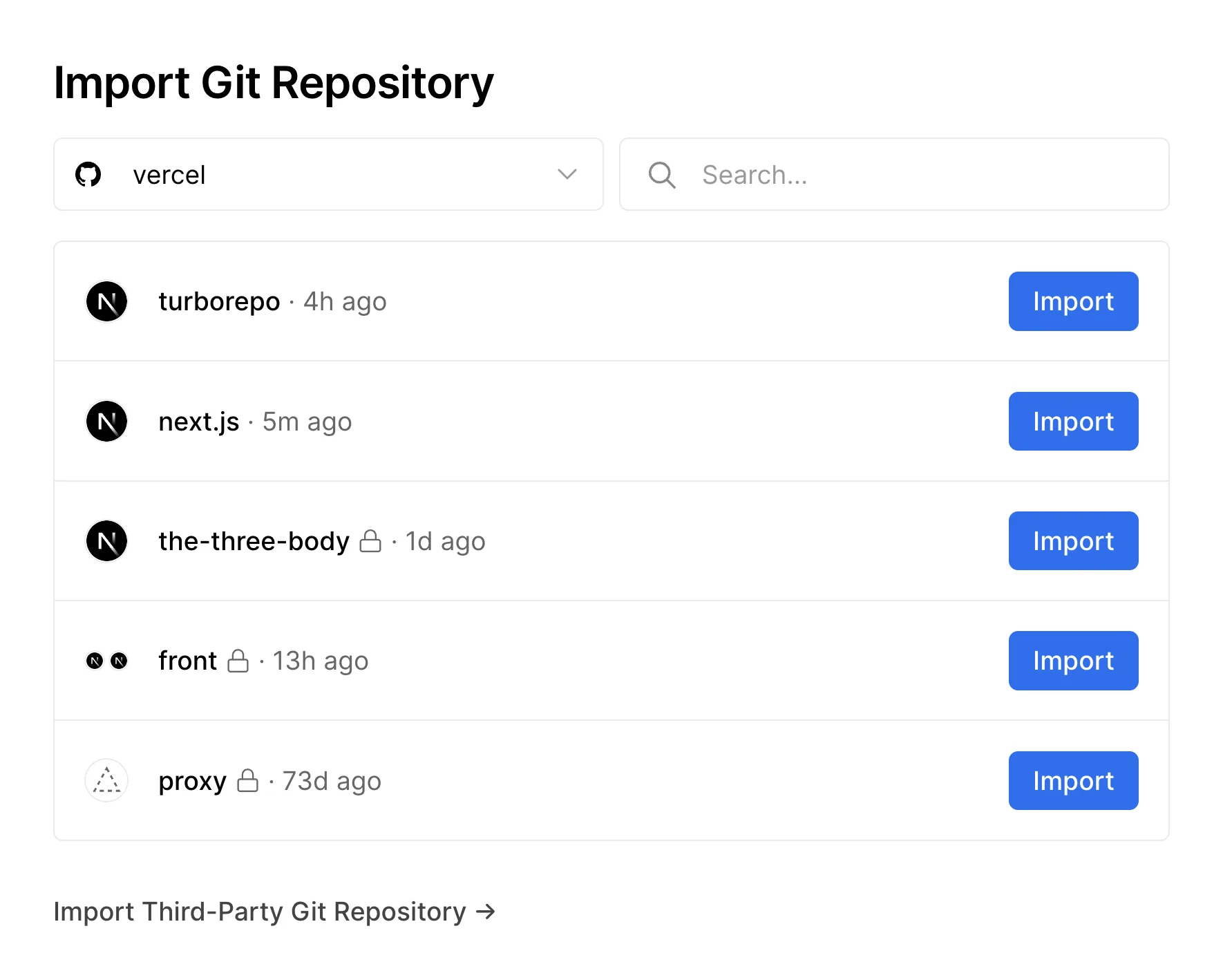
Importing the repository in Vercel. Screenshot: Vercel docs, vercel.com/docs/git.
- Before the first deploy, add
VITE_SUPABASE_URLandVITE_SUPABASE_PUBLISHABLE_KEYunder Environment Variables. You can paste your.env.examplewith real values or use Import .env.
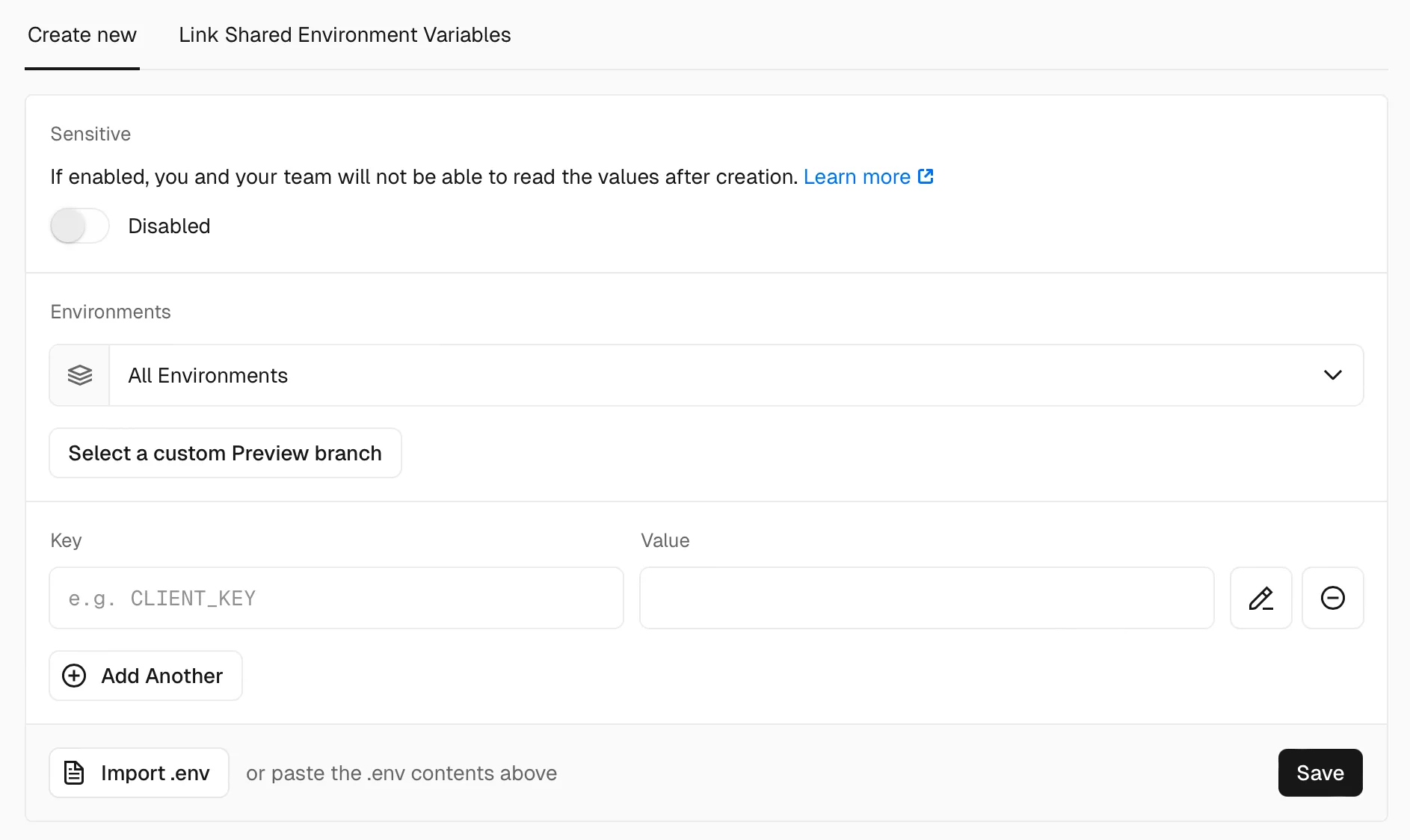
Adding the two Supabase variables in Vercel. Screenshot: Vercel docs, vercel.com/docs/environment-variables.
- Deploy. Vite is detected on its own; the build command is
npm run buildand the output folder isdist.
The Supabase project stays where it is if you connected your own; if the app used Lovable Cloud, the database lives in Lovable's Supabase organisation and has to be dumped and restored into a project you own before you switch. Point your domain at the new host, keep the GitHub sync until you are sure you will not go back to the Lovable editor, then disconnect. The repository stays.
Things to consider
- Should I even migrate yet? If you are still changing the product every week, have under a few hundred users and nobody to maintain code, stay on Lovable and keep the GitHub sync on as a backup. Migrate when the app has paying users, handles data you would not want leaked, or when Lovable's credit cost per change is higher than a developer's.
- Can I keep using Lovable after exporting? Yes. The sync is two-way, so you can edit in Lovable and in your editor. Once you start changing the structure, pick one side; Lovable only follows one branch.
- Do I need my own Supabase? If you connected your own Supabase project, you already have it. If you used Lovable Cloud, you need to move the database to a project you own.
- How long does this take? The prompt above ran in about two minutes. Reviewing the policies, replacing the Lovable login broker, writing tests and deploying is a few days for a small app.
- What does it cost to have it done? A small app with one database and a handful of screens is a short engagement; payments, roles or a second integration make it longer. We quote after reading the export.
- What do I lose by leaving Lovable? The editor, the preview domain, the Google login broker, and the AI gateway if your app used it. Nothing about your own code.
- Do I need a developer, or can I do it with Claude Code alone? The prompt gets you most of the way. The parts that need a person are the RLS audit and the decisions that change behaviour, like the login provider.
Who should book a call
If your Lovable app has real users, or is about to, and you want a codebase you own with the keys out of the repository, the database locked down and a deploy you control, our web app development team does this migration as a fixed piece of work. We also move Bubble apps to code the same way. Still deciding? Read the Lovable tool page and the Lovable versus Claude Code comparison. Otherwise contact us with your repository link.
Frequently asked questions
Does Lovable let you export code?
Yes, on every plan, through a two-way GitHub sync set up in Project settings. Downloading a zip without GitHub is a paid-plan feature.
Can I convert a Lovable app to Next.js?
Not in one step. The export is a Vite single-page app. Get it out of Lovable first with the prompt above; a move to Next.js is a separate rewrite of routing and data access.
Is the Supabase key in my Lovable export a security problem?
The public key on its own is not; it is designed to be public and Row Level Security protects the data. The problems are hardcoded fallbacks, other secrets added to the same file, and tables without RLS.
Will my app keep working after I disconnect from Lovable?
Your code and repository stay. The Google login broker and the Lovable AI gateway stop working, so re-point those before you disconnect.
How long does a Lovable migration take?
The automated fixes take minutes. A small app is a few days end to end; apps with payments, roles or several integrations take longer.
Sources
What we read:
- Sync your Lovable project with GitHub, Lovable docs. Read 30 September 2026.
- Lovable pricing. Read 30 September 2026, euro prices including VAT as shown in the EU.
- How to export your Lovable project to GitHub, VibeFactory. Source of the Step 1 screenshots.
- Deploying Git repositories and Environment variables, Vercel docs. Source of the Step 6 screenshots.
What we ran ourselves:
- A public Lovable export, last pushed 28 August 2026, cloned, installed, built and run on 30 September 2026.
- A scan of 100 public Lovable exports on GitHub, 30 September 2026.
- The Claude Code prompt in Step 5, run on the same export on 30 September 2026.

Written by Tom
Founder and Lead Developer

Ready to start your project?
Book a free discovery call to learn how we can build your app in 4 weeks, or less.
Book a call