
Most apps with paying users should stay on Bubble until a specific, nameable trigger shows up: a feature Bubble cannot build, an SEO ceiling, a hosting requirement, or a founder who wants to own the codebase before raising or selling. The trade-off is simple to state and hard to live with: Bubble gives you speed and convenience, custom code gives you control and ownership, and neither is free.
TL;DR:
- Migration becomes necessary when workload overages, SEO limitations, or compliance requirements make staying on Bubble unsustainable for scaling apps.
- Custom code migration typically takes weeks to months, with most time devoted to planning and testing rather than coding.
- Bubble’s hosting and GDPR compliance are adequate for most businesses, but dedicated infrastructure on the Enterprise plan may be needed for stricter regulations.
- Cost at scale depends on workload usage for Bubble and infrastructure plus engineering expenses for custom code, with no clear industry-standard figure.
- SEO, rendering, and routing control are limited on Bubble, often prompting hybrid solutions or full migration for better organic search performance.
Key takeaways
- If your app is simple, your bill is predictable and your roadmap has no SEO or compliance pressure, staying on Bubble is a reasonable, defensible choice.
- Migration becomes worth planning when workload overages, hiring friction, SEO ceilings or an upcoming raise or sale start to compound rather than appear in isolation.
- Most migrations run in weeks to a few months, with most of that time spent on planning and testing rather than writing code.
- The comparison table below sets out the nine axes that matter most once you have paying users and real usage data.
- We run these migrations at Minimum Code with a fixed price, fixed scope and no downtime during the switch.
Nine-axis comparison: Bubble vs custom code
Axis | Bubble (managed platform) | Custom code (self-hosted / managed stack) |
|---|---|---|
Cost at scale | Subscription plus workload overages billed based on usage | Infrastructure costs plus ongoing engineering time vary by app |
Development speed (pre-complexity) | Fast for MVPs and UI changes | Slower initial setup, no visual editor |
Development speed (post-complexity) | Slows with bespoke logic and integrations | AI-assisted coding keeps pace once patterns are set |
Hiring | Bubble developers, a smaller talent pool | Standard web engineers, wider pool |
SEO and rendering control | Limited server-side rendering, fixed routing patterns | Full control over rendering, routing and metadata |
EU hosting and GDPR | DPAs and SCCs by default, dedicated instances on Enterprise only | Hosting location chosen directly, compliance built into the stack |
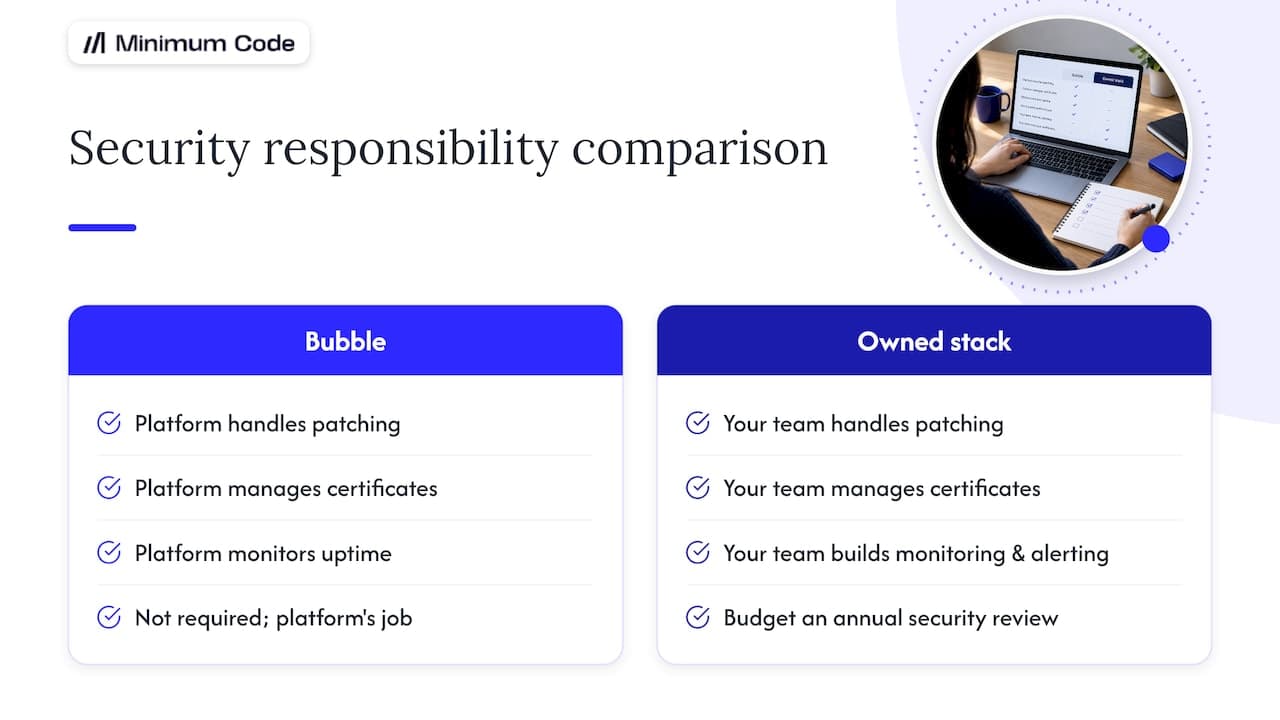
Security reviews and DPAs | Platform handles infrastructure security | Your team owns patching, monitoring and pentests |
Code ownership | App logic lives inside Bubble’s platform | Source code is yours outright |
Incident control | Bubble resolves platform-level outages | Your team diagnoses and fixes every layer |
Valuation at exit | Platform dependency can raise buyer questions | Owned codebase is easier to diligence |
Cost at scale depends on your actual workload, and Bubble’s pricing FAQ describes overage charges that only bite once you exceed your plan’s tier, so the real number is specific to your app rather than a flat industry figure.
Development speed flips direction as complexity grows. Bubble wins early, custom code catches up once your logic gets bespoke, something we expand on below.
Hiring gets harder on Bubble not because the platform is obscure, but because fewer engineers specialise in it compared with mainstream web stacks.
SEO is where many founders first feel friction, because routing and rendering choices are mostly fixed by the platform rather than by you.
EU hosting and GDPR are manageable on Bubble for most businesses, but dedicated infrastructure only exists on the Enterprise plan, per Bubble’s dedicated instance documentation.
Custom code migrations require your team to handle security patching, monitoring and penetration testing, unlike Bubble’s managed platform
Owning your code base can ease valuation and due diligence, as dependence on no-code platforms may raise investor questions
With Bubble, platform-level incidents are handled by them; owning the stack means taking responsibility for all incident resolution
Cost at scale: why bills rise and how to think about them
Bubble meters usage as monthly “workload”, covering database operations, workflow runs and web requests, and lets you buy workload tiers or pay overages beyond them, according to Bubble’s pricing FAQ. Custom code trades that subscription model for infrastructure costs plus ongoing engineering time, both of which depend heavily on your specific traffic and feature set.
- Track your actual monthly workload before assuming you have an overage problem.
- Use [data needed] placeholders rather than guessing at infra costs until you have a real quote.
- Compare total cost of ownership, not just the monthly bill, since engineering time is a cost either way.
Development speed: before and after complexity
Bubble’s visual editor genuinely wins for early MVPs and fast UI iteration, letting non-developers ship changes without touching code. That speed advantage narrows once your app needs bespoke integrations, complex permission logic or custom algorithms, where visual builders start fighting the thing you’re trying to build. Bubble’s own industry summary notes that visual platforms retain a production lead while AI-assisted coding tools close the gap quickly for founders who want custom code without a large team.

Hiring and team model differences
Maintaining a Bubble app typically needs a Bubble specialist, and that talent pool is smaller than the pool of engineers who work in mainstream stacks like JavaScript or Python. Custom code opens hiring to a much wider market, though it also means you need someone who can own architecture decisions, not just make UI tweaks. Many founders run a hybrid model for a while: a Bubble contractor for maintenance, an engineer brought in once a migration or a major feature is on the table.
SEO, server-side rendering and routing control
Search engines favour fast, precisely structured pages, and that depends on server-side rendering and routing choices you control directly. Bubble can be limiting here because much of that rendering behaviour is fixed by the platform rather than adjustable. Some founders address this with hybrid setups: a headless front end or server-side prerendering layer sitting in front of a Bubble back end, which can claw back SEO ground without a full rebuild. Specialist guides like Babylove Growth’s Bubble SEO documentation cover practical workarounds for founders not ready to migrate yet.
Pro Tip: Audit your Core Web Vitals and indexed page count before assuming Bubble is the bottleneck. Sometimes the fix is a content or sitemap issue, not a platform one.
EU hosting and GDPR realities
Bubble implements data processing agreements and Standard Contractual Clauses, and for most apps that keeps GDPR compliance workable even on standard plans, according to Bubble’s GDPR guidance. Dedicated instances with more hosting control are only available on the Enterprise plan, as set out in Bubble’s dedicated instance documentation. Healthcare, fintech and defence apps usually need stricter guarantees than a shared platform can offer. A coded stack tends to handle that more directly. Check your sector’s specific requirements before assuming either option is automatically compliant.
Security reviews, pentesting and DPAs
Staying on Bubble removes a large chunk of infrastructure security from your immediate checklist: patching servers, managing certificates and monitoring uptime are the platform’s job. Migrating to code hands that responsibility to your team, covering patching, monitoring, and scheduling your own pentests. Most teams budget for an annual security review once they own the stack, and build monitoring and alerting in from the start rather than retrofitting it after an incident.
Code ownership, IP and exit effects
Owning your code outright tends to smooth due diligence, because buyers and investors can inspect the codebase directly rather than taking a platform’s word for what’s possible. If you’re staying on Bubble for now, document your data model, export your content and workflows regularly, and keep a clear record of what’s built and why. Buyers generally accept platform-tied apps when the business case is strong enough elsewhere, but it’s one more question they’ll ask.
Incident control and operational responsibilities post-migration
On Bubble, platform outages and infrastructure failures are Bubble’s problem to fix, which is a genuine operational relief. Once you own the stack, your team diagnoses and resolves everything from a failed deployment to a database issue, which means you need monitoring tools and an on-call rota in place before you migrate, not after the first outage. A short incident response plan, drafted during migration planning rather than after launch, saves a lot of stress later.
Valuation and exit implications explained
Platform lock-in can make some buyers or investors more cautious, simply because they can’t inspect or move the code themselves. Clear documentation, architecture diagrams and exportable data assets go a long way towards addressing that concern even while you’re still on Bubble. Platform convenience alone rarely blocks a deal: it’s one factor among many, and a strong business with healthy metrics usually outweighs the platform question.
High-level migration timeline and staging advice
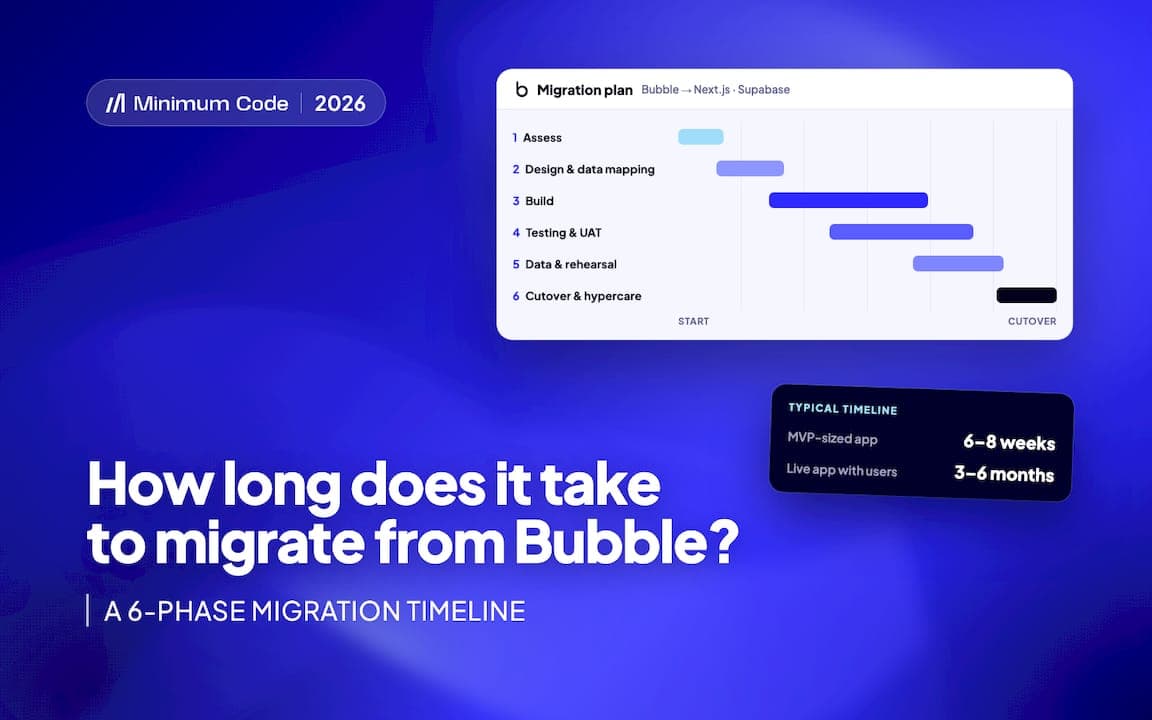
Most migrations follow a similar shape, and most of the calendar time goes into planning and testing rather than writing new code.
- Discovery and architecture: map every feature, data model and integration before writing a line of new code.
- Design and scoping: agree the fixed scope and price, and plan a feature-by-feature cutover order.
- Build: develop the new stack in parallel with the live Bubble app, starting with lower-risk features.
- Data migration and testing: move and validate data, then test each migrated feature against the original.
- Staged cutover: switch features over in batches rather than all at once, keeping paying users on a working app throughout.
A migration guide that walks through this in more technical detail is worth reading before you scope your own project.
When this isn’t right for you
Some apps should simply stay on Bubble, and it’s worth being honest about that.
- Your app is a simple internal tool or prototype with no SEO or scaling pressure.
- Your workload and bill are stable and predictable month to month.
- You have no hosting or compliance requirement that Bubble’s Enterprise plan can’t meet.
- You don’t have a near-term raise or exit where code ownership will be scrutinised.
Keep watching for signals that change the calculus: workload overages becoming routine, a feature you genuinely cannot build, SEO performance that plateaus despite content work, or investors asking pointed questions about the stack. Any one of these on its own isn’t a reason to move. Several appearing together usually is.
How Minimum Code handles migrations
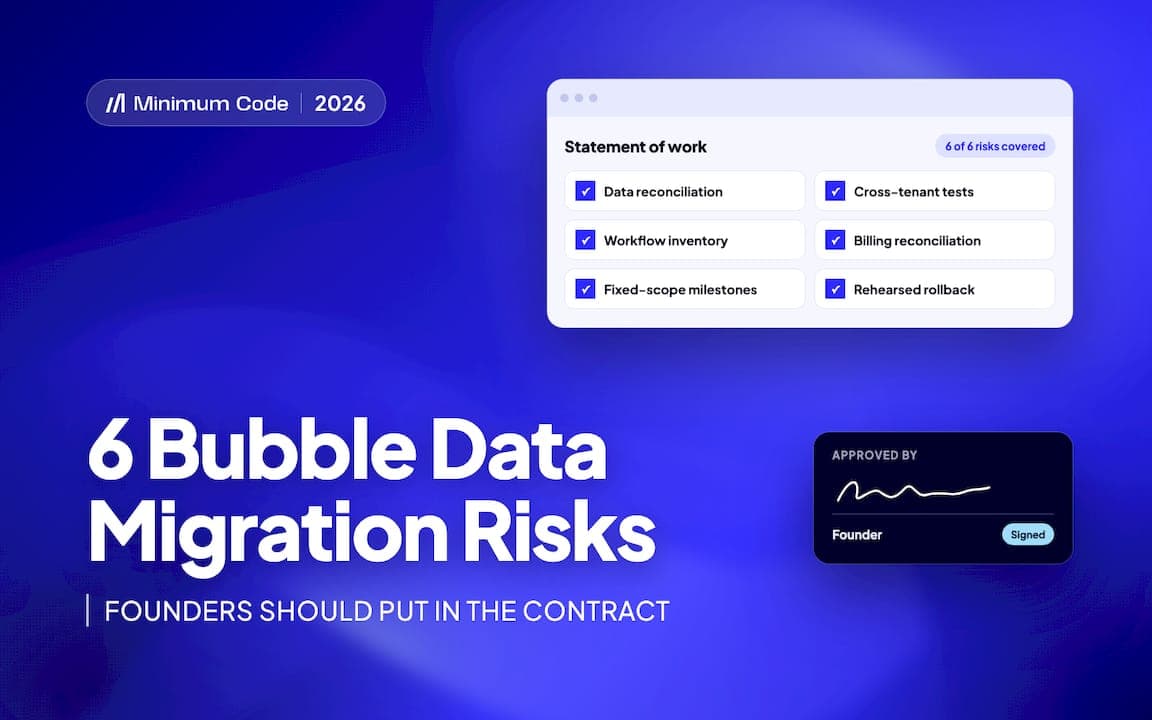
We migrate live Bubble apps to a Next.js, Supabase and TypeScript stack, with senior engineers owning architecture, code review and testing while AI coding tools handle implementation. Every migration runs on a fixed price and fixed scope, agreed after an initial scoping conversation, with no downtime during the switch and 60 days of free support after launch. We also handle product strategy, UI/UX design in Figma, and broader legacy application modernisation for apps that didn’t start on Bubble. We started building on Bubble in 2022 and remain a Bubble Gold agency, which is why we’re comfortable saying when a migration isn’t the right call yet.
A founder’s view on what actually triggers migration
Founders rarely move off Bubble for one dramatic reason. It’s usually a slow accumulation: a workload bill that keeps climbing, a feature request the platform can’t support cleanly, an SEO plateau that content changes don’t fix, and a growing sense that the app has outgrown the tool that built it. The moment that usually tips the decision is less about frustration and more about a looming deadline, a raise, a sale, a compliance requirement, something external that forces the question of ownership. One pattern we see often: a founder delays the decision for months, then migrates a single high-friction feature first, sees it work cleanly, and uses that as proof before committing to the rest.
— Tom
Minimum Code: how we can help
If you’ve read this far and recognise more than one of the migration triggers above, the next step is a scoping conversation rather than a full commitment. We start by mapping your current Bubble app, agreeing a fixed price and fixed scope, and planning a staged cutover that keeps your paying users on a working product the whole way through.
- Fixed price and fixed scope agreed before any code is written.
- No downtime during the switch, with features migrated and tested in stages.
- 60 days of free support after launch to catch anything that surfaces post-migration.
Get in touch to migrate your Bubble app to code and start with a scoping call rather than a blank-slate rebuild.
FAQ
How much does Bubble cost?
Bubble charges a subscription fee by plan tier plus workload-based overages once you exceed your tier’s included usage, as set out in Bubble’s pricing FAQ. The exact amount depends on your app’s database operations, workflow runs and web traffic, so it’s worth checking your own workload dashboard rather than assuming a flat fee.
How can I download Visual Studio Code for Windows?
Visual Studio Code is a free code editor available directly from Microsoft’s official Visual Studio Code website for Windows, macOS and Linux. It’s unrelated to Bubble and is typically used once a team is writing custom code rather than building visually.
Who owns Bubble AI?
Bubble is Bubble’s own platform, including any AI features built into its visual editor. Facts about AI features inside Bubble’s product are not publicly detailed beyond what Bubble itself publishes, so check Bubble’s own documentation for specifics.
Is Bubble an AI app?
Bubble is primarily a visual, no-code platform for building web apps, not an AI app itself, though it has added AI-assisted features to its editor over time. Its core purpose remains letting founders build and run web applications without writing traditional code.
Does migrating off Bubble mean losing SEO progress?
A well-planned migration, especially a staged one, can preserve existing rankings by keeping URLs, metadata and content consistent through the cutover. Server-side rendering and routing control in a custom stack often improve SEO over time rather than harming it, provided the migration itself is handled carefully.
Sources
- Pricing FAQ — Bubble manual
- Summary: 2025 state of visual development and AI app building — Bubble blog
Recommended

Written by Tom
Founder and Lead Developer

Ready to start your project?
Book a free discovery call to learn how we can build your app in 4 weeks, or less.
Book a call