
You migrate a Bubble database to Supabase in two parts: translate the structure, then move the data and keep moving it until switch day. The structure is the hard half. Bubble stores list fields, option sets and privacy rules in ways PostgreSQL doesn't have, so each one needs an equivalent before a single row lands.
Done by hand, one full attempt used to take us anywhere from a day to several days, and the whole job ran from a few days to a few weeks. So we built an internal tool for it. One run now takes under an hour, which changes what you can do: you can rehearse the whole Bubble to Supabase migration as often as you like and test the new frontend on real data long before anyone switches anything off.
Key takeaways
- Moving a Bubble database by hand used to take us a day to several days per attempt, and a few days to a few weeks in total, mostly spent on cleanup, trial runs, debugging and re-runs.
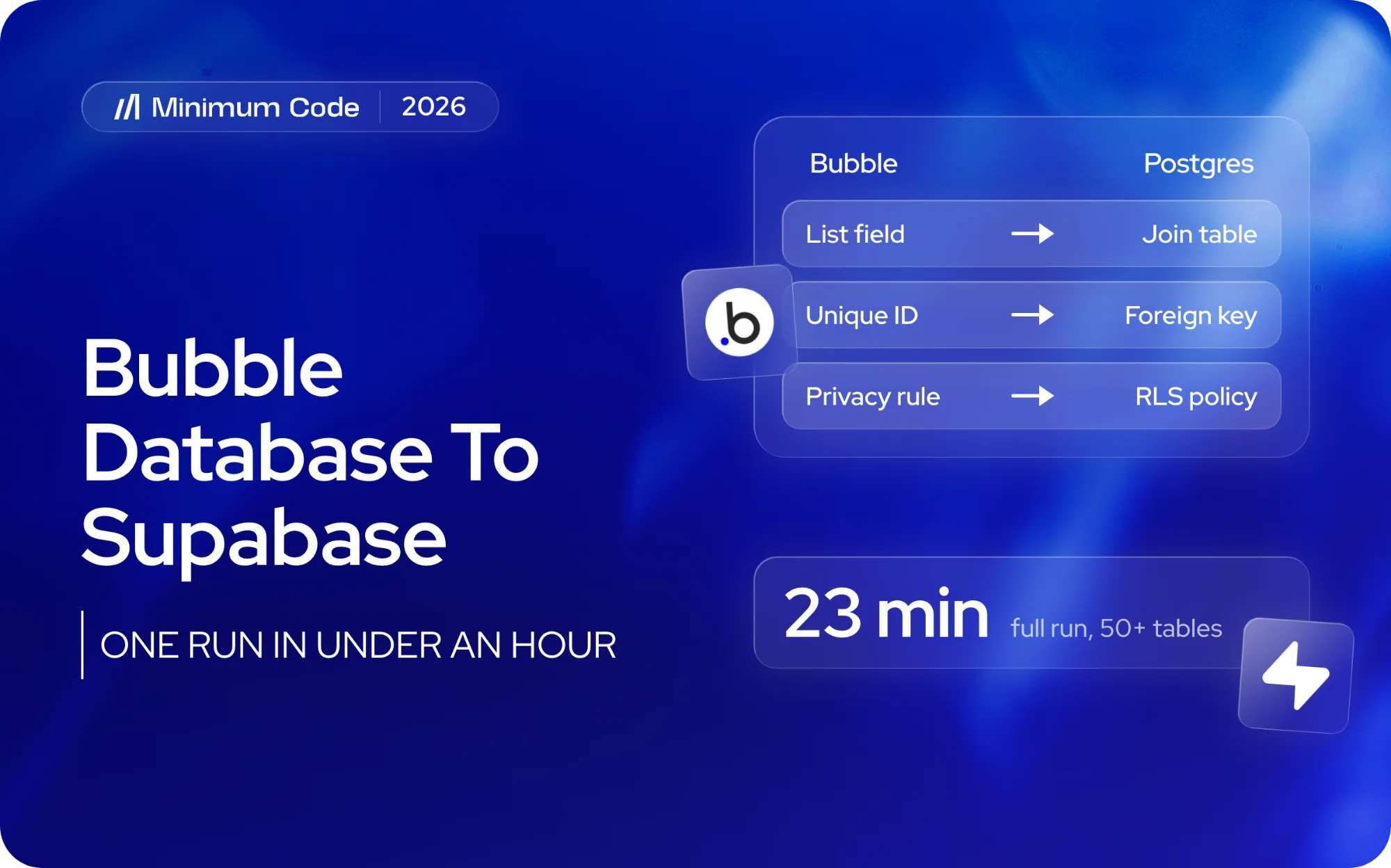
- With our tool one run takes less than an hour. On a test against a real client app with 50+ tables, 10,000+ users and some tables over 100,000 records, a full run took about 23 minutes.
- The tool only reads from Bubble. Your live app keeps running and nothing in it changes, so every step can be rehearsed and repeated.
- Passwords can't be moved. Bubble never exposes password hashes, so every user resets once after the switch.
- Option sets and Bubble privacy rules aren't in the database at all. They only exist in the .bubble export file, so that file is required.
- The tool isn't public. Message us and we'll give you access for free.
Why is the database the hardest part of a Bubble migration?
Founders usually worry about the pages. Will the dashboard look the same, will checkout still work. With Next.js and AI-assisted engineering, rebuilding screens is fast. The data is the slow part: years of records, users and files that have to arrive complete, correctly linked, and without the live app going down.
What has to change on the way from Bubble to Supabase:
Lists inside a field. In Bubble one field can hold a list of other things, for example a Project with a list of Members. PostgreSQL doesn't store relationships that way. Each list becomes its own join table linking the two sides.
Relationships by unique ID. Bubble links records with its own unique IDs. Every link has to be rebuilt as a proper foreign key, in the right order, or you end up with records pointing at nothing.
Option sets. Statuses, categories and roles are often option sets. They aren't stored in the Bubble database, so a data export doesn't include them. They exist only in the app's .bubble export file.
Privacy rules. The Bubble privacy rules deciding who can see which records also live only in the .bubble file. In Supabase the same job is done by Row Level Security policies, written from scratch.
Files. Uploaded images and documents sit in Bubble's file storage. They have to be copied into Supabase Storage with every reference updated, or the new app still depends on Bubble.
Users and passwords. Accounts can be moved. Passwords can't, because Bubble doesn't give you the hashes.
The app is still live. While you rebuild, customers keep creating data in Bubble. Whatever you copied on day one is out of date by switch day, so the move has to be repeatable rather than perfect once.
For what Bubble will and won't hand over in general, see can you export a Bubble app to code?
How long does a Bubble to Supabase migration take by hand?
By hand it means exporting Bubble data as CSV per data type, or pulling it through the Bubble Data API, then custom scripts and a lot of counting rows to see whether anything went missing. The work loops through database cleanup and refactoring, a trial run, debugging whatever broke, then running it again. Each loop took us from a day to several days, and a full Supabase migration from a few days to a few weeks.
By hand | With our tool | |
|---|---|---|
One full run | A day to several days | Under an hour |
Rehearsals before go-live | A few, each one expensive | As many as you want |
Testing the new frontend on real data | Late, once the data is finally in | From the first run |
Option sets and privacy rules | Rebuilt manually from the .bubble file | Read from the .bubble file and drafted for you |
Re-sync before switch day | Another manual run | Repeat the same run |
The speed matters less than what it allows. When a run costs an hour instead of days, you stop treating the migration as one high-stakes event and start practising it until it's dull.
What does our Bubble database migration tool do?
It moves a Bubble app's data into Supabase through a guided process, in eight steps.
- Check. Confirm both Bubble and Supabase are connected, and that Supabase is empty.
- Map. Work out the Postgres structure from the Bubble app, then review it.
- Build and load. Create the tables, copy every row, rebuild every relationship.
- Verify. Compare row counts and sample records field by field.
- Move files. Copy images and documents into Supabase Storage and update their links.
- Accounts. Create a login for every user.
- Security rules. Draft them from Bubble's privacy rules.
- Handoff. Write a document explaining how everything maps, for the developer rebuilding the app.
Throughout, the tool only reads from Bubble and never changes it. That's why every step can be rehearsed and re-run as often as needed.
The handoff file is a MIGRATION_CONTEXT.md describing the whole data model. We give it to Claude Code when we rebuild the app in Next.js, so the new code starts from an exact picture of the data instead of guesses.
Has it been used on a real app?
We tested it on a real client app: 50+ tables, 10,000+ users, some tables over 100,000 records. The full run took about 23 minutes, and we connected it to the new frontend to check everything worked.
What still needs an engineer?
Some steps stay with an engineer by design, and one thing Bubble doesn't allow at all.
Passwords. Bubble never exposes password hashes, so every user sets a new password after the switch. The tool produces the list of user emails for a reset mailing, but it doesn't send anything. We plan that mailing for switch day.
Deleted records. A re-sync picks up new and changed records. To catch records deleted in Bubble, close to switch day we do a full fresh re-sync: clean the target database and sync again from scratch, rather than relying on incremental syncs. The Verify step runs before Bubble gets switched off.
Security rules. The tool drafts Supabase security rules from your privacy rules, it doesn't apply them. One of our engineers reviews every rule before go-live, backed by extensive testing. Nothing is open by default: data stays locked until the rules are reviewed and applied.
The .bubble export is required. Option sets and privacy rules exist nowhere else.
When is leaving Bubble not the right move?
Some apps should stay on Bubble, and we say so on paid audits. If your app is small, your team changes things in the editor every week, and nothing about SEO, hosting region or code ownership is causing you pain, a migration is an expensive answer to a question you don't have yet. Bubble got the app to revenue. The bill alone is rarely a good reason to look for a Bubble alternative.
The conversation usually makes sense when development speed has stalled, when search traffic matters and the platform is in the way, when a client or regulator asks where the data is stored, or when you want the code in your own repository.
Where does the database fit in a full migration?
The database is one step of four.
- Paid audit, 1 to 2 weeks. Sometimes the answer is "not yet", with a list of things to fix inside Bubble instead.
- Data, logins and background jobs. This is where the tool does its work.
- Rebuild page by page, while Bubble keeps running.
- Practise the switch with real data, then do it with zero downtime.
After launch the code sits in your own GitHub and the data in your own Supabase project, in the hosting region you choose. 60 days of free support come with it.
More on the rest of the process: how to migrate from Bubble, migrating from Bubble to Next.js, how long a Bubble migration takes and our Bubble to code migration service.
How do you get access to the tool?
The tool isn't public, so there's no download link. Message us or email Tom at tom@minimum-code.com and we'll give you access for free.
If you're planning to move your Bubble app to Next.js and Supabase, contact us and we'll walk you through what your migration would look like.
FAQ
Can I move my Bubble data to Supabase myself?
Yes. You can export Bubble data as CSV from the Data tab, or pull records through the Bubble Data API, and import them into Supabase. The hard part is rebuilding relationships, list fields, option sets, files and security rules correctly, and keeping everything in sync while the old app is still live.
How long does it take?
One run takes less than an hour. On the app we tested, with 50+ tables, it took about 23 minutes. The migration as a whole takes longer, because the point of a fast run is repeating it: test runs, frontend checks, then a fresh full sync close to switch day.
Will my users have to reset their passwords?
Yes. Bubble doesn't expose password hashes, so passwords can't be moved to any other system. Every user resets once, after the switch.
Does the migration change anything in my Bubble app?
No. The tool only reads from Bubble.
What happens to records deleted in Bubble during the rebuild?
A re-sync doesn't remove them, so before switch day we clean the target database and run a full fresh sync, then verify.
Can I use the tool without working with Minimum Code?
Yes. It isn't public, but message us and we'll give you access for free.
So, how do you migrate a Bubble database to Supabase?
You translate what Bubble hides from you into PostgreSQL: list fields into join tables, unique IDs into foreign keys, option sets and privacy rules out of the .bubble file and into real tables and Row Level Security policies. Then you move the rows, the files and the accounts, and you repeat the whole thing until switch day, because the live app keeps producing data the entire time. Our tool does that run in under an hour, which is what makes rehearsing it realistic.
If you're planning to move your Bubble app to code and want access to the tool for free, contact us.

Written by Tom
Founder and Lead Developer

Ready to start your project?
Book a free discovery call to learn how we can build your app in 4 weeks, or less.
Book a call