
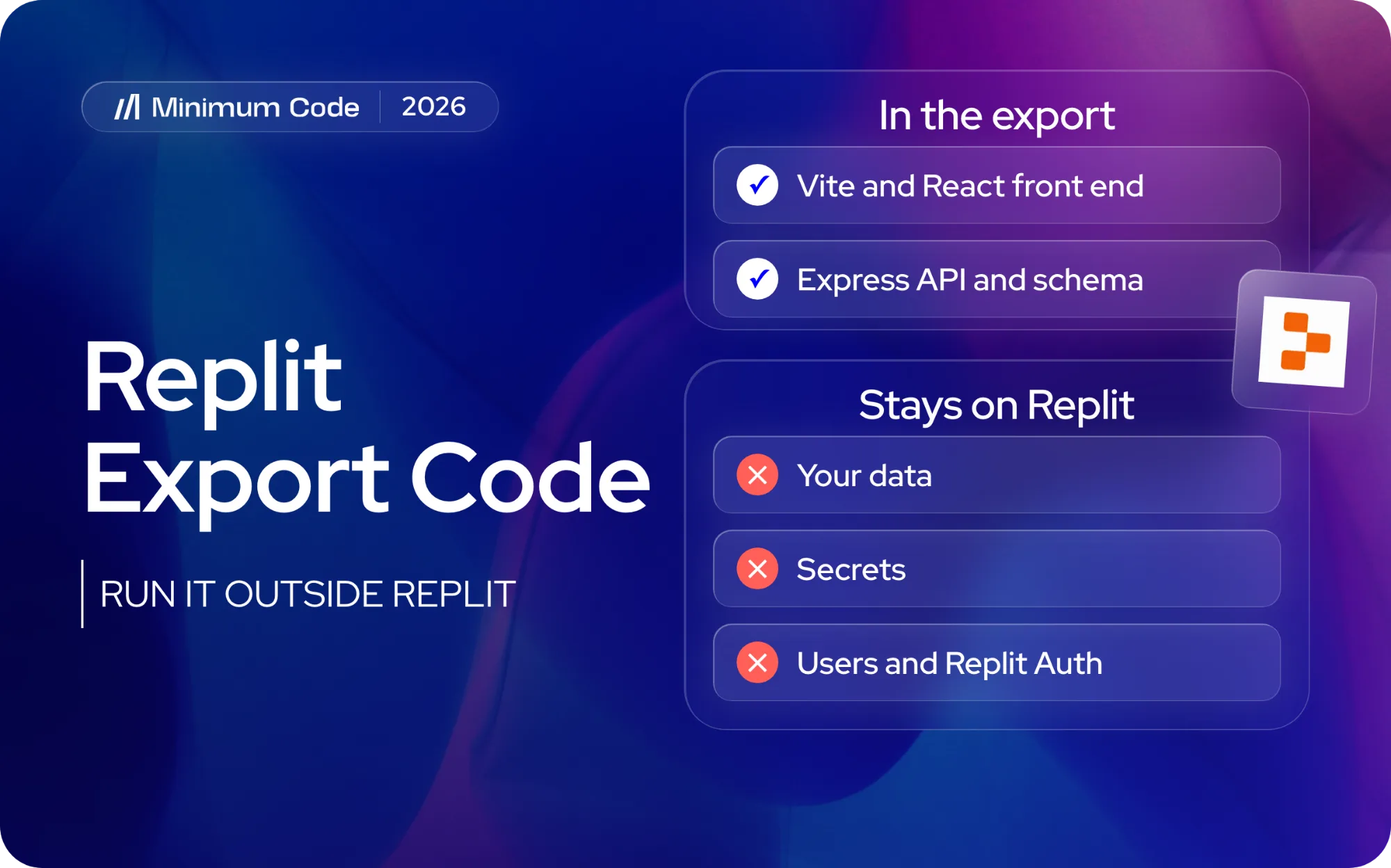
Yes, you can export your code from Replit, and we found no paid plan required. Connect GitHub in the Git pane, or choose Download as zip in the file tree. You get the full source: for a recent Replit Agent app, a pnpm workspace with a Vite and React front end, an Express API and a database schema. Your data, secrets, users and the Replit services the code calls stay behind, so the export will not run on your laptop until you fix a few things. This guide is one of the platform pages under taking a vibe-coded app to production.
Rather hand it over? Our web app development team moves Replit apps to a codebase and database you own, users included.
Talk to us about your Replit app
A note on the examples below. We did not use a Replit account. We took a public Replit Agent export from August 2026 (a booking app for salons with Replit sign-in, 13 database tables and an owner dashboard, five of its six commits made by Replit Agent) and ran it the way a client would hand it to us. We also scanned 100 public Replit projects on GitHub, all pushed between 20 September and 14 October 2026, for the patterns that repeat. Your export will differ in names, not in shape.
Step 1: Export Replit code to GitHub or download it as a ZIP
GitHub is the better route if you want history. In the Project Editor:
- Link your GitHub account from your Replit account's connected services.
- Open Tools, click the plus sign and add Git.
- Initialise the repository if the pane asks, then connect it to a GitHub repository. Use a private one unless you want the code public.
- Commit and push. Turn on auto-sync in the Git pane if you want changes to flow both ways.
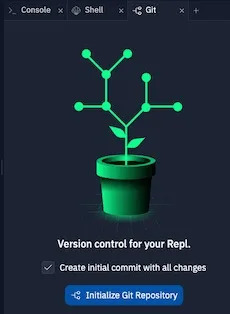
The Git pane in an earlier version of the editor. Labels may differ on your screen. Screenshot: Replit docs, docs.replit.com/features/workspace-tools/git-interface.
For a one-off copy, open the three-dot menu at the top of the file tree and choose Download as zip. Replit's own guide warns about one folder: .cache holds "internal Replit state, including cached secret values", so if you build the zip yourself in the Shell, use the command from that guide:
zip -r project.zip . -x ".cache/*" "node_modules/*" ".venv/*" "venv/*" ".pythonlibs/*" "build/*" "target/*" ".next/*" "__pycache__/*"Replit's docs list no plan requirement for either route, and neither is on the free Starter plan's list of locked features (checked 14 October 2026). GitHub gets only what you commit; the zip takes everything on disk.
Step 2: Clone it and run it
Replit's template refuses npm, so use pnpm. In our test app this is what happened on a Mac:
$ npm install
Use pnpm instead
npm error code 1

$ pnpm install --frozen-lockfile
Done in 11.1s using pnpm v10.30.3

$ pnpm --filter @workspace/booking-platform run dev
Error: Cannot find module @rollup/rollup-darwin-arm64.
The front end did not start. The cause is in pnpm-workspace.yaml: 74 lines under the comment "replit uses linux-x64 only, we can exclude all other platforms" remove the Mac and Windows builds of esbuild, Rollup, Tailwind and Lightning CSS. 29 of the 46 workspace-style exports in our scan have the same block. Delete those lines and run pnpm install again.
After that, Vite started in about three seconds, once we set two variables it insists on (PORT and BASE_PATH). Our test app showed its sign-in screen:
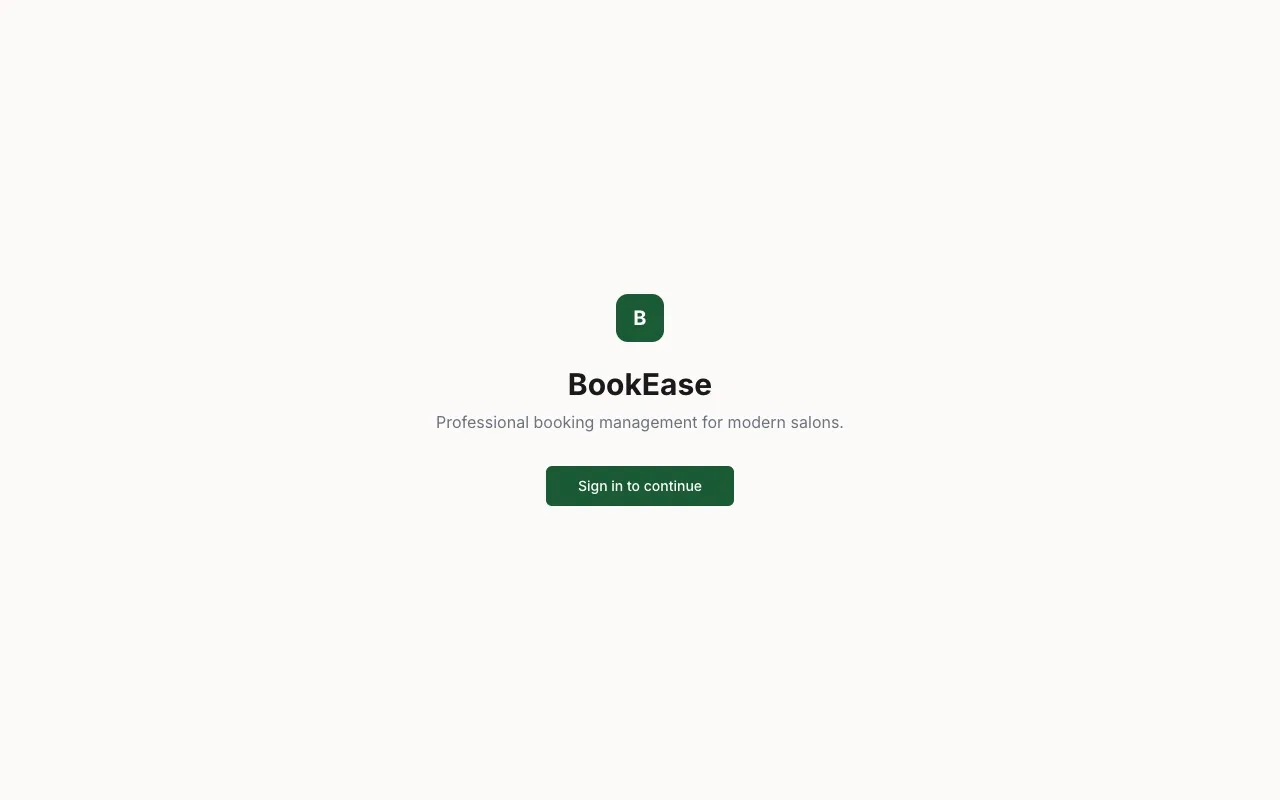
Our test app from a clean clone: the screen loads, sign-in does not. Screenshot: Minimum Code, 14 October 2026.
Then three more things broke. The app asked /api/auth/user for the current user and got the web page back, because on Replit a platform router sends /api to the API server and locally nothing does. The API started fine against a local Postgres, but its login route returned a 500 error, "clientId" must be a non-empty string: Replit Auth needs a Replit-issued id. And pnpm run build failed on 73 type errors that Replit's deploy never checks, while pnpm audit reported 29 vulnerabilities, one critical.
Step 3: See what you actually have
The trimmed tree from our test app. Yours will have different names; look for artifacts/, lib/db and the .replit files:
.replit                     Node 24 + Postgres 16, autoscale deploy
replit.md                   Replit Agent's notes on the project
pnpm-workspace.yaml         the Linux-only overrides
attached_assets/            what you pasted into the Agent chat
artifacts/
  api-server/               Express API, Replit Auth in src/lib/auth.ts
  booking-platform/         Vite + React web app, 56 shadcn/ui files
  mockup-sandbox/           Replit's design canvas preview
  */.replit-artifact/       which port serves /api and which serves /
lib/
  db/                       Drizzle schema, 13 tables, no migrations
  api-spec/openapi.yaml     the API contract
  api-client-react, api-zod generated from the contract
  replit-auth-web/          the login hook for the front end
44 of the 100 scanned projects use this layout; 33 use the older client/, server/ and shared/ folders. 84 carry Replit's Vite plugins and 81 use Drizzle for the database. 53 have committed what the builder pasted into the Agent chat (1,085 files in total), so read attached_assets before making a repository public.
Step 4: Get your data, secrets and users out
The code export does not include the database. Replit's own move guide uses pg_dump from the Shell. This exports the development database; for live data, swap "$DATABASE_URL" for the production connection string from Database, then Settings:
pg_dump -Fc "$DATABASE_URL" --no-owner --no-privileges -f backup.dump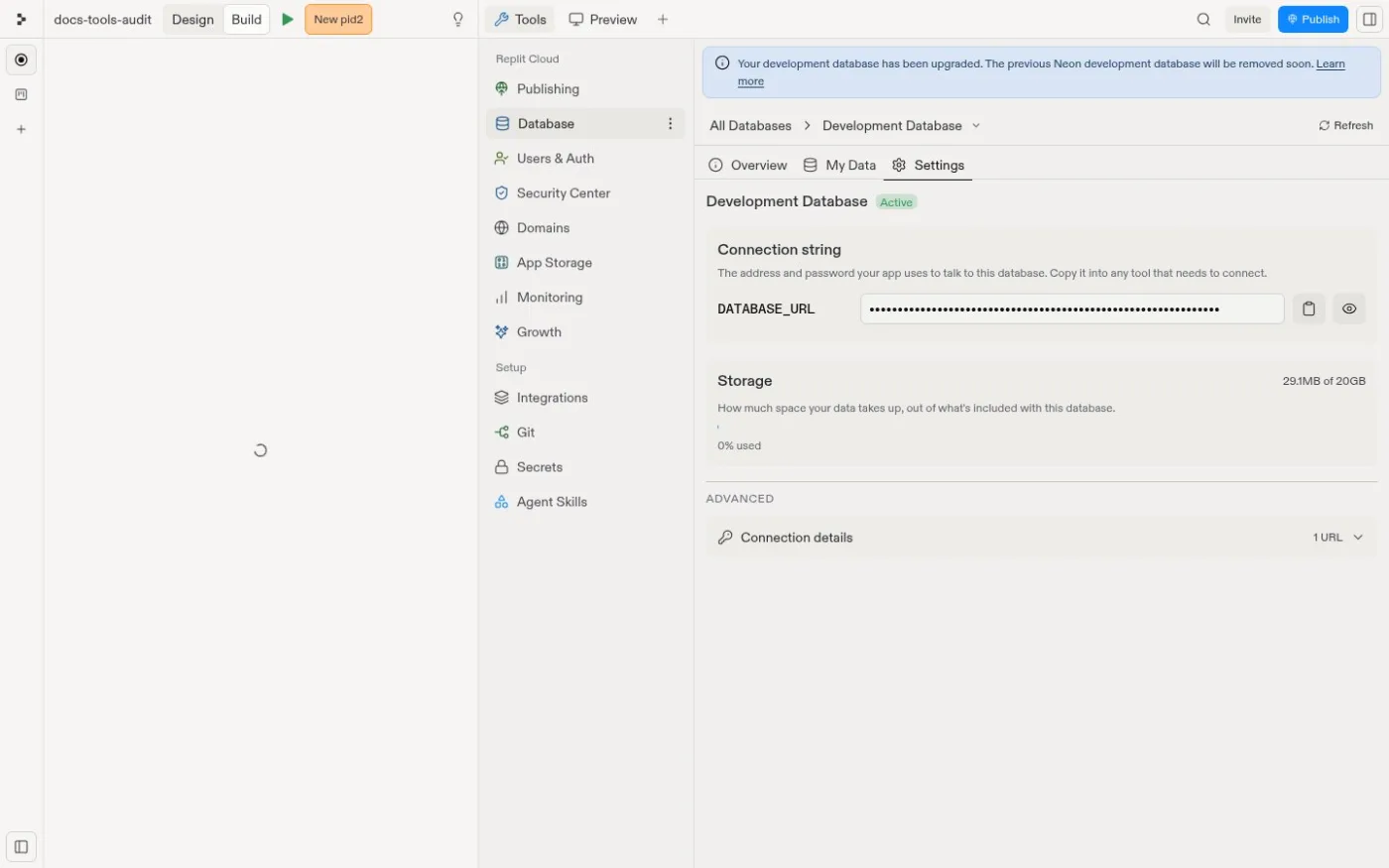
Where the connection string lives. Screenshot: Replit docs, docs.replit.com/features/data-and-storage/connection-details.
Restore the dump into your new Postgres with pg_restore, and keep it out of git. Secret values "never leave the old project", in Replit's words, so copy each one from the Secrets tool by hand. Files in App Storage are downloaded separately.
Users are the hard part with Replit Auth. They signed in with Replit accounts, and your database only holds their Replit id, email and name. There are no passwords to export: plan a new sign-in with your own provider, matched to existing rows by email.
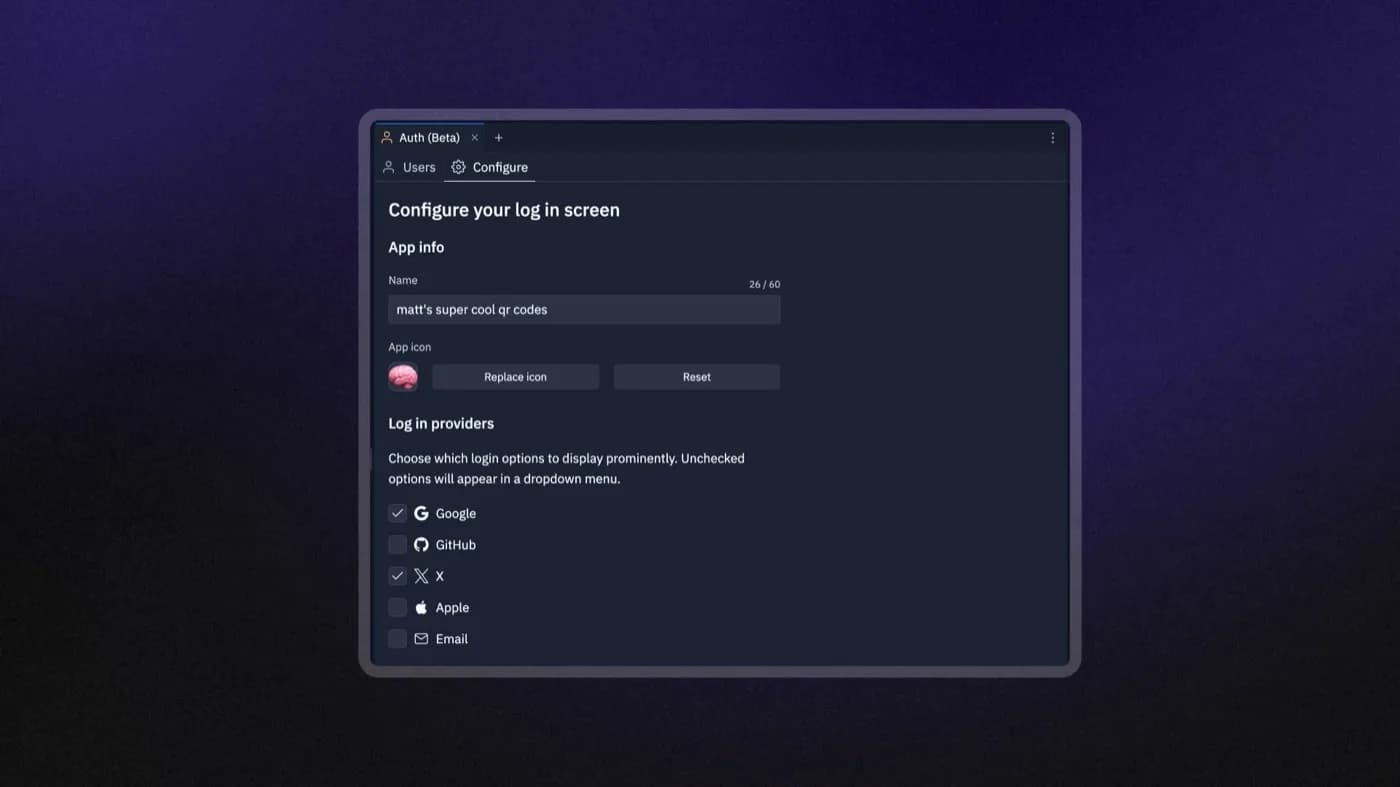
Replit Auth's login settings. These users are Replit accounts. Screenshot: Replit docs, docs.replit.com/features/auth-and-identity/authentication.
Step 5: Fix what would break in production
What we found, in the order we would fix it. Items marked "scan" come from the 100 projects; the rest come from our test app, and your export will have some of them, not all.
- Replit-only services. Half the scanned projects (50 of 100) call at least one: Replit's connectors for third-party logins (29), Replit-billed AI access (18), file storage through a local Replit service (12), Replit Auth (9). None of these work off Replit. Replace each with your own key or provider.
- The API accepts any website. Our test app's API answers requests from any origin with cookies allowed. We sent one as
https://evil.exampleand it was accepted. 10 of the 100 do the same. Allow only your own domains. - No migrations. The schema is pushed straight to the database after every merge. 52 of the 81 scanned projects on Drizzle have no migrations folder.
- .env is not ignored. Replit keeps keys in its Secrets tool, so the template never ignored
.env. 48 of the 100.gitignorefiles miss it, and three scanned projects contain what look like real database passwords for hosted Postgres. Rotate anything that was ever committed. - No tests. Our test app has none. 49 of the 100 have any test file.
Step 6: Move it off Replit with Claude Code
Point Claude Code at the repository with a CLAUDE.md that treats replit.md as history. This is the file we used:
# Project
This is a Replit Agent export: a pnpm workspace with an Express API (artifacts/api-server), a Vite + React web app (artifacts/booking-platform), Drizzle schema in lib/db and generated API clients in lib/. We are moving it off Replit to a stack we own: Supabase (Postgres and Auth) and Vercel or any Node host. replit.md describes how it runs on Replit; treat it as history, not as rules.

Rules
- Do not change product behaviour.
- Do not touch generated files in lib/api-zod and lib/api-client-react by hand.
- Do not add new dependencies unless asked.
- Never start long-running servers (no `dev`, no `start`).
- Report every file you changed or created and why, in a short list.
And the first prompt, verbatim. It plans the move and fixes the foundations rather than rewriting the app:
Plan and start the move of this Replit export off Replit. Do these in order and stop after each with a one-line note:
1. Inventory every dependency on Replit and write it to MIGRATION.md: environment variables the code reads that Replit provides (REPL_ID, REPLIT_DOMAINS, ISSUER_URL, DATABASE_URL, PORT, BASE_PATH and any others) with the file and line; Replit Auth (the OIDC login against replit.com/oidc) and every place that depends on the Replit user id; the @replit packages and Vite plugins; the routing that .replit and the .replit-artifact/artifact.toml files do (which port serves /api and which serves /); anything in pnpm-workspace.yaml that only works on Replit's Linux machines. For each item, name the replacement on Supabase, Vercel or plain Node.
2. Make it run locally off Replit: remove the pnpm-workspace.yaml overrides that strip non-Linux native binaries, add a Vite dev proxy that sends /api to the API server on API_PORT (default 8080), and add a .env.example listing every variable the code reads, with no real values.
3. Lock CORS: the API currently reflects any Origin with credentials. Allow only origins listed in a CORS_ORIGINS variable.
4. The database schema is only ever pushed with drizzle-kit push and there are no migrations. Generate the first migration into lib/db/migrations with drizzle-kit generate (use DATABASE_URL=postgresql://x@127.0.0.1:1/x as a dummy; generate does not connect), and add a "generate" and "migrate" script to lib/db/package.json.
5. Write the plan for replacing Replit Auth with Supabase Auth in MIGRATION.md under "Auth": what changes in auth.ts, routes/auth.ts, the middleware and lib/replit-auth-web, and what happens to existing users and the rows that reference their Replit user ids. Do not implement it yet.
6. Run pnpm install, then pnpm run typecheck and PORT=5000 BASE_PATH=/ pnpm --filter @workspace/booking-platform run build, and paste the last lines of each. If typecheck fails, list the errors by file and say whether they existed before your changes (git stash can tell you), but do not fix them.
What it did on our test app, in six minutes: a 147-line MIGRATION.md listing every Replit dependency with its replacement, the Linux-only lines removed, a local /api proxy, a .env.example, CORS limited to listed domains, and a first migration for all 13 tables. It checked that all 73 type errors existed before its changes rather than hiding them.
What a person had to check. We applied the migration to an empty database, started both servers, and confirmed /api returns data through the proxy and the evil.example request is refused. The auth plan is sound: pre-create Supabase users from the users table, map old ids to new ones, rewrite them in one transaction. Two decisions are left for a person: Supabase has no hosted login page, so pick a provider or build a sign-in screen, and lock down Supabase's public data access before loading real data.
The order of work after that prompt:
- Database: restore the dump into Supabase and run the migration history from here on.
- Auth: Supabase Auth in place of Replit Auth, users matched by email, ids rewritten.
- Replit services: connectors, AI and file storage moved to your own keys.
- Tests around sign-in and bookings, then fix the type errors.
- Deploy, then remove the Replit plugins and the
.replitfiles.
Step 7: Deploy and cut over
The app is two processes: a static front end and a Node API. Host the front end on Vercel or Netlify and the API on any Node host or as serverless functions, on one domain so /api keeps working. 36 of the 100 scanned projects already carry config for another host, most often a Dockerfile (16) or vercel.json (14).
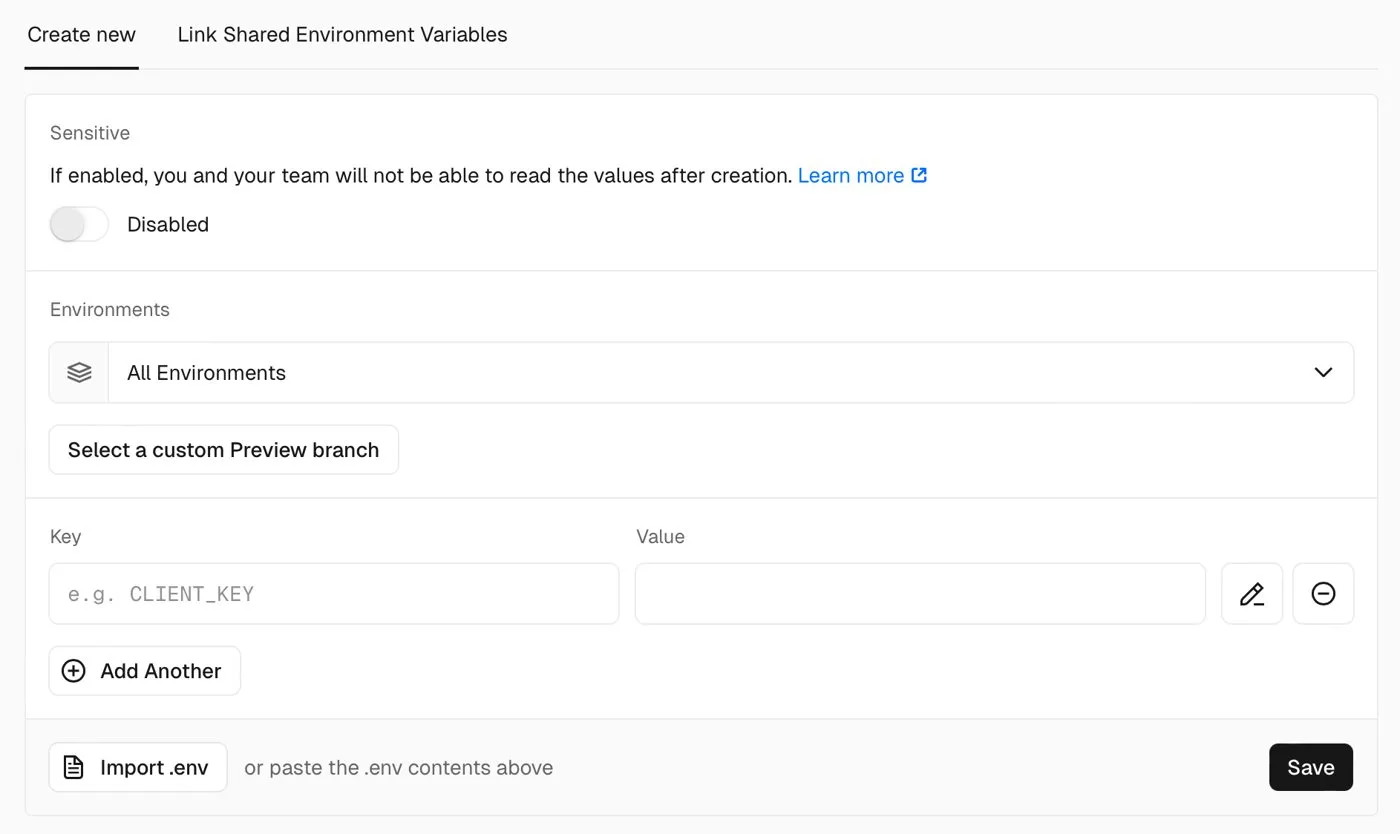
Adding your variables in Vercel. Screenshot: Vercel docs, vercel.com/docs/environment-variables.
Set DATABASE_URL, CORS_ORIGINS, your Supabase keys and the rest of .env.example on each host. Keep the Replit app published until the new one has the latest data. Then unpublish on Replit, take a final pg_dump, restore it, and move your domain.
What to check before leaving Replit
- Should I even migrate yet? If you are still testing the idea with a handful of users and nobody to maintain code, stay on Replit and keep the GitHub sync as a backup. Move when you have paying users, when Replit's usage bills grow, or when you need your users and data on accounts you control.
- Can I keep using Replit after exporting? Yes. The GitHub sync runs both ways, so keep building there while you migrate on a separate branch.
- Do I need my own database? Yes. Your app already uses Postgres, so Supabase or any Postgres host takes the dump as it is.
- What happens to my users? If they sign in with Replit Auth, they have Replit accounts, not accounts in your app. They sign in again with your new provider, matched by email.
- How long does this take? Count the Replit-only services first (the inventory prompt does it). Replit Auth plus a database is a small job; connectors, AI and file storage each add work.
- Can I do it with Claude Code alone? It handles the inventory, the local setup and the schema well. The user move and the auth decisions need a person.
When to get help moving off Replit
If your Replit app has real users or revenue and you want it on a codebase, database and sign-in you own, with the security gaps above closed, our web app development team does this migration as a fixed piece of work. The vibe-coded app checklist covers what every AI-built app needs before launch, and the Lovable and Base44 export guides cover the neighbours. Otherwise send us your repository link and we will tell you honestly whether to move now or stay.
Frequently asked questions
Does Replit let you export code?
Yes. Push it to GitHub from the Git pane, or use Download as zip in the file tree. Replit's docs list no plan requirement for either.
How do I download a Replit project as a ZIP?
Open the three-dot menu at the top of the file tree and choose Download as zip. If it fails on a big project, run zip -r project.zip . in the Shell, leaving out .cache, and download that file.
Does the export include my database and secrets?
No. Export the database with pg_dump from the Replit Shell and copy each secret from the Secrets tool by hand. Files in App Storage are downloaded separately.
Why won't my Replit export run on my computer?
In our test app, three things stopped it: overrides that remove the Mac and Windows builds of the build tools, the /api routing that only Replit's router does, and Replit Auth, which needs a Replit-issued id.
Can I keep my users if I leave Replit Auth?
You keep their rows, emails and names. They sign in again with your new provider, and you rewrite their old Replit ids to the new ones.
Sources
What we read:
- Using the Git pane, Replit docs. Read 14 October 2026. Source of the Step 1 screenshot.
- Manually copy a project to another workspace, Replit docs (zip,
pg_dump, what does not copy). Read 14 October 2026. - Replit help FAQ (Download as zip, GitHub sync). Read 14 October 2026.
- Connection details and Development and production databases, Replit docs. Read 14 October 2026. Source of the Step 4 database screenshot.
- Replit Auth, Replit docs. Read 14 October 2026. Source of the Step 4 auth screenshot.
- Starter plan and Replit pricing. Read 14 October 2026 from Portugal.
- Environment variables, Vercel docs. Source of the Step 7 screenshot.
What we ran ourselves:
- A public Replit Agent export, last pushed 21 August 2026, cloned, installed, built and run on a Mac on 14 October 2026.
- A scan of 100 public Replit projects on GitHub, pushed between 20 September and 14 October 2026, run on 14 October 2026.
- The Claude Code prompt in Step 6, run on the same export on 14 October 2026, with the migration applied to a test database and both servers checked.

Written by Tom
Founder and Lead Developer

Ready to start your project?
Book a free discovery call to learn how we can build your app in 4 weeks, or less.
Book a call