
A code audit checklist for a live web app tells you whether it can be migrated safely and what will drive the time and cost. It covers architecture, test coverage, dependencies, security, deployment and cutover readiness, not just code style. Weak tests and tangled dependencies mean a longer timeline; a rehearsed cutover with a measured rollback time is what makes a migration date credible.
Key takeaways
- Programmatic discovery, not interviews alone, is what reveals hidden dependencies before they break a cutover, according to AWS’s assessment guidance.
- Ask for a dependency map and a Software Bill of Materials (SBOM) before signing a migration contract. If a vendor can’t produce them, discovery hasn’t happened yet.
- Rehearse the cutover on a copy sized like production, check record counts, and measure rollback time before setting a date, per AWS cutover best practices.
- When one shared database serves several services, replace the app in stages rather than in one switch.
- Not every app should move: a small, single-purpose Bubble app may be better left where it is.
What should be on a code audit checklist?
A short, ordered checklist is the fastest way to brief a vendor or run the audit yourself. Work through these stages methodically, as each stage depends on the preceding one.
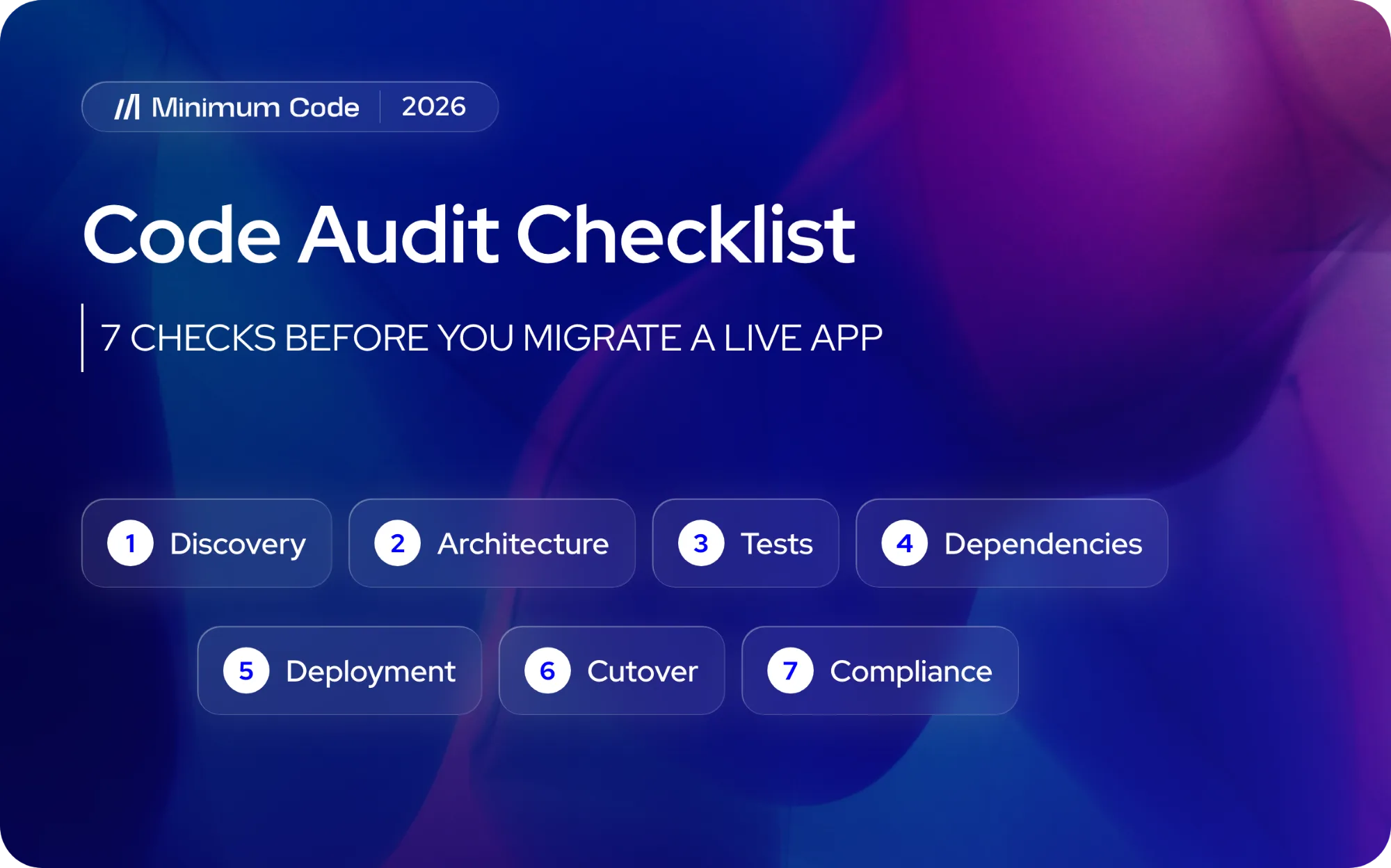
- Discovery: inventory the stack, database structure, third-party APIs and the current CI/CD setup.
- Architecture: build a dependency map, flag shared databases and other tightly coupled services that increase migration complexity.
- Tests: check whether unit, integration and end-to-end tests actually exist and what they cover.
- Dependencies and security: generate an SBOM, confirm packages come from trusted repositories, scan for known vulnerabilities and exposed secrets, and check authorisation on every endpoint.
- Infrastructure and deployment: confirm builds are reproducible and whether zero-downtime deployment is possible.
- Cutover: plan the final backup, data sync, DNS switch, rollback steps and who owns each task.
- Compliance: note hosting location and any GDPR-relevant constraints at a high level.
How is a code audit checklist different from a code review checklist?
A code review checklist is for one change: is this pull request readable, tested, secure and consistent with the codebase? A code audit checklist is for the whole application at one moment: how it is built, what it depends on, what would break if you moved it, and what that means for time and cost. You use a code review checklist every day; you run a code audit before a big decision such as a migration, an acquisition or taking over an app from another team. If you want someone else to run the audit, our guide to choosing a code audit service covers what a good audit report should contain.
What does each part of the code audit check?
Each part of the audit maps to a real decision later in the project, not a box to tick.
- Architecture: programmatic discovery and dependency mapping expose shared databases and tight coupling, which determine whether you can split the app into stages or need a single cutover, as outlined in AWS’s application portfolio guidance.
- Testing: missing tests mean every change needs manual verification, which slows the build and raises the chance of regressions during cutover.
- Dependency management: generating an SBOM and enforcing build-time dependency checks, as OWASP ASVS 5.0 recommends, stops insecure libraries reaching production before anyone notices.
- Infrastructure and CI/CD: builds need to be automatable and repeatable so the team can run full-scale dry runs and measure rollback time honestly, rather than guessing at it.
- Security and compliance: automated scanning, proper secrets handling and basic production hardening belong in the same pass as the dependency check, not a separate phase.
- SEO and performance: Core Web Vitals set a pass or fail threshold. Once your pages pass, further tuning rarely moves rankings, so performance work during migration should target the vitals that are failing, not chase perfect scores. A migration is also a common point where rankings slip if URLs aren’t mapped to their new addresses with redirects.
Architecture and dependency gaps are consistently what drive audit findings. Shared databases and tightly coupled services are flagged as the main source of migration complexity in AWS’s detailed assessment approach, which is why they deserve the first look, not the last.
How do you build a cutover runbook that works?
A cutover runbook is the document that turns “we’re migrating this weekend” into a sequence of checked tasks with named owners.
- Take a final backup and freeze new data entering the old system.
- Run the data sync and verify record counts match on both sides.
- Switch DNS or traffic routing to the new system.
- Run validation checks against the live app before declaring it done.
- Keep rollback steps written out, with an owner assigned to each one.
None of this works without rehearsal. Run the cutover against a copy sized to match production, or apply a clear scaling factor if you can’t match it exactly, and treat a rehearsal that overruns the maintenance window as a stop signal rather than a risk to accept, which matches AWS’s cutover guidance. Measure the rollback time during that rehearsal too: it sets your real outage window and what you tell customers in advance. Our guide to zero-downtime data migration walks through how this looks in practice, and our migration QA checklist offers recommended data validation steps pre- and post-migration.
How do you turn audit results into a migration plan?
An audit result is only useful once it’s sorted into blockers and things you can fix along the way. A missing test suite is annoying but fixable during the build. A single shared database touched by five services is a blocker that shapes the whole plan.
That’s usually the point where Strangler Fig beats a full rewrite: it replaces legacy functionality piece by piece, so you deliver value as you go and test each integration before moving to the next, rather than betting everything on one cutover date. Heavy dependency coupling tends to push you toward incremental waves rather than a single switch. Time and cost scale with how much of the audit comes back clean: a well-tested app with few dependencies migrates faster than one with tangled integrations and no test coverage, and our walkthrough of a Bubble migration gives a sense of what that timeline looks like in practice.
When is an audit or migration not the right move?
Not every app needs this process.
- A small, single-purpose Bubble app or a prototype often works fine staying exactly where it is.
- If the only reason to migrate is cosmetic, that budget is usually better spent improving the product itself.
- If hosting location is the one real issue, a configuration change may solve it without a full migration. Our comparison of Bubble and coded stacks covers this trade-off in more detail.
How Minimum Code handles this
Our audits start with programmatic discovery rather than interviews. We then produce an SBOM, run automated dependency and CI/CD checks, and write a cutover runbook with a rehearsed rollback before any migration date is set. Because we also build on Bubble, we will tell you when an app is better left where it is. If your app is on Bubble, technical debt in Bubble explains how we separate build problems from platform limits, and refactor vs rewrite covers the decision that usually follows an audit.
What founders should prioritise first
If we had to narrow this to one thing, it’s the rehearsal. Ask for an explicit rollback time, measured, not estimated, before anyone commits to a cutover date. Insist on programmatic discovery over a vendor simply asking your team what the app does.
Thinking about moving off Bubble?
We run the audit, the migration and the modernisation work ourselves, at a fixed price and fixed scope, with no downtime during the switch. If an audit shows your app is ready to move, our Bubble to code migration service is where that work starts; for other stacks, see legacy app modernisation.
FAQ
What is a code audit?
A code audit is a structured review of a whole application: its architecture, code quality, tests, dependencies, security and deployment. The result is a report of risks ranked by impact, used to decide what to fix, whether to migrate and what it will cost.
What is a code audit checklist for a web app?
It’s a structured review covering architecture, test coverage, dependencies, infrastructure and cutover readiness, used to decide whether and how to migrate a live app. It differs from a plain code review because it focuses on migration risk, not just code style.
How long does a code audit take?
It depends on the size of the app and how tangled its dependencies are, so timelines vary case by case. Most of the time in a migration project goes into planning and testing rather than building, which is also where the audit adds the most value.
Do I need an SBOM if my app is small?
A Software Bill of Materials is worth generating regardless of size, since OWASP ASVS recommends it to catch insecure dependencies before they reach production. For a small app it’s a quick check rather than a heavy process.
Should I rebuild everything at once or migrate in stages?
Staged migration using an approach like Strangler Fig is usually safer than a full rewrite, because it lets you test each piece as you move it rather than betting on one cutover. Heavily coupled systems with shared databases tend to need this staged approach more than simple apps do.
What does Minimum Code check during an audit?
We check architecture and dependency coupling, test coverage, infrastructure and deployment setup, and we build a cutover runbook with a rehearsed rollback before recommending a migration date. Pricing for a migration is fixed once the scope is set.
Sources

Written by Tom
Founder and Lead Developer

Ready to start your project?
Book a free discovery call to learn how we can build your app in 4 weeks, or less.
Book a call